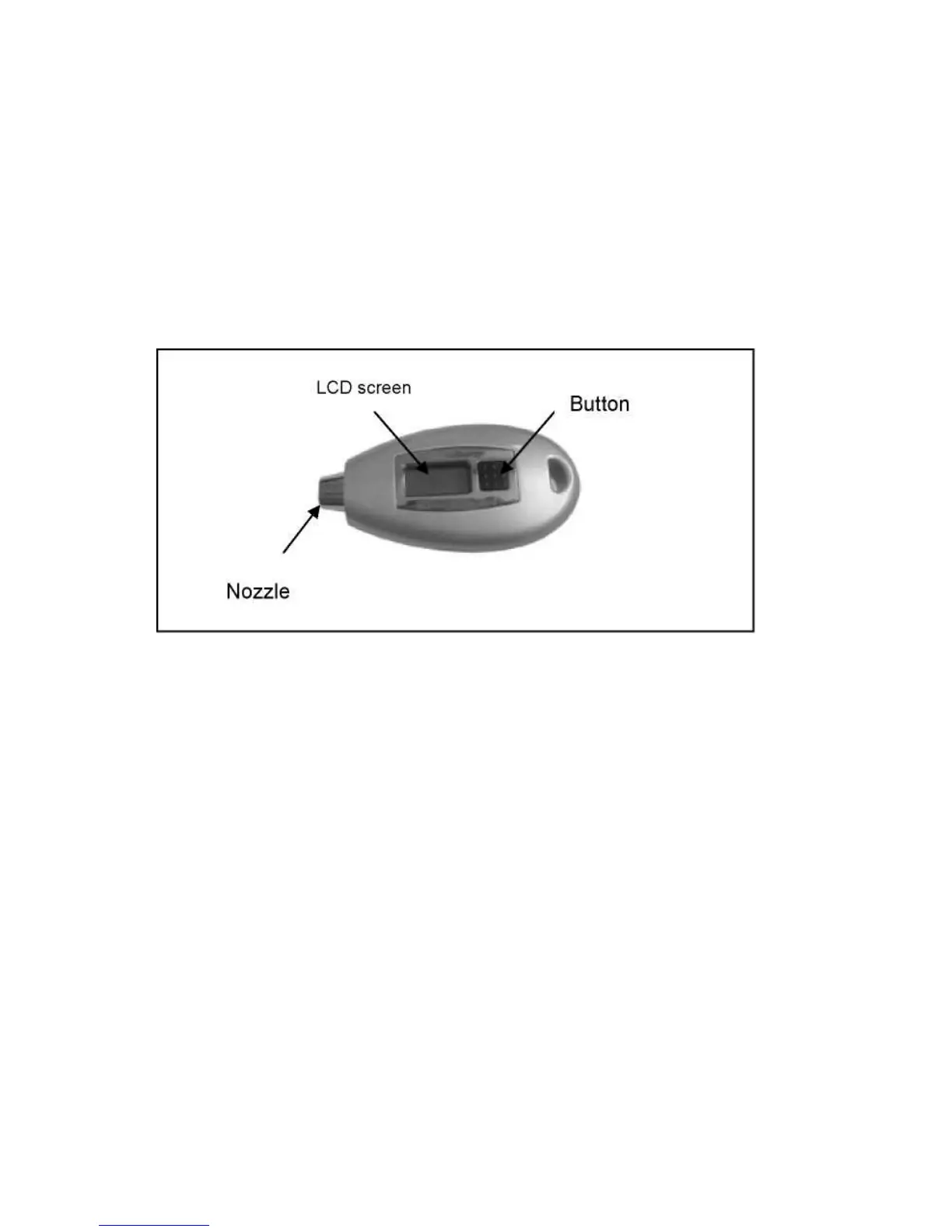
HOW TO USE DIGITAL TIRE PRESSURE GAUGE
1. Press the button to turn on the tire gauge.
2. Press the button to select PSI; BAR or KPA, when the LED screen shows.
3.
Place the nozzle of the gauge onto the valve stem of the tire and hold
tightly for one second, making sure to achieve a good sea, then
remove the gauge and read the accurate tire pressure f
rom the LCD.
4. When measurements are complete, the gauge will automatically
shut-off. Auto shut-off time is 25sec.


 To Next Page