18 ElEctrIcal / rEfrIgEratIon
P/N 3034041_D U.S. & Canada 1-800-922-1919 • Mexico 1-800-890-2900 • www.hussmann.com
CONTROLLER
Hussmann Controller Operation RTN
1. Plug the merchandiser plug into its receptacle.
a. The controller display will illuminate.
b. The interior light will illuminate.
2. After the control preprogrammed time
delay of up to 6 minutes, the compressor and
evaporator fan(s) will start if the control is
calling for cooling.
3. The control will cycle the compressor but
may also cycle evaporator fan(s) on and off
determined by the Set-Point and Differential
temperatures.
a. The Set-Point is the adjustable
preprogrammed temperature.
b. The Differential is the non-adjustable pre
programmed temperature.
c. The Control is designed to read and display
a cabinet temperature not a product
temperature.
This cabinet temperature may reflect the
refrigeration cycle of the Set-Point and it’s
Differential. The most accurate temperature
on a cabinets operation is to verify the product
temperature.
Taking as an example a VRL case, freezer, If the
Set-Point is -12°F and the Differential is 9°F.
(Set-Point) -12°F + 9 (Differential) = -3°F. The
compressor and evaporator fan(s) will cycle off
-12°F and back on at -3°F.
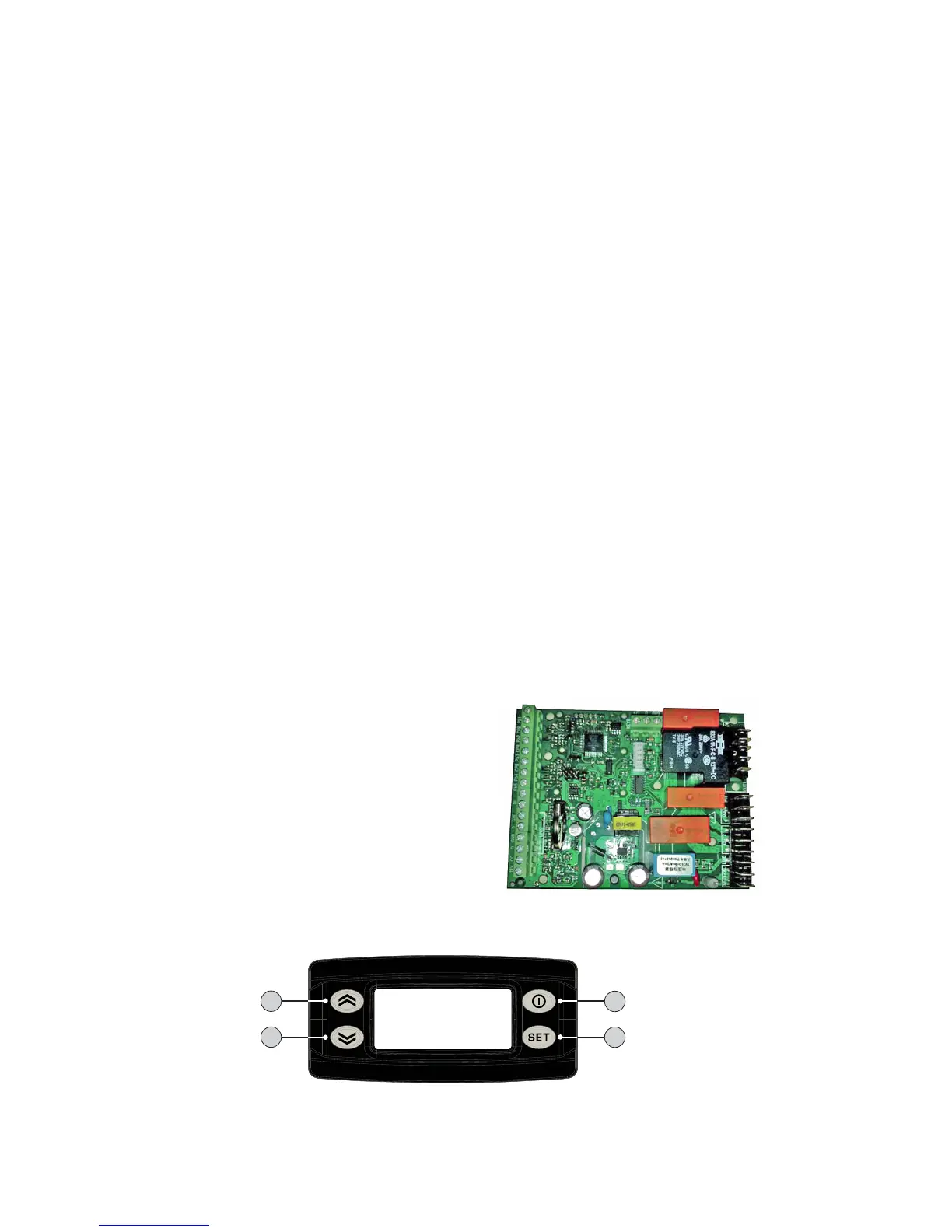
Main Features:
• Panel-mounted
• Energy saving algorithms and optimised
defrost control
• 8 preloaded applications
• Defrost at single / double evaporator
• Frame Heater
• Local network auto-conguration
• Direct load connection (up to 2 HP)
• Supply voltage control LVD
• Presence of an open collector output
KDEPLUS BUTTONS
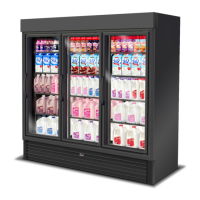
The KDEPlus keyboard has 4 keys, as shown in the illustration:
1
2
3
4
Each key has a different function depending on whether it is:
• Pressed and released
• Pressed for at least 5 seconds
• Pressed and held at start-up
• Pressed in combination with another key.
KEYS
The following table summarizes the function of each key:
No Key
Action
Pressed and released Press for at least 5 secs Start-up
1
• Scrolls through menu items
• Decreases values
Activates the Manual Defrost function
(from outside menus).
---
2
• Scrolls through menu items
• Decreases values
Function can be configured by the user
(from outside menus).
(see parameter H32)
---
3
• Returns to the previous menu
level
• Confirms parameter value
Activates the Stand-by function
(from outside menus).
---
4
set
• Displays any alarms
(if active)
• Opens Machine Status menu
• Confirms commands
Opens the Programming Menu
(User and Installer parameters)
When pressed during
start-up it enables
the user to select the
application to be loaded.
STANDBY or ESC
DOWN SET
UP


 To Next Page