Customer Service Department
HUVITZ Co.,Ltd
2013. 08. 16
22 / 72
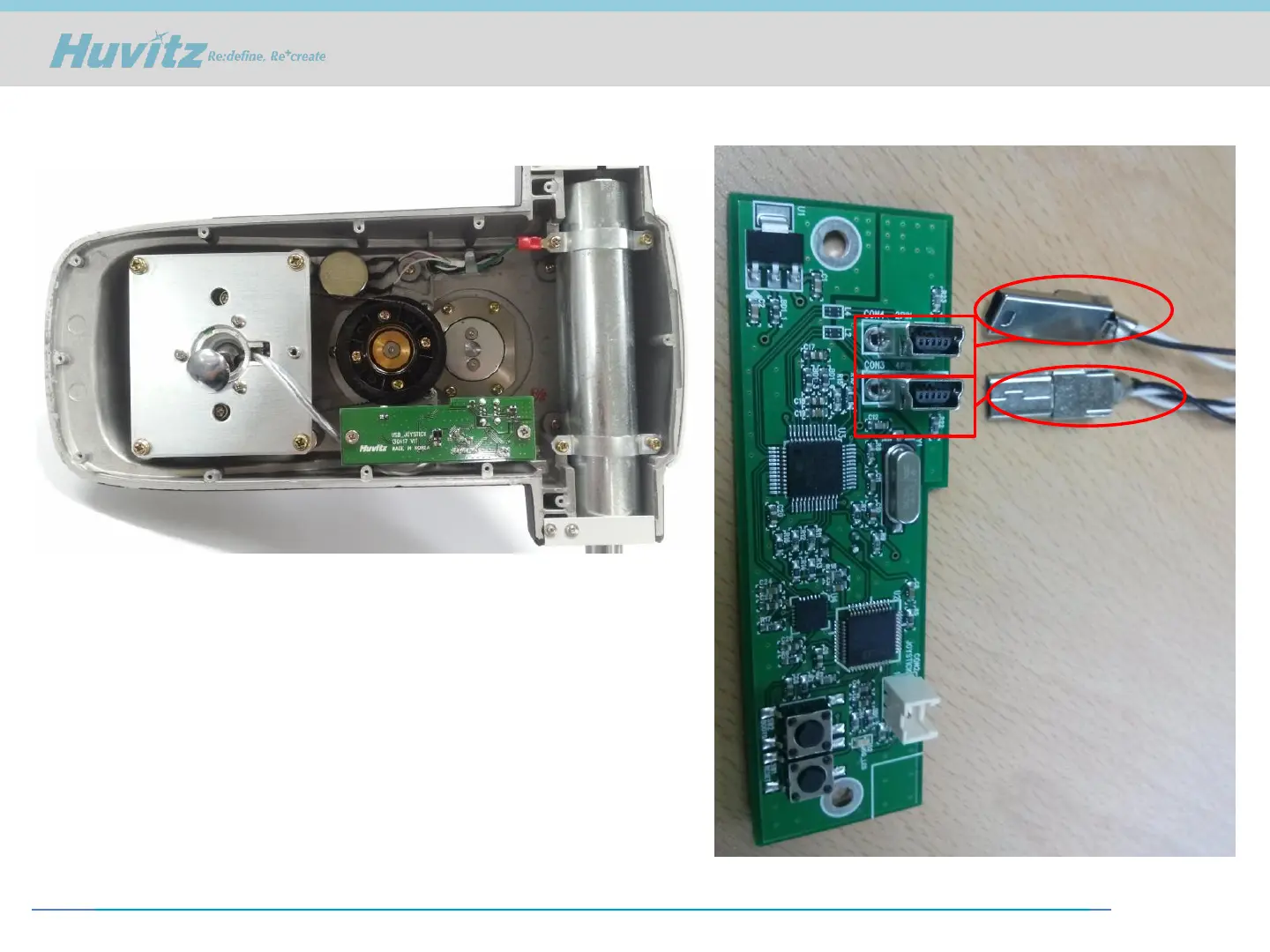
5. Assemble the camera board.
6. You have to connect 4-pin USB cable
to COM3 and 2-pin cable to COM4
when you connect the board and cable.
If the cables are twisted, it doesn’t work.
Installation HS-5000/7000 (3)



 To Next Page