Customer Service Department
HUVITZ Co.,Ltd
2013. 08. 16
60 / 72
<Serial Port>
Installation of Joystick driver
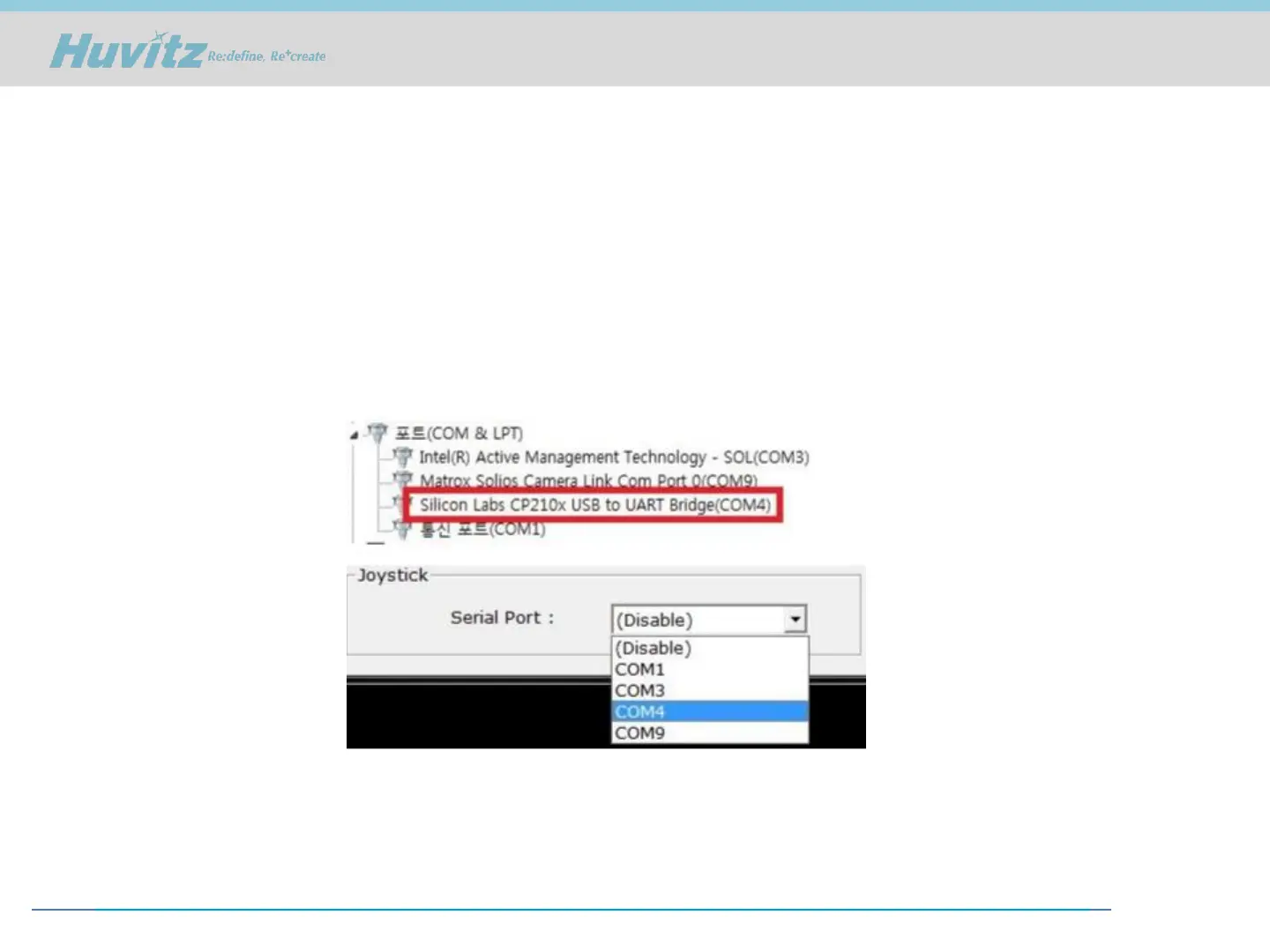
- Select the COM port that is connected to the Joystick
※ If you are connected to the Serial Port Joystick only one COM port if it is not displayed, but several
COM ports are displayed. In this case, open Device Manager, Ports(COM & LPT) to see.
As follows: Silicon Labs CP210x USB to UART Bridge marked with a check to set the COM number.



 To Next Page