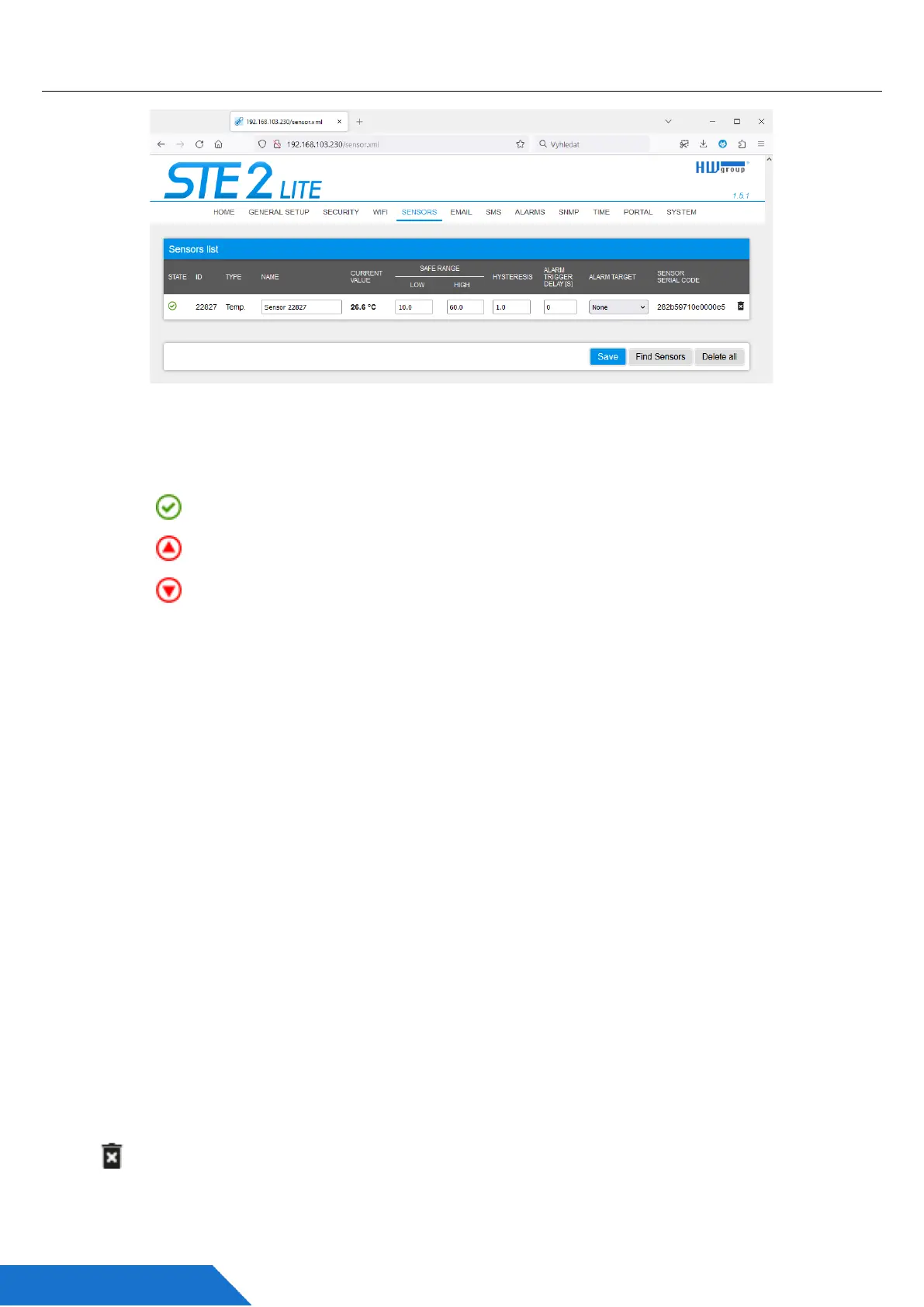
Sensor tab
Sensor List section*
• State - State of the DI (input) or sensor.
- Normal - Quiet state, everything is fine.
- Alarm High - The value has exceeded the upper allowable limit.
- Alarm Low - The value has fallen below the lower allowable limit.
• ID – 2 bytes sensor ID (identical to ID on Poseidon2 devices).
• Type - Sensor type; indicates what type of sensor it is (temperature/humidity etc.).
• Name - The name of the sensor, used for better identification in larger systems. It can be
set on the Sensor or Digital Input tab.
• Current Value - The current value including the measured quantity.
• Safe Range - Refers to the range of acceptable (allowed) values that are considered
within normal limits. If the current value falls outside the Safe Range, an alarm is
triggered to indicate that the measurement is out of bounds and requires attention.
• Hysteresis - The parameter specifies a range of insensitivity when the measured value
crosses the limit value. It prevents triggering of multiple alarms when the value oscillates
around the limit. For more details, please refer to page 40 of the manual.
• Alarm Target - Allows you to define targets where Alarm messages (SMS + Email) will
be sent. Target destinations are set on the Alarms page. The drop-down menu allows you
to assign an existing set of targets to the sensor or create a new one.
• Alarm Trigger Delay [s] - Delays the sending of alarm start information by a defined
time.
• Sensor Serial Code - The full ID of the 1-Wire sensor.
• Delete – The button to delete a specific sensor.



 To Next Page