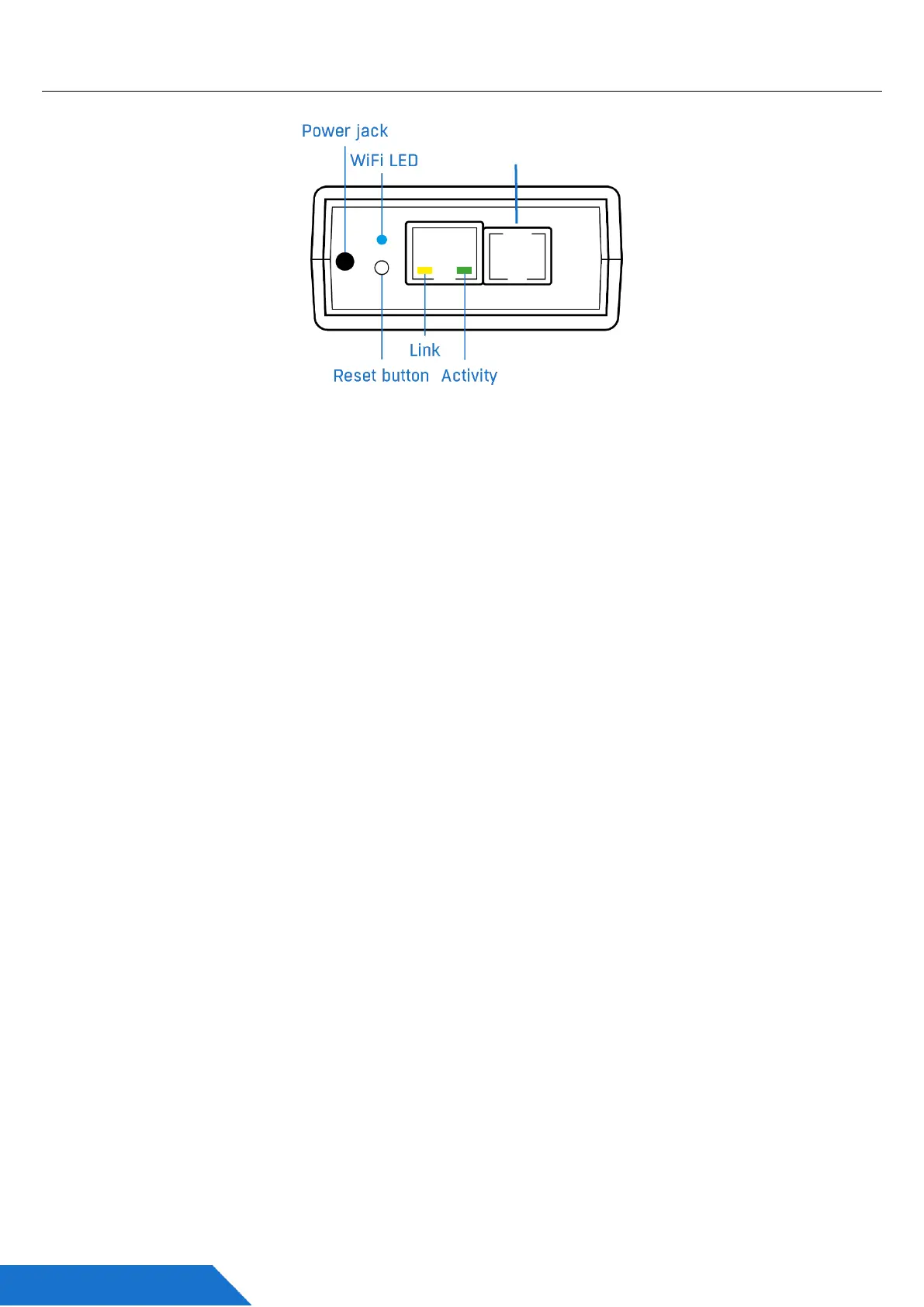
Connectors and wiring
• Ethernet – LAN connectivity, default configuration also for WiFi connectivity.
• Sensor Port (RJ11) – External RJ11 sensors from HW group.
- Each port is max 60m.
- One physical sensor can provide several sensor values.
- Temperature & Humidity sensor provides 2 sensor values.
• Power – 5V power supply (external adapter).
Indication
• Link – A green LED signalizes connectivity to the computer network.
• Activity – A yellow flashing LED signalizes ongoing communication.
• WiFi – A blue LED signalizes connection to the WiFi AP.
Button
• Reset – serves to restore factory settings on the device.
1) Switch the device off.
2) Press and hold the button.
3) Switch the device on and press the button for another 5 seconds.
4) All the LEDs will gradually light up.
5) Restart the device. Factory settings will be restored.



 To Next Page