A. MAKING CALLS
2
A.03 Individual Line Access
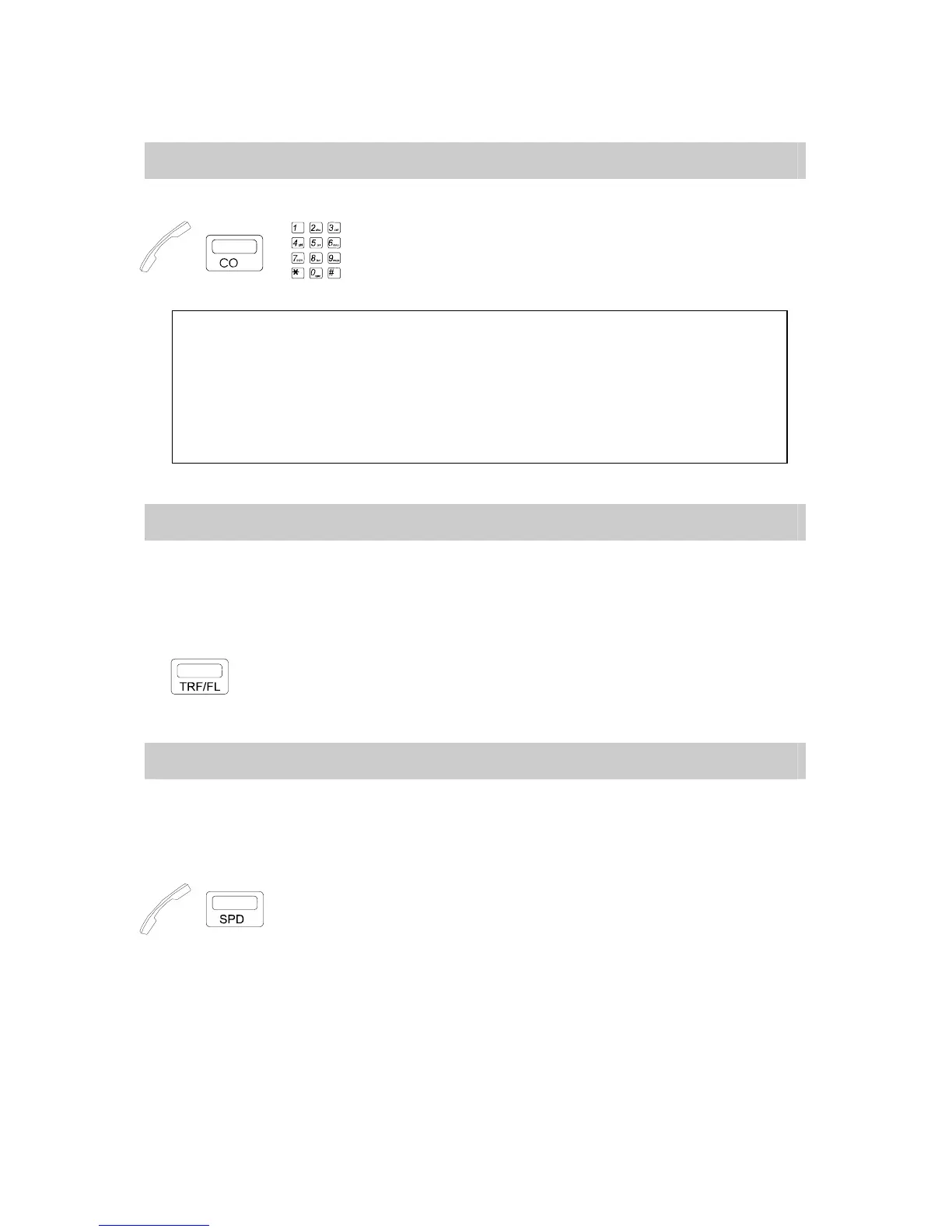
Any CO line can be directly selected.
→ → . Handset off hook / on hook.
. Press a CO key (Dial tone heard).
. Dial phone numbers.
NOTE:
1. In the G1E, GDS systems you can also dial Individual Line Access codes instead of pressing any
CO key Code 801-8XX for systems.
* Code 801 represents the first CO line, Code 802 the second, etc.
In the systems when all CO keys light busy, dial [9] or [0] to automatically select another idle
CO line beyond the CO lines displayed on CO keys.
A steadily lit LED of a CO key means the CO line is busy.
2. During conversation, if you press another CO key, the original conversation will stop and you will
be connected to a new CO line without hanging up.
A.04 Flash (Open Loop Timed Flash)
Flash Key provides a temporary loop disconnection from a used CO line. This allows a
user to end a conversation and regain dial tone on the same trunk. Flash duration is
pre-programmed, and can meet the special needs of Central Office or PABX Lines if they offer
them. (eg. Call waiting, Broker’s call).
. Press [TRF/FL] key to Network hold an outside call or activate the Call waiting feature.
A.05 Speed Dialing
By dialing a programmed Speed Dial Access Code, the System will automatically dial the
telephone number assigned for the Code.
*** For programming, please refer to Program G.04 Station Programming -- Store
Speed Dial / One Touch Dial. ***
→ → S.A.C. . Handset off hook / on hook.
. Press [SPD] key.
. Dial Speed Access Code (programmed).
*You may also press a CO key to select a CO Line before pressing [SPD] key.


 To Next Page
 Loading...