- 17 -
Note : If the water filtration system is stop before the heat pump, the unit will shut down (security
condition) and the code EE3 or ON advertise on the controller.
It is important to program the heat pump link the time program of the water filtration system.
For restart the heat pump, turn off and turn on the electrical power supply to restart the unit.
7. Running data setting
7.1 How to check the parameters
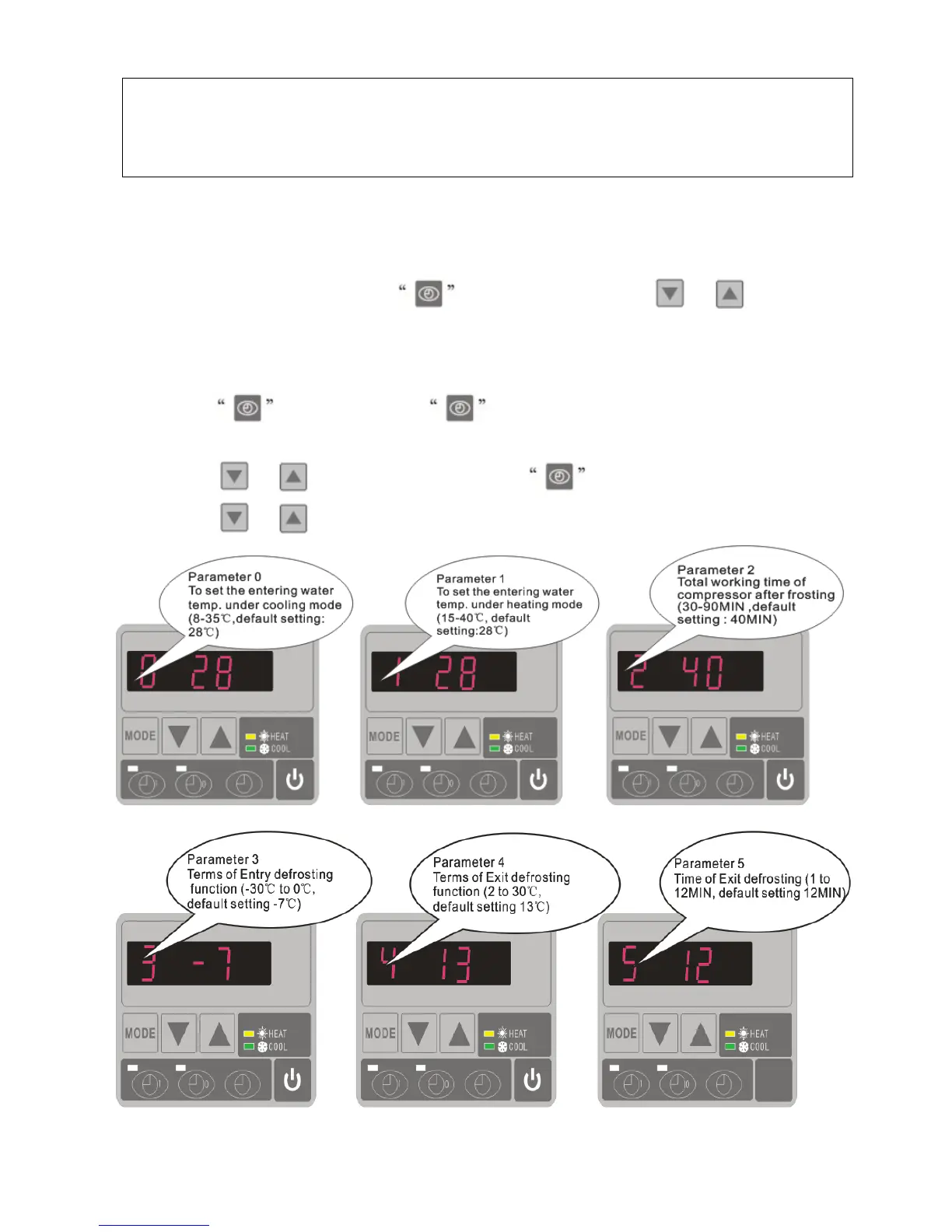
On standby or running mode, long press for 10 seconds, then press or to check the
parameters (from 0 to H, see operation parameter table).
7.2 How to adjust the parameters (Can only adjust on standby mode)
1) Long press
for 10 seconds, press again to select the data (from 0 to L, see operation
parameter table) you want to adjust.
2) Then press
or to adjust the parameter, press again to store the new data.
3) Then press or select the other datas you want to adjust, repeat above operation.


 To Next Page