6
Step
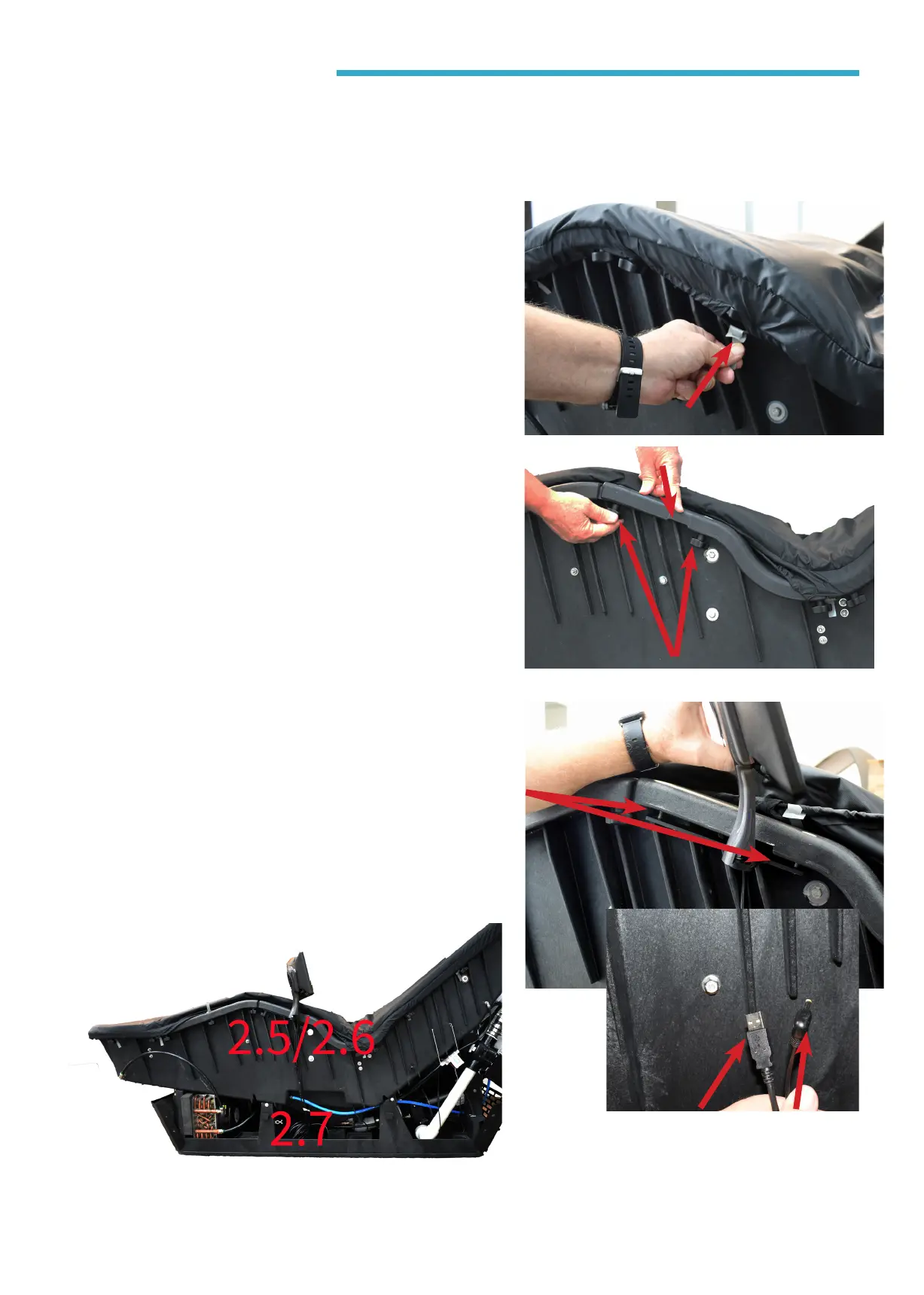
2.4
Remove the Touchscreen from the shipping box and proceed
• Pulling down on the grey
tabs, unhook the top cover
from around the knobs to the
right of the knee area and fold
back the cover.
• Remove Touchscreen Mount-
ing knobs from either side of
the notch in the at bar as
show.
Step
2.5
• Secure the Touchscreen
bracket in place with the 2
knobs. Pull the elastic sheet
cover cords back over the
knobs.
Step
2.6
Step
2.7
• Locate the lounge wire harness
under the tank. Connect the USB
cable and the power connectors.
NOTE: For right-hand side Touchscreen
installation, please refer to page 9 at the
end of this document.
Knobs
USB Power Cable



 To Next Page