7
Step
3.2
Step
3.3
Step
3.4
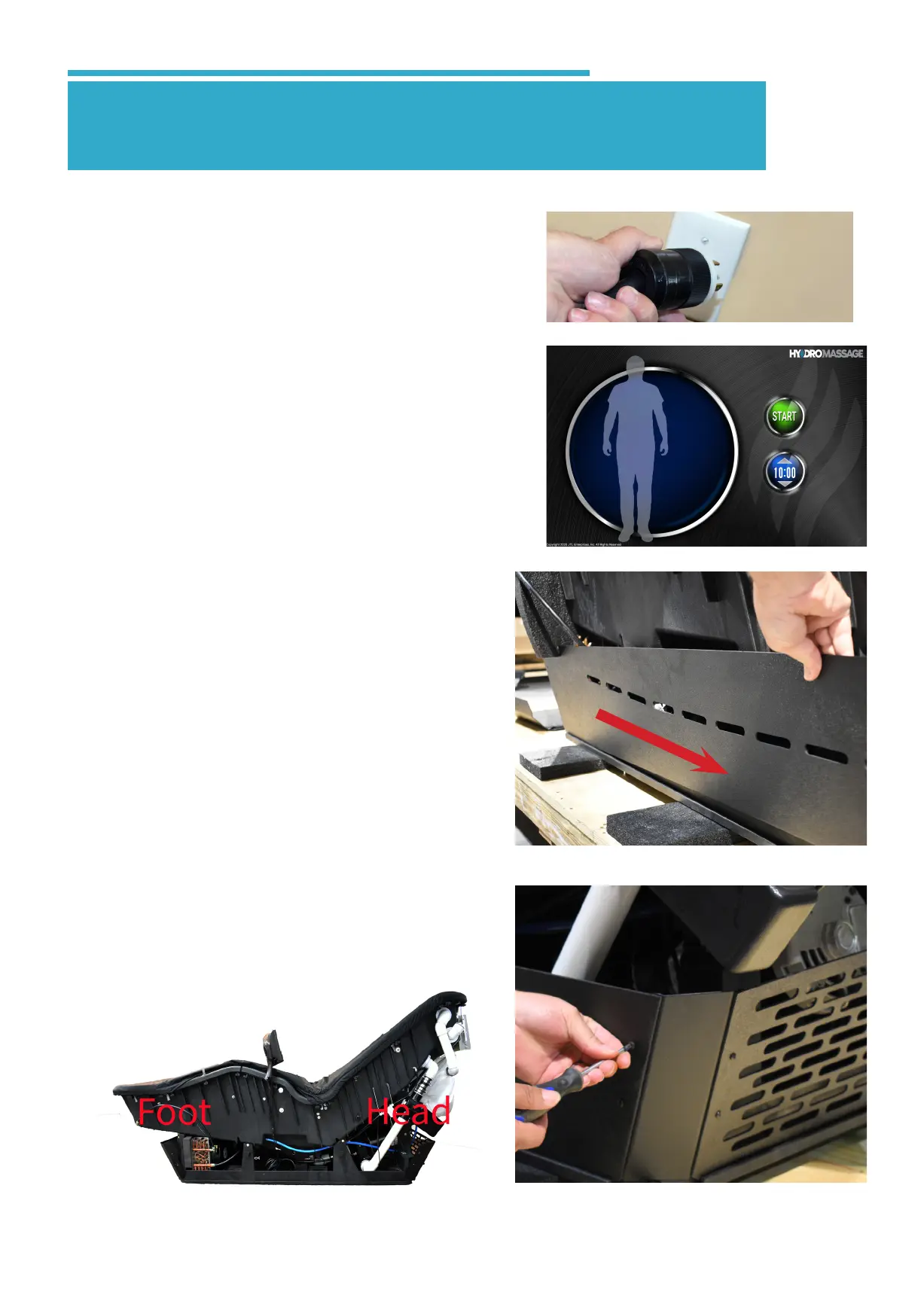
• Locate the 220 volt power cord and plug the
unit in. Wait for the initialization to complete.
Step
3.1
• While laying on the unit, press the START
button. The unit will start and begin a
massage session. Raise and pressure
from 1-10 and back to 1, press STOP 2x
and then restart, leaving on pressure 1.
While doing so, continuously check for
leaks. Reinstall the panels.
NOTE: Water Temp Cold error will appear
during and after initializing phase if water is
below 70°. Message will continue to appear
until temperature is raised to above 72°. To
warm the water, *always with someone lay-
ing on the unit*, raise the pressure level to
10 and run for 20-30 minutes.
• Starting at the head end of the unit,
reinstall the head end base panel
and secure with 2 screws as shown
at each head corner of the base
panels.
• Reinstall the 2 side base panels as
shown.
• IMPORTANT:: Be sure when rein-
stalling side panels, the slotes are curv-
ing up going towards the foot end.
3.0 Test Unit & Reinstall Panels



 To Next Page