Need help?
Do you have a question about the Hygger HG-999 and is the answer not in the manual?
Features programmable 24-hour light cycles, gradual light settings, and auto on/off for optimal aquarium conditions.
Allows customization of light color and brightness across 8 time periods for tailored aquarium lighting.
Utilizes ultra-strong, stable LEDs providing ample brightness without flickering.
Offers IP 68 water resistance and heat dissipation via an aluminum shell and sealed process.
Features extendable brackets for various aquarium sizes and full spectrum suitability for plants.
Guidelines to prevent electric shock, including cord examination and drip loop creation.
Ensures proper supervision for children and individuals with impaired capabilities using the appliance.
Caution to avoid touching moving parts or hot components of the appliance to prevent injury.
Identifies and explains the functions of the buttons on the control panel for operating the light.
Guides users on setting the local time in hours and minutes using the control panel buttons.
Covers unplugging before maintenance, avoiding freezing temps, indoor use, and extension cord safety.
Instructions for secure mounting, bracket adjustment, and accessible socket-outlet installation.
Details on setting the time format (12H/24H) and procedures for resetting the local time.
Explains how to select between Day Mode (51), Night Mode (52), and DIY Mode (53).
Instructions for setting the ON/OFF times and brightness for daytime lighting cycles.
Steps to set ON/OFF times and select colors/brightness for nighttime moon lighting.
Guide to setting up 8 custom time periods (L1-L8) with specific brightness and color settings.
Details on setting start/end times and brightness for each DIY mode segment (L1-L8).
Explains how to adjust brightness for White, Red, Blue, and Green colors in DIY mode.
Instructions to set L8 for light-off by setting all color brightness to 0%.
Explains the visual representation of the 24-hour timer program, including time periods and brightness levels.
Includes manual light control via BULB icon and steps to restore factory settings.
Instructions for verifying components, secure mounting, and adjusting brackets for proper aquarium fit.
Guidance on weekly cleaning and troubleshooting steps for issues like the light not turning on.
Lists all items included in the product package.
Details the 1-year free limited warranty and 3-month free replacement policy.
Instructions for responsible disposal of the product as electronic waste.
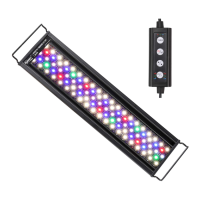
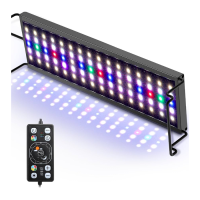
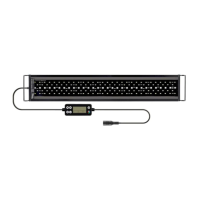
The Hygger HG-999 is a 24/7 auto on/off LED aquarium light designed to create optimal conditions for fish and aquatic plants. This light is suitable for both beginners setting up their first tanks and seasoned veterans looking to upgrade their aquariums. It incorporates years of expertise in full-spectrum lighting, offering ease of use and programmability.
The primary function of the Hygger HG-999 is to provide comprehensive lighting for aquariums, simulating natural light cycles. It features a programmable design with an LCD monitor, allowing for gradual 24-hour light cycle settings that include both daylight and moonlight phases. This automation ensures that the light turns on and off automatically, mimicking the natural environment. The light offers a full spectrum, making it suitable for promoting the healthy growth of aquatic plants and enhancing the viewing experience for fish.
The Hygger HG-999 boasts several user-friendly features that enhance its functionality and adaptability:
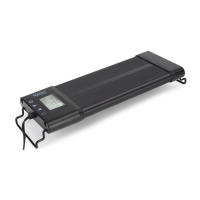
Programmable Design with LCD Monitor: The integrated LCD monitor facilitates easy programming of the light's schedule. Users can set a 24-hour light cycle, including gradual transitions between daylight and moonlight, and configure automatic on/off times. This ensures a consistent and natural lighting environment for the aquarium inhabitants.
DIY Brightness and Color Customization: This product allows for extensive customization across eight distinct time periods. Users can adjust the light color, brightness, and specific timings according to their preferences and the needs of their aquatic life. This flexibility enables the creation of unique and tailored lighting scenarios.
Super Bright Illumination: Equipped with ultra-strong LEDs, the light provides more than sufficient brightness for clear and vibrant viewing of the aquarium.
Adjustable Timer: The light's on/off times are fully adjustable via a timer, providing precise control over the lighting schedule.
Flicker-Free LEDs: The LEDs are designed for stable performance, ensuring a flicker-free light output. This contributes to a more comfortable environment for both the fish and the observer.
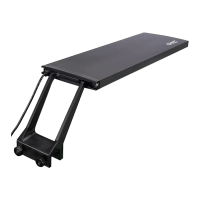
Extendable Bracket: The light comes with extendable brackets, allowing it to fit aquariums of various sizes. This adaptability makes it a versatile option for different tank setups.
Standard Mode Operation:
Day Mode (51):
Night Mode (52):
DIY Mode (53):
General Tips:
The Hygger HG-999 is designed with durability and ease of maintenance in mind:
IP68 Water-resistant Rating: The device is highly water-resistant, protecting it from splashes and accidental water drops. This rating ensures reliability and longevity in an aquatic environment.
Premium Aluminum Shell: A 1.2mm premium aluminum shell provides effective heat transfer, preventing overheating.
Full Sealed Process: The light features a fully sealed design that protects the internal components from humidity and water intrusion, eliminating the need for a fan and reducing potential points of failure.
Low Voltage DC Adapter: The use of a low voltage DC adapter ensures safe operation and energy efficiency.
Weekly Cleaning Recommendation: For optimal LED performance, it is recommended to clean the fixture weekly. This involves unplugging the transformer, removing the light from the aquarium, and carefully wiping exposed surfaces with a damp cloth to remove dust or mineral deposits. Harsh detergents or cleaners should be avoided to prevent damage to the fixture.
Troubleshooting: If the light fails to turn on or the timer LCD display flashes without reaction, it suggests a potential adapter issue. Users are advised to contact support for a replacement adapter.
Safety Precautions:
 General
| Model | HG-999 |
|---|---|
| Overheat Protection | Yes |
| Category | Aquarium |
| LED Color | Red, Green, Blue |
| Auto Shut-off | Yes |

 To Next Page