EasyManua.ls Logo

Hypontech HPK-1000 Series - User Manual

Hypontech HPK-1000 Series
32 pages
Print Icon
To Next Page IconTo Next Page
Loading...

Questions and Answers

Hypontech HPK-1000 Series Specifications

General IconGeneral
Protection DegreeIP65
Frequency Range50/60 Hz
Cooling MethodNatural Convection
Nominal AC Voltage230 V
Operating Temperature Range-25°C to +60°C
Communication InterfaceRS485

Summary

SYMBOLS ON THE LABEL

SAFETY AND WARNINGS

UNPACKING

Scope of Delivery

List of items included in the product packaging and scope of delivery.

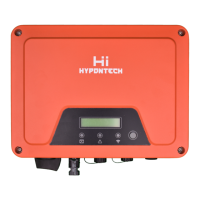
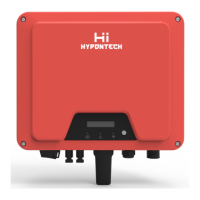
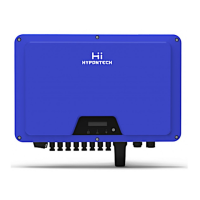
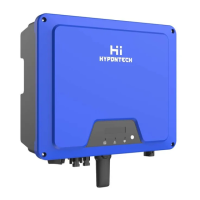
Product Overview

Description of the inverter's physical features, dimensions, and components.

INSTALLING

Installation Requirement

Requirements and recommendations for installing the inverter in a suitable location.

Mounting Location

Guidelines for selecting an appropriate and safe location for inverter mounting.

Mounting

Step-by-step instructions for physically mounting the inverter using the bracket.

Installing the PE cable

Procedure for correctly installing the protective earth (PE) cable.

Cable Specification

Specifications for various cables used for connecting the inverter.

COMMISSIONING

Safety Instructions

Essential safety precautions to be followed during the commissioning process.

AC Wire Assembly and Connection

Guide for assembling and connecting the AC power wires to the inverter.

DC Wire Assembly and Connection

Instructions for assembling and connecting DC input wires from PV arrays.

Residual Current Protection

Information regarding the internal residual current protection device.

COMMUNICATION

System monitoring via Datalogger - RS485;Wi-Fi;GPRS (Optional)

Setup for system monitoring using datalogger, RS485, Wi-Fi, or GPRS.

Output Power Control via Smart Meter

How to control active power output by connecting a smart meter.

Demand Responsive Modes (DRMs)

Explanation of Demand Responsive Modes (DRMs) for grid interaction.

Auto Test (ONLY for Italian Market)

Procedure for performing auto-tests, specific to the Italian market.

START UP AND OPERATION

Safety Check Before Start Up

Mandatory safety checks to perform before initial startup.

Inverter LED Indicators

Meaning of different LED indicators on the inverter for status monitoring.

Display and Control Logics

Logic flow for navigating the inverter's LCD display and control button.

DISCONNECTING FROM VOLTAGE SOURCES

TECHNICAL PARAMETERS

TROUBLE SHOOTING

Earth Fault Alarm

Details on Earth Fault Alarm, error code 6, and red LED indication.

Error Code and Corrective Measures

Comprehensive table detailing error codes, fault names, descriptions, and corrective actions.

SYSTEM MAINTENANCE

System Cleaning

Procedures for cleaning the inverter and its components.

System Status

Checks for physical inspection and listening for abnormal noises.

Commissioning Checks

Checks related to cables and insulation after initial commissioning.

Grounding Checks

Verification of secure grounding connections for the inverter.

RESTARTS

Related product manuals