7
2. Product Overview
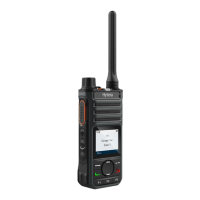
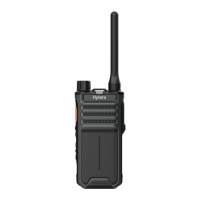
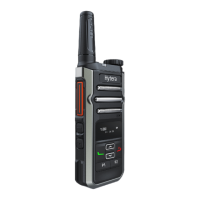
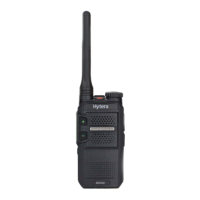
2.1 Product Layout
No. Part Name No. Part Name No. Part Name
1 Channel Selector Knob 10 Microphone 19 P2 Key
2 Push-to-Talk (PTT) Key 11 LCD Display 20 P3 Key
3 Volume Up Key 12 OK/Menu Key 21 Accessory Connector
4 Volume Down Key 13 Up Key 22 USB Type-C Port
5 Side Key 3 (SK3) 14 Back Key 23 Strap Hole
6 TK (Top Key) 15 On-Off Key 24 Belt Clip
7 Antenna 16 Down Key 25 Battery
8 LED Indicator 17 Contact Key 26 Charging Contacts
9 Speaker 18 P1 Key / /
2.2 Programmable Keys
For enhanced convenience, you can request your dealer to program the following keys as shortcuts to radio
features:
TK
,
SK3
,
P1
key,
P2
Key, and
P3
key. For details, consult your dealer.



 To Next Page