EasyManua.ls Logo

Hytera HP782 - User Manual

Hytera HP782
70 pages
Print Icon
To Next Page IconTo Next Page
Loading...
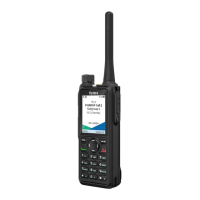
HP782 Intrinsically Safe Digital
Portable Radio
User Manual
Hytera Canada
100 Leek Crescent, Unit 11
Ri
chmond Hill, ON L4B 3E6
(9
05) 305-7545
www.hytera.ca
info@hytera.ca
Hytera US
Inc.
1363 Shotgun Road,
Sunrise, FL 33326
(954) 846-1011
www.hytera.us
info@hytera.us
202
2 Hyt
e
ra. All rights reserved.
8 Whatney,
Irvine, CA 92618

Table of Contents

Questions and Answers

  • D
    Danielle WalkerAug 18, 2025
    Why is there so much noise and hiss on my Hytera HP782 Portable Radio?
    • T
      Tabitha ShawAug 18, 2025
      If your Hytera Portable Radio is producing too much noise and hiss, ensure call participants are within the communication range. Also, move to an open and flat area, and restart the radio. Stay away from equipment that may cause interference.
  • D
    David HillAug 20, 2025
    What to do if voice is weak during receiving on Hytera HP782?
    • M
      Michael BishopAug 21, 2025
      If you are experiencing weak, discontinuous, or totally inactive voice during receiving on your Hytera Portable Radio, try the following: * Recharge or replace the battery. * Increase the volume or contact your dealer to turn the Mic AGC feature off. * Turn the radio off, and then remove and reattach the antenna. * Clean the surface of the speaker.
  • J
    Jenna DoughertyAug 23, 2025
    Why are communications with group members unavailable on my Hytera HP782?
    • D
      Dennis LarsonAug 23, 2025
      If you cannot communicate with group members on your Hytera Portable Radio, ensure your TX/RX frequency and signaling are the same as other members. Also, make sure all members are on the same digital/analog channel. Move towards other members, and ensure all call participants are within the communication range.
  • M
    michele54Aug 26, 2025
    What to do if Hytera Portable Radio cannot establish a call?
    • B
      bradley47Aug 26, 2025
      If your Hytera Portable Radio cannot establish a call, ensure the radio is within the coverage of the BS, as the signal may be weak.
  • J
    Jennifer WhitneyAug 28, 2025
    Why does the called party disconnect repeatedly on Hytera HP782?
    • D
      Dawn ConleyAug 28, 2025
      If the called party disconnects repeatedly during communication on your Hytera Portable Radio, ensure the radio is within the coverage of the BS, as the signal may be intermittent or weak.
  • K
    kwrightAug 30, 2025
    Why is the voice unclear on my Hytera HP782 Portable Radio?
    • T
      Taylor VasquezAug 30, 2025
      If you are experiencing unclear voice quality on your Hytera Portable Radio, make sure call participants are within the communication range, as the signal may be weak.
  • A
    Angel LopezSep 2, 2025
    Why is my Hytera Portable Radio registered repeatedly?
    • V
      Victoria MillerSep 2, 2025
      If your Hytera Portable Radio is registered repeatedly, ensure the radio is within the coverage of the BS, as the signal may be intermittent.
  • E
    Ebony GraySep 4, 2025
    What to do if no voice is heard after a call is established on Hytera HP782 Portable Radio?
    • A
      Angela BryantSep 5, 2025
      If no voice is heard after a call is established on your Hytera Portable Radio, contact the BS manager to check whether the radio ID is repeated in the network management system, as the radio ID may be repeated.
  • K
    Katrina GibsonSep 7, 2025
    What to do if keys do not work on Hytera Portable Radio?
    • L
      Linda GarciaSep 7, 2025
      If the keys on your Hytera Portable Radio do not work, restart the radio, as the keys may fail to function temporarily.
  • D
    dsinghSep 9, 2025
    What to do if LCD doesn't display anything on Hytera HP782?
    • M
      Matthew McdonaldSep 9, 2025
      If the LCD on your Hytera Portable Radio does not display any information, restart the radio, as the LCD may fail to function temporarily.

Summary

FCC Statement and RF Exposure

Compliance with RF Exposure Standards

Details RF energy exposure standards and guidelines for user compliance.

Hazardous Locations Certification and Safety

Safety Instructions

Essential safety precautions to prevent property loss, injury, or death.

Packing List and Product Overview

Product Layout

Provides a detailed layout and identification of the radio's components.

Programmable Keys

Explains how to configure and use the radio's programmable buttons for shortcuts.

Before Use

Charging the Battery

Instructions for properly charging the device's battery before initial use.

Basic Operations

Turning the Radio On or Off

Step-by-step guide on powering the radio unit on and off.

Switching the Operation Mode

Explains how to switch between conventional and trunking communication modes.

Status Indications

LCD Icons

Explains the meaning of various symbols displayed on the radio's screen.

LED Indicator

Describes the status indicated by the radio's LED light.

Call Services

Group Call

Details how to initiate, receive, and end group communication.

Private Call

Explains how to conduct one-on-one voice communications with other users.

Phone Call

Initiating a Phone Call

Instructions for making calls to external telephone networks.

Message Services

Sending a Message

Covers the procedures for composing and sending text or status messages.

Supplementary Features

Settings

Overview of radio configuration options and parameters.

Security

Information on securing the device with passwords and encryption.

Contacts

Creating a Contact

Guides on how to add and manage contact entries in the radio.

Profiles

Scan

Explains how to configure and use the radio scanning feature.

Positioning

Enabling the Positioning Feature

Details how to activate and use the radio's GPS or other positioning systems.

BT Connectivity

Connecting a BT Device

Instructions for pairing the radio with Bluetooth accessories.

Emergency Features

Initiating an Emergency Call

Describes how to initiate an emergency call with the highest priority.

Troubleshooting and Product Care

Troubleshooting Common Issues

Provides solutions for common radio operational problems and errors.

Radio Care and Maintenance

Outlines maintenance and care procedures for the radio itself.

Battery Care Guidelines

Guidelines for optimal performance and service life of the battery.

Optional Accessories and Abbreviations

Optional Accessories

Lists available accessories and guidelines for their use.

Abbreviations Glossary

Lists and defines technical terms and acronyms used in the manual.

Hytera HP782 Specifications

General IconGeneral
BrandHytera
ModelHP782
CategoryPortable Radio
LanguageEnglish

Related product manuals