EasyManua.ls Logo

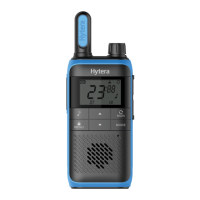
Hytera TC-508 - User Manual

Hytera TC-508
23 pages
Print Icon
To Next Page IconTo Next Page
Loading...
Preface
Thank you for purchasing Hytera TC-508 portable radio. TC-508 is endowed with compact appearance,
durable structure, practical functions and reliable performance. It will bring you perfect communication.
To derive optimum performance from your radio, please read this manual and the supplied Safety
Information Booklet carefully before use

Other manuals for Hytera TC-508

Questions and Answers

  • K
    Kevin SweeneyAug 13, 2025
    Why is my Hytera TC-508 Portable Radio so noisy?
    • C
      cohenanaAug 13, 2025
      Loud noise on your Hytera Portable Radio may occur if you are too far from other members. Try moving closer to them, turning your radio off and on again. It could also be due to unfavorable conditions such as obstructions from buildings or underground locations; try moving to a more open area and restarting the radio. External disturbances like electromagnetic interference can also cause noise, so move away from any equipment that might be causing interference.
  • R
    Rachel JonesAug 16, 2025
    What to do if I can't communicate with other members on my Hytera TC-508 Portable Radio?
    • M
      mnelsonAug 17, 2025
      If you are unable to communicate with other members using your Hytera Portable Radio, ensure that your TX/RX frequency and signaling are the same as those of the other members. Also, check if the Channel Lock feature is enabled; if so, exit the Channel Lock mode and switch to the desired channel. Finally, you might be too far away from the group; move closer to the other members and ensure you are within communication range.
  • R
    Raymond StewartAug 20, 2025
    How to fix weak or discontinuous voice on my Hytera TC-508 Portable Radio?
    • M
      Melissa ThompsonAug 21, 2025
      If the voice is weak or discontinuous on your Hytera Portable Radio, first, recharge or replace the battery. Then, increase the volume by rotating the Volume Control knob clockwise. Check the antenna; power off the radio, reinstall the antenna, and power it back on. Ensure the speaker is clean; if cleaning doesn't help, contact your dealer or an authorized service center for assistance.
  • W
    William HaleAug 25, 2025
    How to fix if my Hytera TC-508 Portable Radio can not be powered on?
    • G
      Gregory McclainAug 25, 2025
      If your Hytera Portable Radio won't power on, the battery may be improperly installed; remove it and reattach it. The battery may also be drained, so recharge or replace it. Additionally, the battery contacts might be dirty or damaged; clean the contacts. If the problem persists, contact your dealer or an authorized service center for inspection and repair.
  • J
    James MoodyAug 27, 2025
    What to do if I hear noises on the channel of my Hytera Portable Radio?
    • R
      Robert GriffinAug 27, 2025
      If you are hearing irrelevant communication or noises on your Hytera Portable Radio channel, it may be due to interference from other radios using the same frequency. Try changing the frequency or adjusting the squelch level. Also, check if the radio is set with no signaling; set signaling for all member radios to avoid interference at the same frequency.
  • B
    bgutierrezAug 31, 2025
    What to do if Hytera TC-508 cannot be powered on?
    • J
      Julie SuarezSep 1, 2025
      If your Hytera Portable Radio won't power on, the battery may be improperly installed, so remove it and reattach it. Alternatively, the battery might be drained; in this case, recharge or replace it. Also, check the battery contacts for dirt or damage and clean them if necessary.
  • H
    hbakerSep 4, 2025
    Why is the voice weak on my Hytera TC-508?
    • D
      Dale MaxwellSep 4, 2025
      If the voice is weak, discontinuous, or totally inactive during receiving signals on your Hytera Portable Radio, the battery may be low; recharge or replace it. Also, the volume might be set too low; increase it by rotating the Volume Control knob clockwise. Check that the antenna is properly installed by powering off the radio, reinstalling the antenna, and then powering the radio back on. Ensure the speaker is not blocked or damaged; clean the surface of the speaker.
  • P
    Phillip ReynoldsSep 8, 2025
    What to do if noise is too loud on Hytera Portable Radio?
    • S
      Samantha WrightSep 8, 2025
      If the noise is too loud on your Hytera Portable Radio, you might be too far from other members; move closer and restart your radio. You may also be in an unfavorable location, such as blocked by buildings or underground; move to an open area and restart the radio. External disturbance, such as electromagnetic interference, may also be the cause; move away from equipment that may cause interference.

Summary

RF Energy Exposure Compliance

Part 15 Compliance

FCC Licensing Requirements

Radio Overview

Programmable Keys

Charging the Battery

Basic Operations

Turning the Radio On;Off

Rotate the knob clockwise/counter-clockwise until a click is heard to turn radio on/off.

Adjusting Volume

Adjust call volume by rotating the knob clockwise to increase or counter-clockwise to decrease.

CTCSS;CDCSS

Time-out Timer (TOT)

Adjusting the Power Level

Monitor

Squelch Off

Scan

VOX

Battery Strength Indicator

Low Battery Alert

Channel Lock

Battery Save

Busy Channel Lockout

Troubleshooting

Product Care

Product Cleaning

Optional Accessories

Hytera TC-508 Specifications

General IconGeneral
BrandHytera
ModelTC-508
CategoryPortable Radio
LanguageEnglish

Related product manuals