7
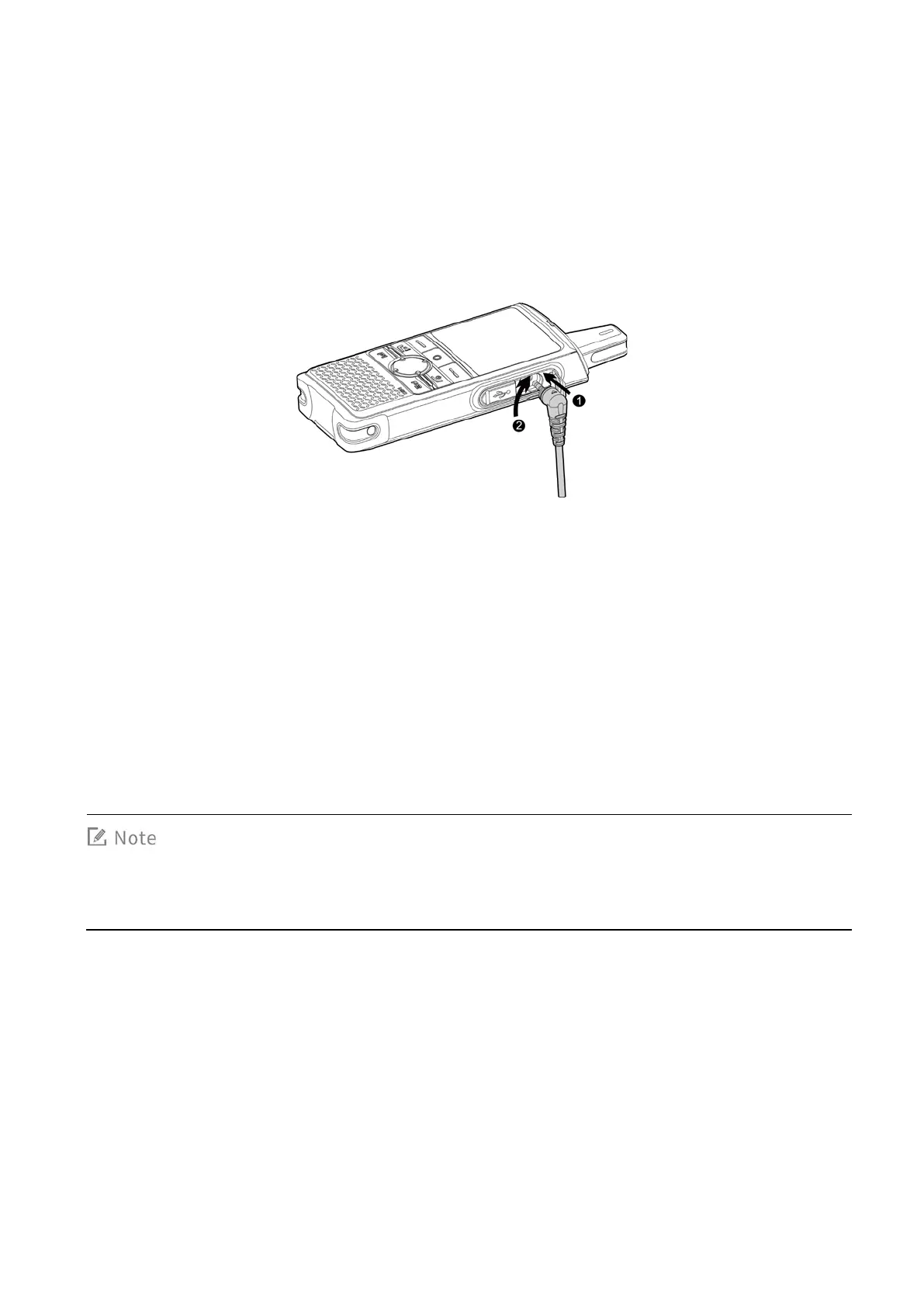
3.5 Attaching the Audio Accessory
Open the cover of the audio accessory connector and insert the audio accessory into the connector.
To ensure optimum waterproof and dustproof performance, close the cover after removing the audio
accessory.
3.6 Connecting to the Internet
You can connect to the Internet by using the cellular network or WLAN network.
To connect to the cellular network, install the SIM card and activate the cellular data service.
To connect to the WLAN network, go to
Setting > WLAN
to enable the WLAN network and then
choose one of the listed networks. If a password is required, connect the terminal to the PC, and
then install the PNC370 WLAN Hotspot Editing Tools and the ADB drive to configure the WLAN
network.
Contact your dealer to obtain the installation package of the PNC370 WLAN Hotspot Editing



 To Next Page