EasyManua.ls Logo

Hyundai LAC1430EWFS - User Manual

Hyundai LAC1430EWFS
60 pages
Print Icon
To Next Page IconTo Next Page
Loading...
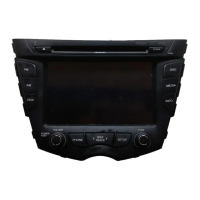
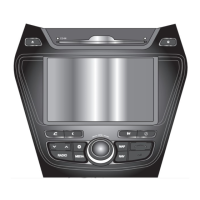
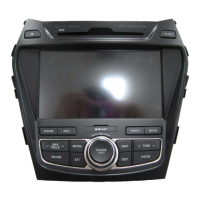
Car Navigation System
OWNER’S MANUAL
Veloster
Please read this manual carefully before operating your set and retain it for future reference.
Designs and specifications are subject to change without prior notice.
ENGLISH
LAC1420IWFS / LAC1430EWFS (Family)

Table of Contents

Questions and Answers

  • K
    kmorrisAug 7, 2025
    What to do if my Hyundai Car Navigation system cannot identify the current location?
    • D
      Derek MillsAug 7, 2025
      If your Hyundai Car Navigation system is unable to identify your current location, there are a few things you can check: * First, ensure that the device is properly connected to a power source. * Second, make sure that the back of the GPS unit has a clear view of the sky. * Finally, if you are surrounded by tall buildings or trees, move to an open area with fewer obstructions.
  • J
    Jason FosterAug 11, 2025
    How to fix a Hyundai Car Navigation system that won’t turn on?
    • T
      Travis MirandaAug 12, 2025
      If your Hyundai Car Navigation system is not turning on, consider the following: 1. Ensure the ignition switch is turned to the ON position. 2. Verify the ignition switch is set to ACC. 3. Check if the unit's power is off; if so, press the POWER button on the control panel. 4. If the built-in microprocessor is malfunctioning due to noise, try turning the unit off and then on again. 5. As a last resort, you can reset the unit by pressing the RESET hole with a sharp object.
  • J
    jackson72Aug 17, 2025
    Why is there no sound coming from my Hyundai LAC1430EWFS Car Navigation system?
    • C
      clarkdawnAug 17, 2025
      If you are not getting any sound from your Hyundai Car Navigation system, check these two things: * Ensure that the volume level is not set too low; adjust it as needed. * Verify that the mute function is turned off.
  • T
    Taylor BruceAug 22, 2025
    What to do if I cannot see the map on my Hyundai LAC1430EWFS Car Navigation system?
    • D
      desireekentAug 22, 2025
      If you cannot see the map on your Hyundai Car Navigation system, it could be due to damaged data within the memory. Try deleting all the data in the memory and reinstalling it. If the issue persists, contact the A/S center.
  • W
    William FoleyAug 27, 2025
    Why is playback not possible on my Hyundai Car Navigation system?
    • R
      rebecca48Aug 27, 2025
      If playback is not possible on your Hyundai Car Navigation system, consider these potential causes: * The disc may be dirty; try cleaning it. * The disc type may not be supported by the unit; check the disc type. * The disc may be inserted upside down; insert it with the label upward. * The files on the disc may be in an irregular file format; check the file format.
  • K
    Kaitlin RoblesSep 1, 2025
    Why does the path guide differ from the actual path on my Hyundai LAC1430EWFS Car Navigation system?
    • L
      Lisa ReedSep 1, 2025
      The path guide on your Hyundai Car Navigation system might differ from the actual path in several situations, including when: * The road is closely parallel to another. * The splitting road angle is very small. * There is an adjacent road when turning. * Driving on a road that is narrowing fast. * Driving through the mountain or where the road is too curvy. * The starting, passing and arriving locations are too close within 1km. * You have set the starting, passing or arriving location more than 1km away from the road. * Driving through the tunnel.

Summary

General Information

Safety Notes and Precautions

Crucial safety guidelines and warnings for operating the navigation system.

Disc Handling Precautions

Guidelines for handling discs to prevent damage and ensure proper playback.

Basic Operation

Unit Power, Disc, Volume, and Clock

Procedures for starting, stopping, adjusting volume, and displaying the clock.

Getting Started with Navigation

GPS Basics and Signal Acquisition

Understanding GPS technology and obtaining satellite signals for navigation.

Initial Navigation Screen and Map Display

First-time navigation screen, caution messages, and map interface elements.

Destination Input Menu

Overview and Name Search

Introduction to destination input methods and searching by name.

Bluetooth Wireless Technology

Bluetooth Fundamentals and Initial Connection

Understanding Bluetooth technology and pairing devices for the first time.

Connecting via Unit and Phone Settings

Steps for connecting Bluetooth devices using the unit or phone settings.

CD;MP3;WMA;USB;iPod Operation

Playing Media Files and Basic Controls

Playing CDs, MP3s, WMA, USB, and iPod files with basic controls.

Radio Operation

Tuning and Storing Radio Stations

How to listen to, store, and recall radio stations.

Auxiliary Device Operation

Connecting and Using AUX Devices

Connecting and operating external audio/video devices via AUX.

Voice Recognition System

Voice Recognition Basics and Number Input

Overview of voice recognition and how to speak numbers.

Voice Command Examples and Dialing

Practical examples of voice commands for radio and USB playback.

Troubleshooting

GPS and Map Related Issues

Solutions for GPS reception and map display problems.

Unit Operation and Playback Problems

Troubleshooting power, playback, and sound issues.

Hyundai LAC1430EWFS Specifications

General IconGeneral
TouchscreenYes
GPSYes
BluetoothYes
USB PortYes
AUX InputYes
Power Output4x45W
CompatibilityAndroid

Related product manuals