EasyManua.ls Logo

Hyundai Veloster 2012 - User Manual

Hyundai Veloster 2012
121 pages
Print Icon
To Next Page IconTo Next Page
Loading...
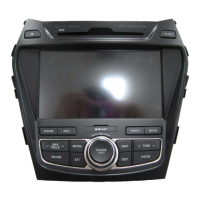
Car Navigation System
OWNER’S MANUAL
Veloster
Please read this manual carefully before operating your set and retain it
for future reference.
Designs and specifi cations are subject to change without prior notice.
ENGLISH
Overall Navigation: 1-888-599-6284
XM Radio: 1-800-967-2346 (USA)
XM Radio: 1-877-438-9677 (CANADA)
Map & Map Updates: 1-888-757-0010
Web site: www.mapnsoft.com

Table of Contents

Other manuals for Hyundai Veloster 2012

Questions and Answers

  • J
    John HarveyJul 27, 2025
    Why Hyundai Veloster 2012 power does not turn on?
    • A
      apattersonJul 27, 2025
      If your Hyundai Car Navigation system doesn't power on, check the following: * Ensure the ignition switch is turned to ON or ACC. * Verify the unit is on by pressing the POWER button on the control panel. * If noise or other factors are causing issues, try turning the unit off and then on again. * If the unit still doesn't operate normally, reset it by pressing the RESET hole with a sharp object.
  • J
    Joseph MartinezAug 5, 2025
    What to do if Hyundai Car Navigation system cannot identify current location?
    • S
      sharon92Aug 5, 2025
      If your Hyundai Car Navigation system is not identifying your current location, please check if the product is properly connected to a power source. Also, make sure your vehicle is in a location where the sky is clearly visible. If you are surrounded by tall buildings or trees, move to an area with fewer obstructions.
  • A
    anthony10Aug 12, 2025
    Why there is no sound on my Hyundai Car Navigation system?
    • T
      Tamara HuntAug 12, 2025
      If there is no sound on your Hyundai Car Navigation system, first, check the volume level and adjust it if necessary. Also, ensure that the mute function is turned off.
  • M
    Mr. Terry RayAug 19, 2025
    What to do if Hyundai Car Navigation system playback is not possible?
    • T
      Tara HullAug 20, 2025
      If playback is not possible on your Hyundai Car Navigation system, consider these potential causes: * The disc may be dirty, so try cleaning it. * The disc type may not be supported by the unit; verify the disc type. * The disc may be inserted upside down; ensure the label is facing upward. * The files on the disc may be in an irregular format; check the file format.

Summary

General Information

Safety Precautions

Essential safety guidelines for operating the system and vehicle.

Name of Each Component

Control Panel Overview

Identifies and explains the physical buttons and features of the unit's control panel.

Steering Wheel Remote Control Functions

Details the functions of buttons located on the steering wheel remote.

INFO;SETUP

Getting Started with Navigation

GPS Fundamentals and Initial Setup

Explains GPS technology, satellite signals, and the initial navigation screen.

Route Guidance and Operations

Explains route guidance modes, changing route conditions, and voice guidance.

Destination Input Menu

Using the Route Menu

Bluetooth Handsfree

Bluetooth Technology and Pairing

Explains Bluetooth basics and the process for pairing a mobile phone.

Phone Operations and Call Management

Making calls, redialing, answering/rejecting, and ending calls via Bluetooth.

Phone Book and Call History

Managing phone book entries, contacts, and call history.

Audio System

Radio Operation

FM;AM Radio Tuning and Storage

Tuning, manual/preset tuning, and auto-storing stations for FM/AM radio.

XM Radio Operation

Selecting XM channels via presets, search, category, and lists.

Voice Recognition System

Voice Command Operation Basics

Guidelines for optimal voice recognition performance and basic command input.

Voice-Activated Navigation Search

Finding destinations, POIs, and emergency services using voice commands.

Voice-Activated Phone and Contacts

Making calls to contacts or previous destinations using voice commands.

Voice Command Reference Lists

Command lists for AV system, XM data, Map, Destination, and Help functions.

Blue Link

Troubleshooting

Common GPS and Map Issues

Addresses problems with location identification, map display, and path guidance errors.

Hyundai Veloster 2012 Specifications

General IconGeneral
Display Size7 inches
TouchscreenYes
Voice ControlYes
Real-Time Traffic UpdatesYes
Points of InterestYes
Display TypeLCD
Bluetooth ConnectivityYes
USB PortYes
Auxiliary InputYes
Steering Wheel ControlsYes
Navigation TypeGPS

Related product manuals