Version 0.3 Page | 16
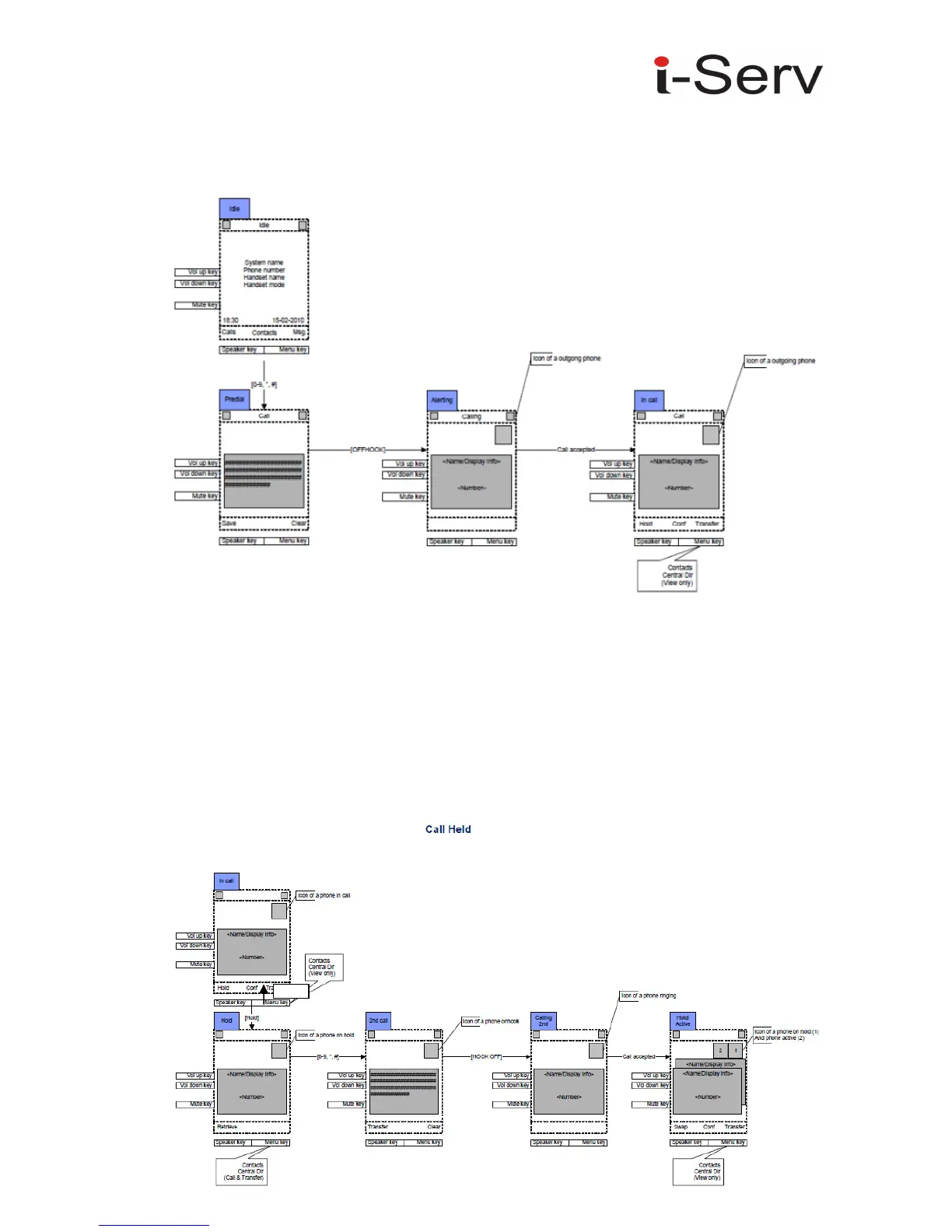
Outgoing Call by Pre-dial
Simply pre-dial the phone number. It is also possible to select call an entry in the private phone book
or the central phone book.
To make call to the outside line, simple type in the phone number and press “Green-key” (Off-hook),
Depending of the setup of the PBX, it can be necessary to put in a prefix in from of the phone number.
Finish Talk Mode
To end a call, simply press “Red-key” (On-hook) to terminate any call. If one call is active and another
call is on hold, then the active call will be terminated when pressing “Red-Key” and the handsets
automatically returns to the call on hold, i.e. the call on hold is now active, and the user has to press
“Red-key” again to terminate this calls. Hold and Retrieve



 To Next Page