IACER S.r.l. 33 di 56 MNPG88 Rev. 00 Ed. 03/05/2012
Instructions
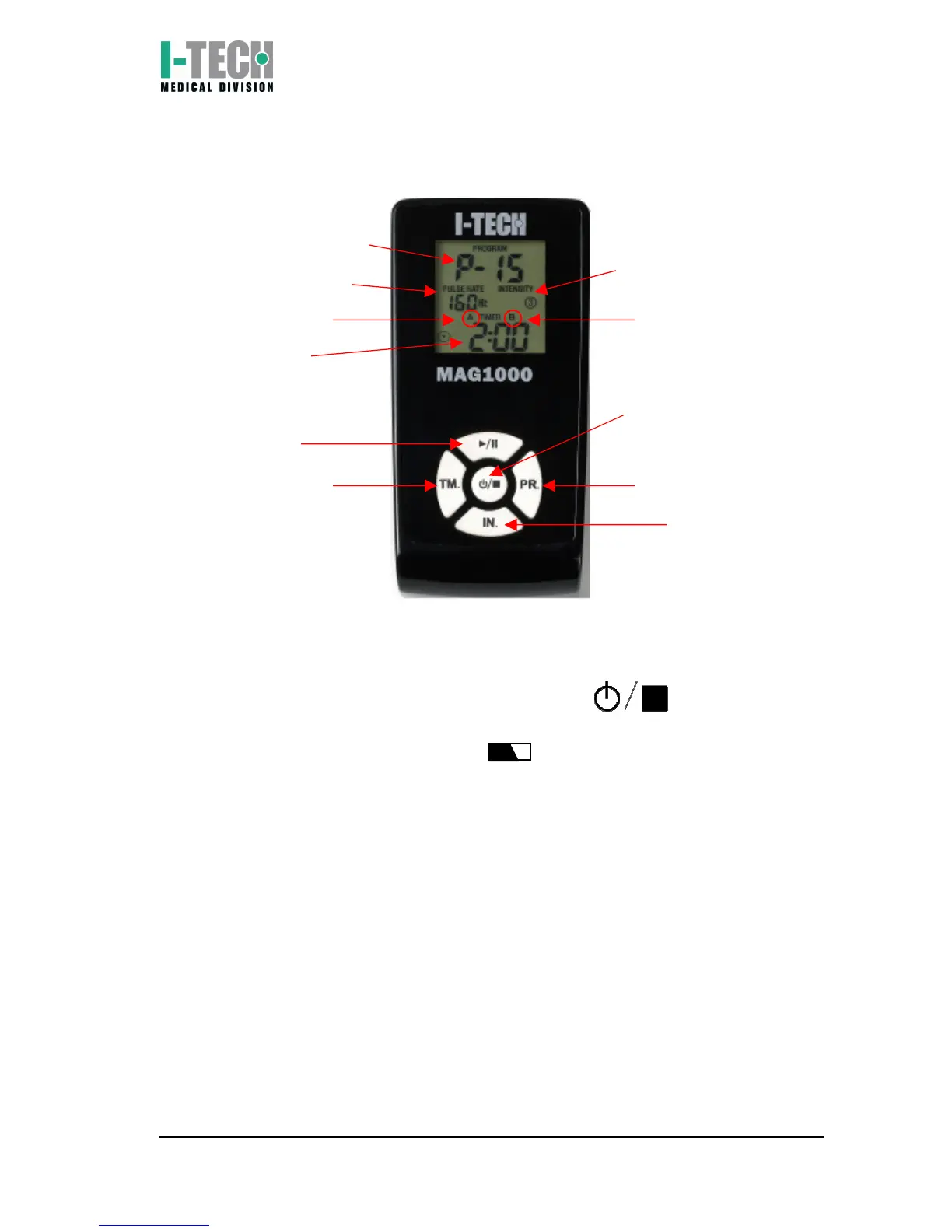
1) Switch on MAG1000 pressing ON/OFF key ;
2) Check battery status: if the icon on the upper side of the display
is flashing, proceed to recharge the unit following the instructions (see
chapter “Battery charging”);
WARNING: No battery status icon is shown on the screen when the
device is charged.
3) Connect the therapeutic belt (or belts) to the plug A/B on device upper
side;
4) Chose therapy program running through programs menu, using PR.
key;
5) Set therapy time using TM. key: each program has its own set therapy
time, which can be modified pressing TM. with 5 minutes steps.
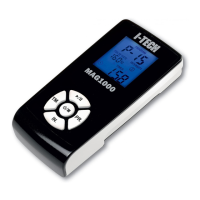
Working program
Program frequency
Output A
Therapy time
Start/pause key
Time set key
Field intensity (1,2,3)


 To Next Page