i3TOUCH EX Series - Manual | 19
System rmware update�
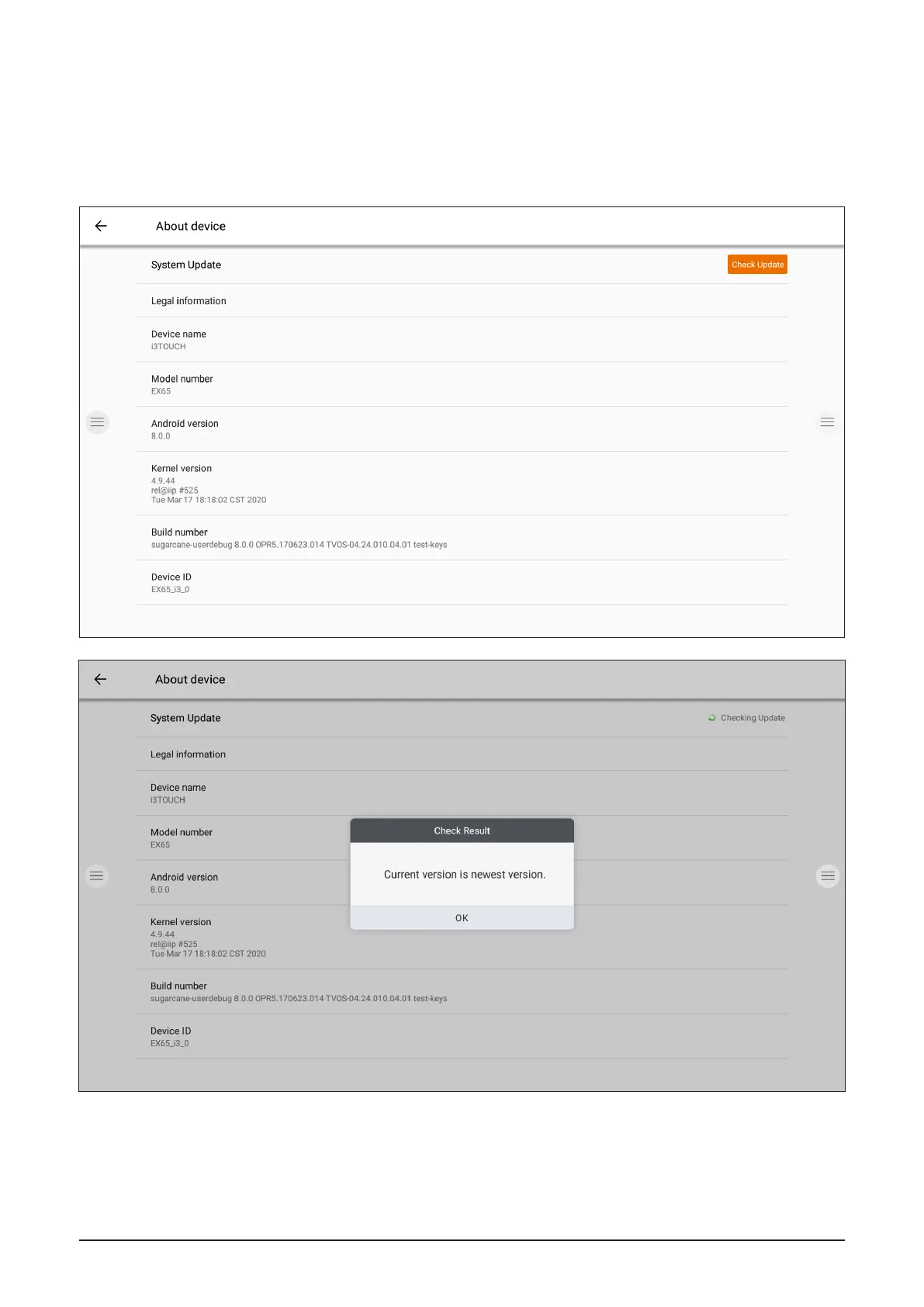
After connecting to the internet, verify that your display is running the latest firmware.
In the settings application, press "About Device". Press the "Check Update" button to validate your firmware
version online. If a newer version is available, this button will provide instruction to update your device.


 To Next Page