12
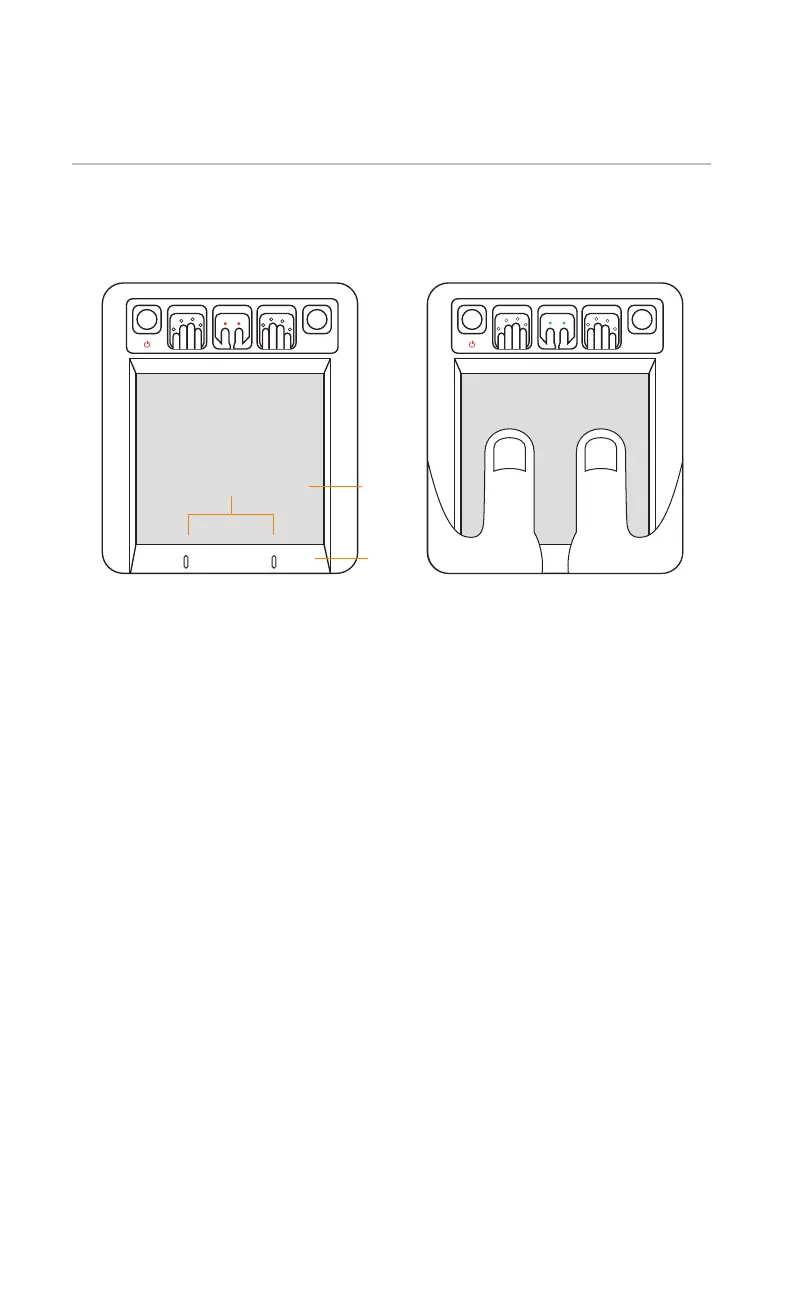
THUMB CAPTURE
Place bottom of thumbs firmly against the bezel to ensure proper contact.
· Kojak LEDs glow orange
· Grasp the unit with index fingers pointed towards
the LED notification panel at the top of Kojak
· Place thumbs flat against the platen
· Kojak LEDs glow green when capture is complete
FLAT SCANNING
ROLL
CAPTURE CAPTURE CAPTURE
ROLL
CAPTURE CAPTURE CAPTURE
Ready to Scan Thumbs Thumb Scan Complete
Align thumbs with
guide markers
Bezel
Platen


 To Next Page