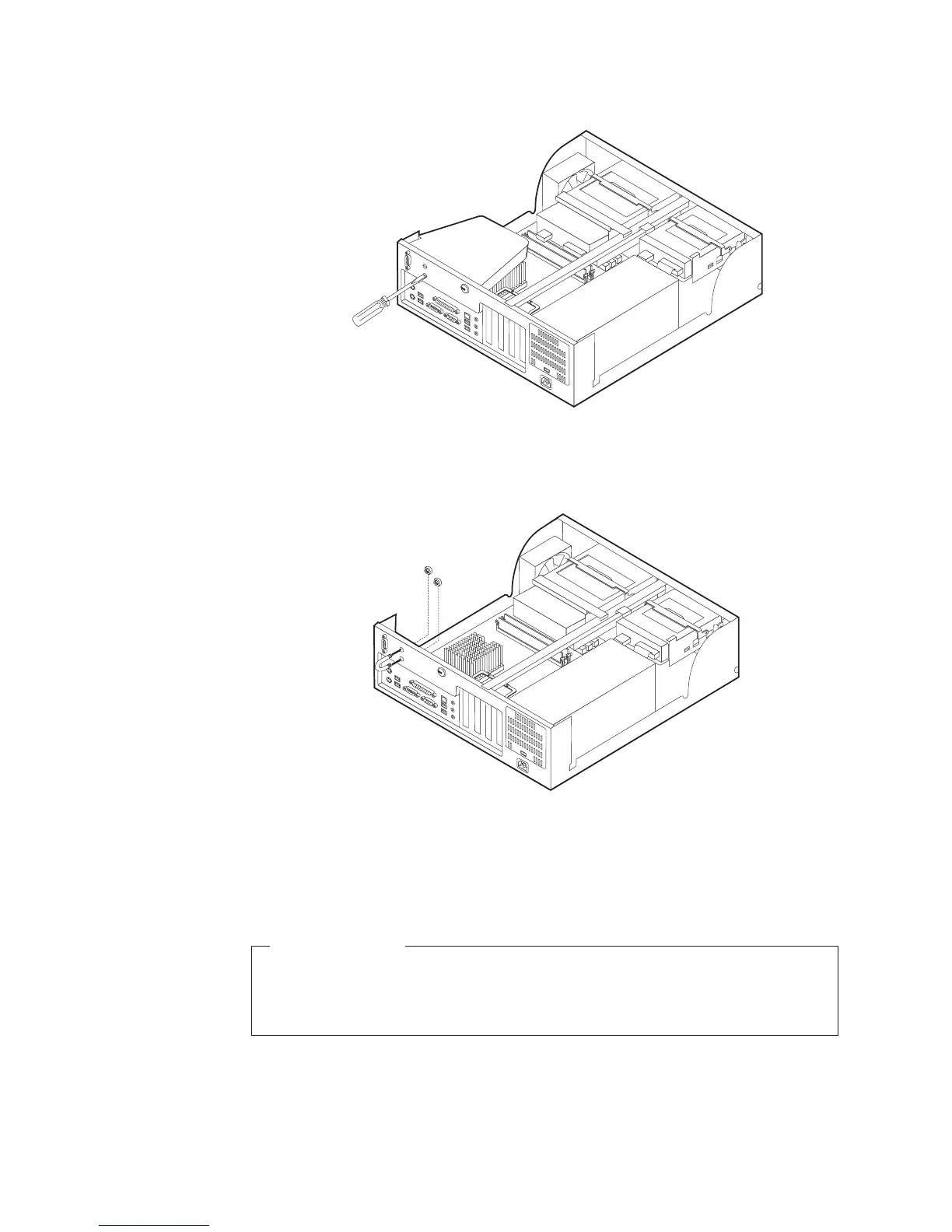
2. Use a tool, such as a screwdriver, to remove the two metal knockouts.
3. Press both sides of the air baffle and lift it outward from the computer to
remove.
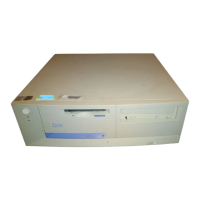
4. Insert the rope clip through the rear panel; then attach and tighten the nuts
with an appropriately sized or adjustable wrench.
5. Replace the computer cover. For more information, see “Replacing the cover
and connecting the cables” on page 28.
6. Thread the cable through the rope clip and around an object that is not a part
of or permanently secured to the building structure or foundation, and from
which it cannot be removed; then fasten the cable ends together with a lock.
What to do next:
v To work with another option, go to the appropriate section.
v To complete the installation, go to “Replacing the cover and connecting the
cables” on page 28.
26 User Guide





 To Next Page