7
ENGLISH
Connecting your Monitor for Digital
1. Turn off your computer and all attached devices
2. Tilt the monitor all the way forward.
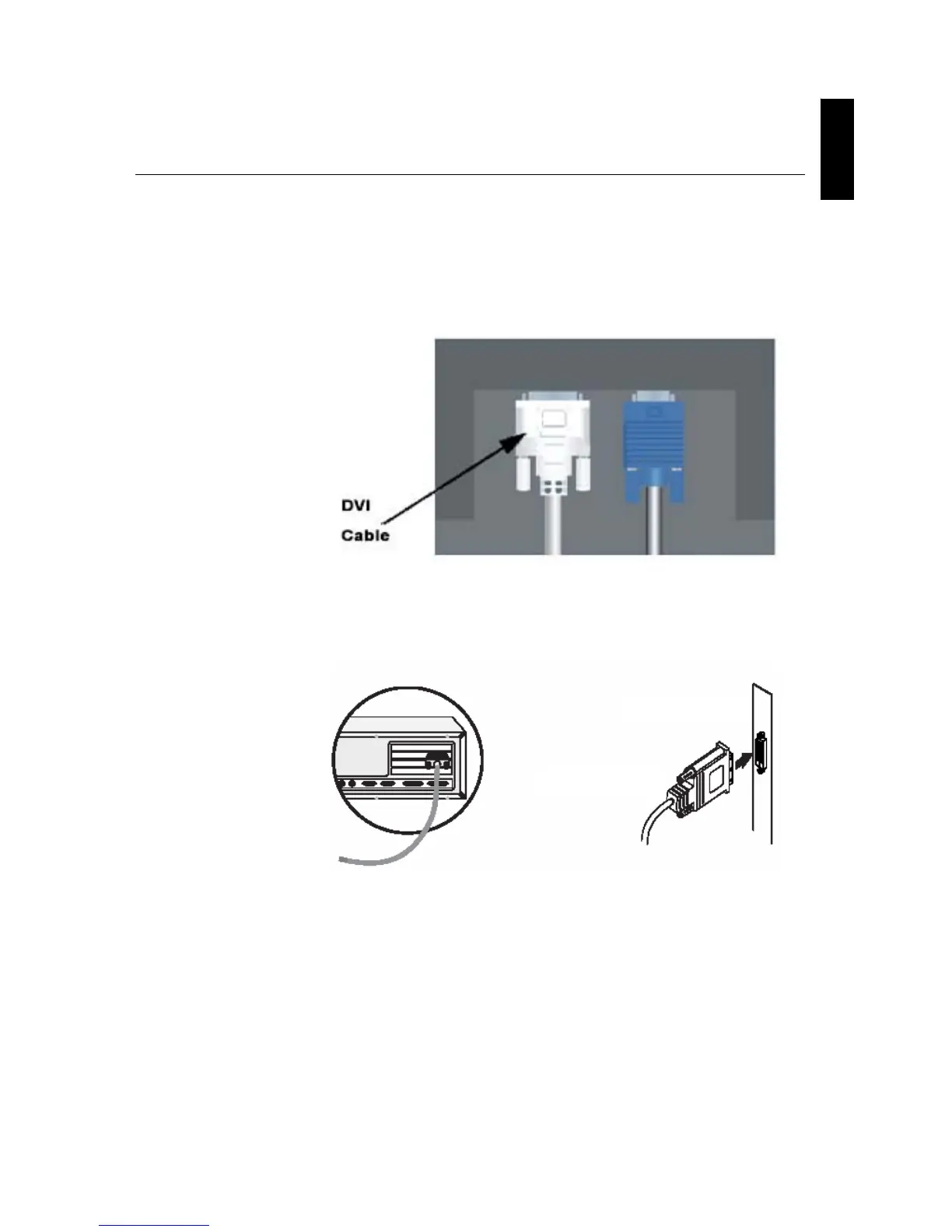
3. Connect the DVI connector to the DVI port located on the back of the
Monitor. See picture below.
Connecting DVI Cable
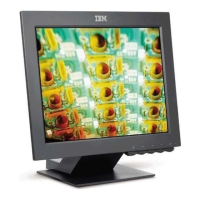
4. Connect the other end of the signal cable to the DVI port located on
the back of the graphics adapter. See picture below.
Graphics adapter
DVI
Si


 To Next Page