computer.
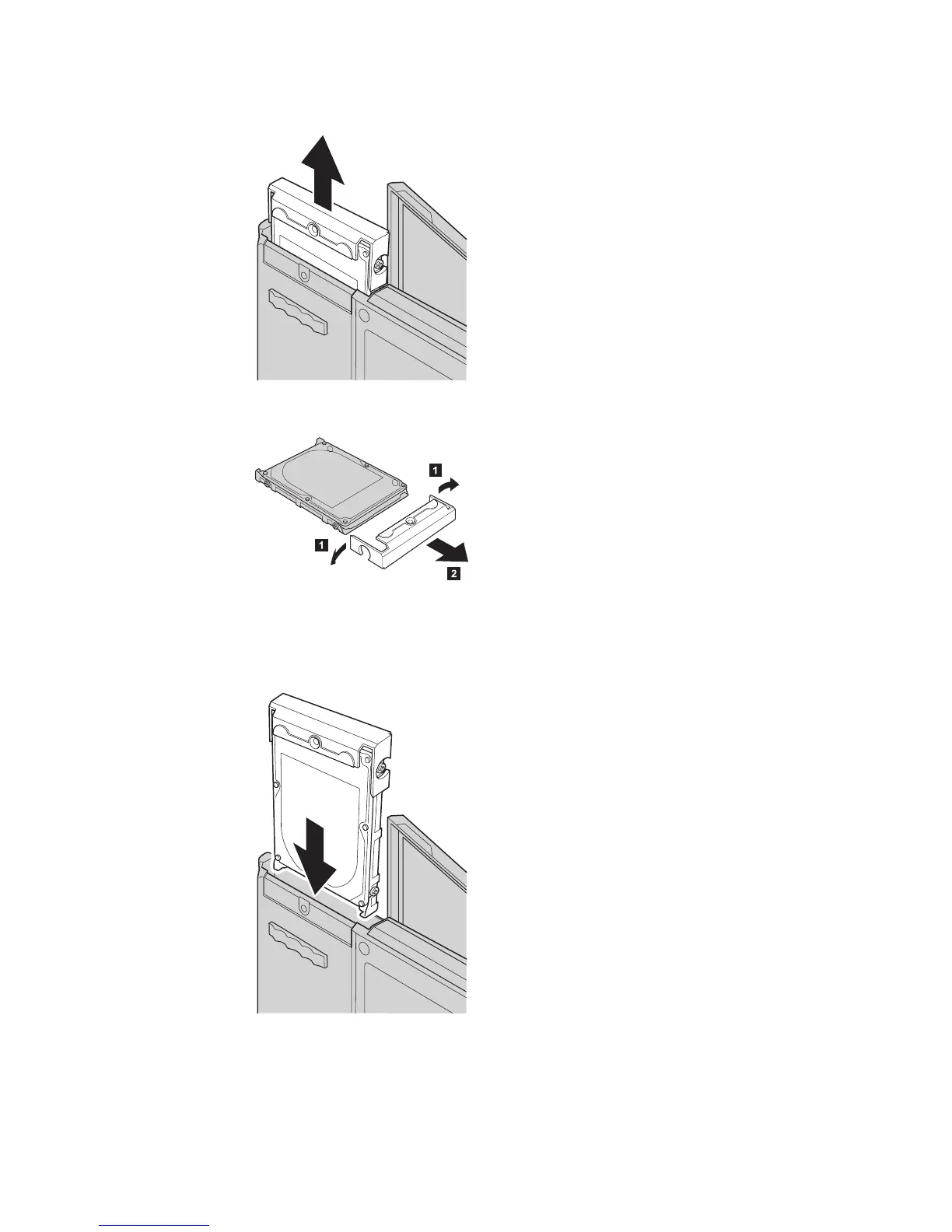
6. Detach the cover from the hard disk drive.
7. Attach the cover to a new hard disk drive.
8. Insert the hard disk drive and its cover into the hard disk drive bay; then
firmly install them.
9. Close the computer display and place the computer with its bottom side
up. Reinstall the screw.
10. Reinstall the battery.
Upgrading the hard disk drive
Chapter 2. Solving computer problems 35


 To Next Page
 Loading...