7
If the software has already been installed, you can start it by clicking on the icon IBR_SimKey V... in the
menu Start / Programms / IBR_SimKey. You can also start the software by double clicking its desktop
symbol ( icon ). It is named IBR_SimKey V... and is automatically created during installation of the
software.
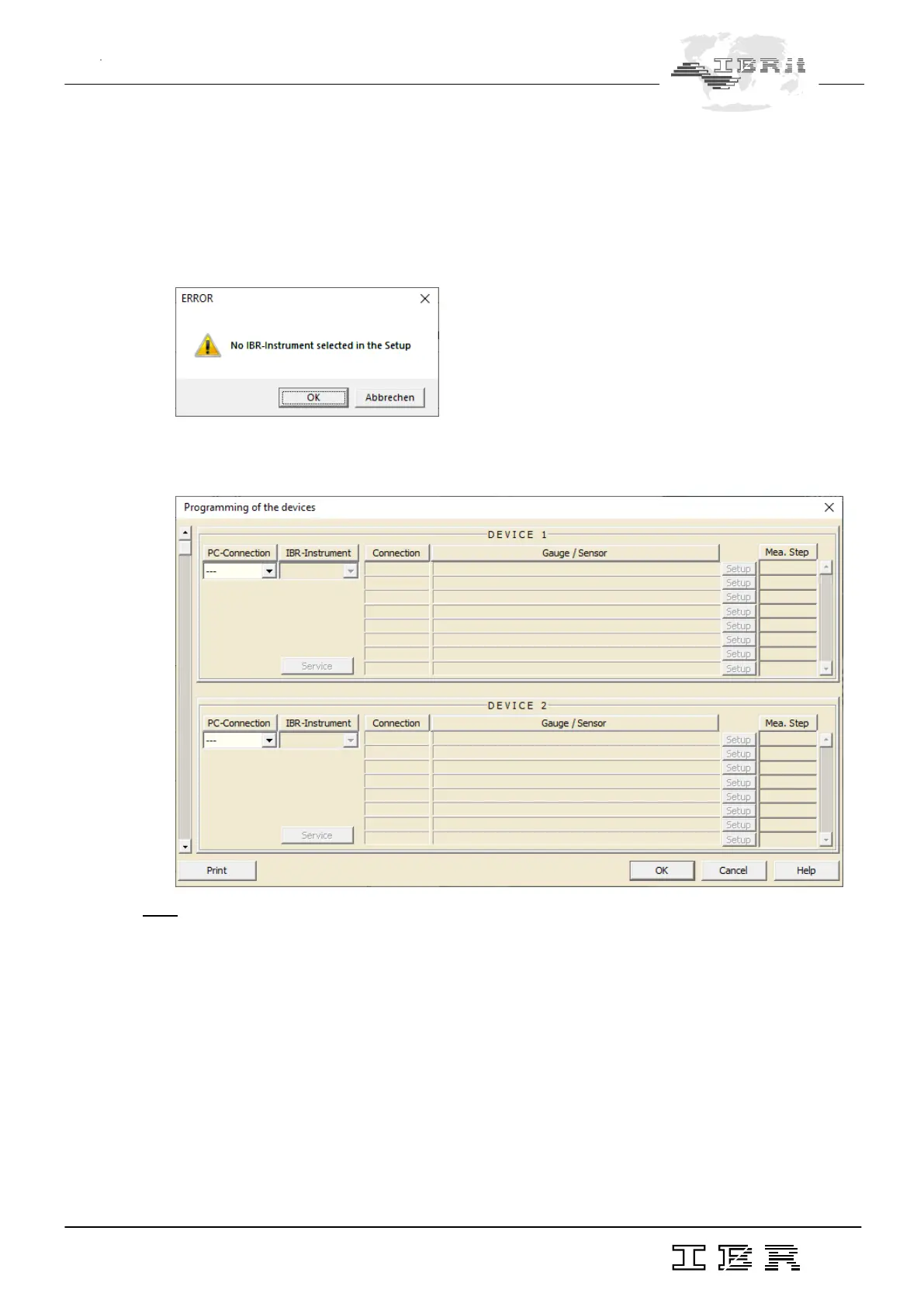
On initial operation of the software or in case there was no PC - connection selected in the software,
you will receive the following message :
Please confirm the message box by clicking the OK - button.
Now, the window for interface settings and instrument selection shown below is automatically displayed.
Note : On initial operation of the software both the message box and the window shown above are displayed in the language
of the Windows operating system.
Now, please select the entry USB as setting for the PC-Connection. Afterwards please select the entry
IBR-ISM as setting for the IBR-Instrument.



 To Next Page