EXCEL Canada 10 Owner’s Manual
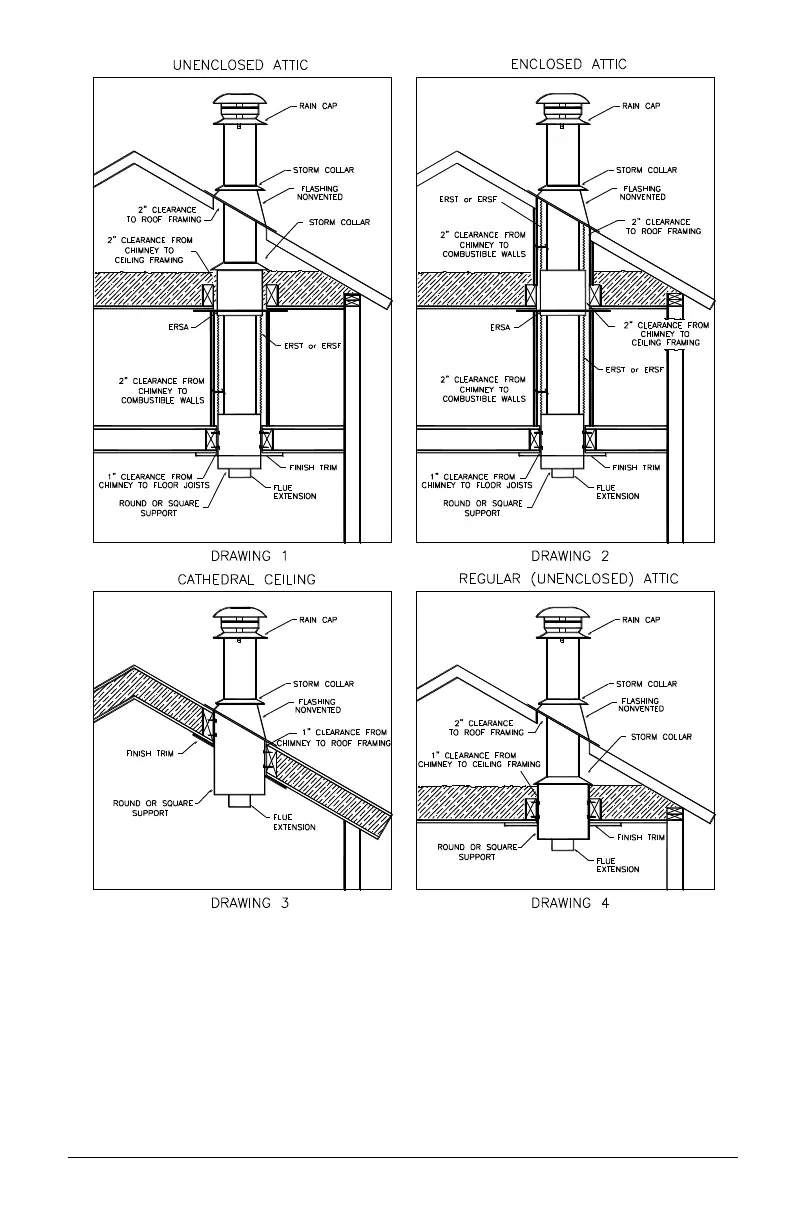
3. Fasten the flue extension (EX) to the first length of chimney with the
three screws provided. Place the first section of chimney into the
support with the flue extension protruding through the hole in the
support. When installing additional sections of chimney line up the
vertical seams to insure that the pre-punched screw holes line up with
the slots in the outside casing. If the chimney passes through additional
floors above the support follow instruction 4. If the chimney passes
directly into the attic without going through another floor proceed to
instruction 5.


 To Next Page