20
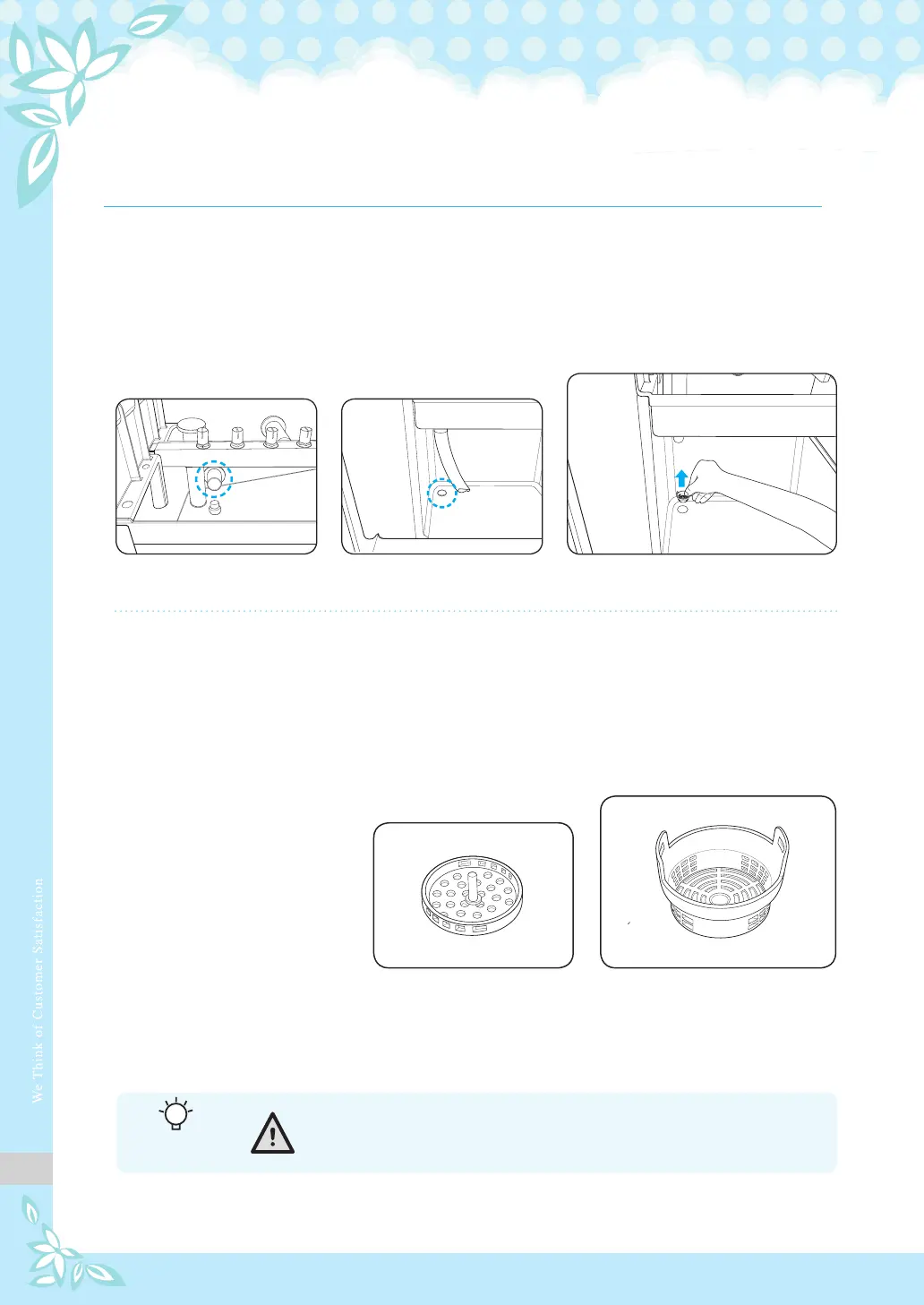
2. Open the front door and remove the filter screens from the bottom
of the ice tank and water tank.
3. Rinse the screens with running water, and then assemble them back
to the tanks.
* Otherwise, the water nozzle will get clogged, or dregs inside the ice tank
may damage the product by clogging the draining part.
* Insert the bottom filter screen first, followed by the top screen.
< Water tank >
< Bottom filter screen > < Top filter screen >
< Ice tank >
Cleaning the filters of the water tank and ice tank
- Cleaning at least once a month after turning off power
For your
information



 To Next Page