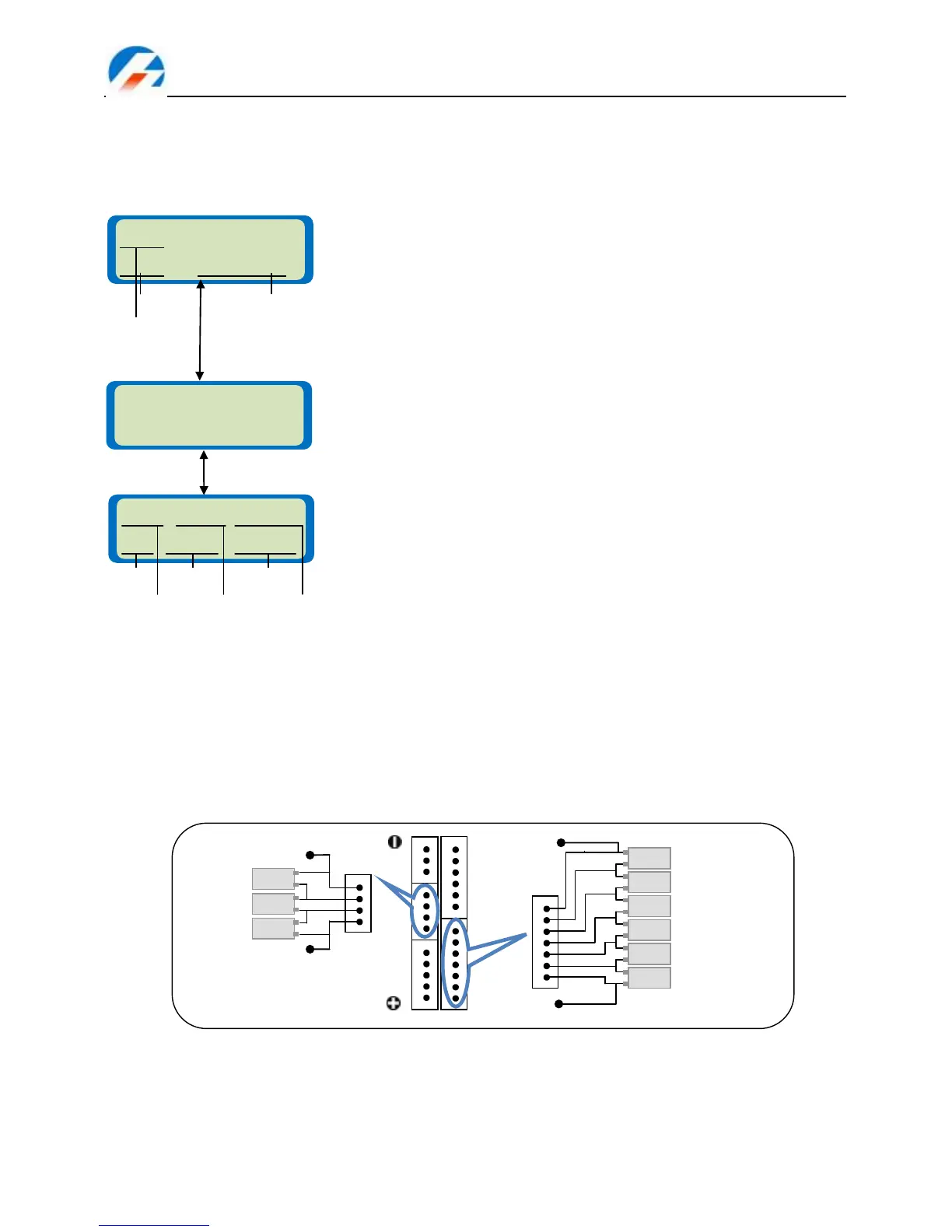
Charging Lithium battery in BALANCE mode
This function is for balancing the voltage of Lithium-polymer battery cells while charging. In the balance mode
the battery balance lead must be connected to the balance port on the right side of the iCharger. The pinout
of the balance port is shown in the diagram below. Charging in this mode is different from the normal
CHARGE mode because the iCharger can monitor the voltage of individual cells and adjust the input current
fed into each cell to normalize the voltage (for example: LiPo battery within 4.2V).
Balance port and Individual Cell connection diagram
Balance charging mode of Lithium battery. The left side of the first line set
the type of battery (LiPo, Lilo or LiFe). The value on the left side of second
line sets the charge current and the value on the right side of second line
sets the cell count and voltage of the battery pack. After setting the current
and voltage, press Start/Enter for more than 3 seconds to start the next
process.
Charge current: 0.05 – 10A, Voltage: 1 – 6 series
The number of cells you set and the processor detects. The left side of the
first line ‘R:xxSER‘ shows the number of cells detected by the iCharger and
the right side of the first line ‘S:xxSER‘ is the number of cells set by the user.
Usually, the auto-detect number won‘t exceed the number set by the user. If
the numbers are different you should make sure that the configured number
and the actual number for the battery are the same and then you can start
charging by pressing Start/Enter. If not, press Batt type/Stop to go back to
the previous screen and adjust the setting.
Lithium BALANCE charging mode. The screen shows the status during the
charging process. You can stop charging at any time by pressing Batt
type/Stop.Press Inc to display each cell‘s voltage (see the balance
voltage information) and press Dec to display the General Status
Information.



 To Next Page