iCharger Synchronous Balance Charger/Discharger 106B+
Special modes program
Electric motor drive
You can easily break-in new brushed electric motors using a variable voltage and running time. Note that
the iCharger cannot directly drive brushless DC motors and that brushless motors do require or
benefit from a breaking-in process. With this function you also check the motor performance to optimize
your power-train. The break-in process is essential for maximizing the power of a new brushed motor. New
motors have square brushes which press up against the curved commutator. The goal for the break-in
process is to gentle shape the brushes so that they develop a curved surface that fits snugly against the
commutator giving greater conducting surface area and hence lower losses and higher efficiency.
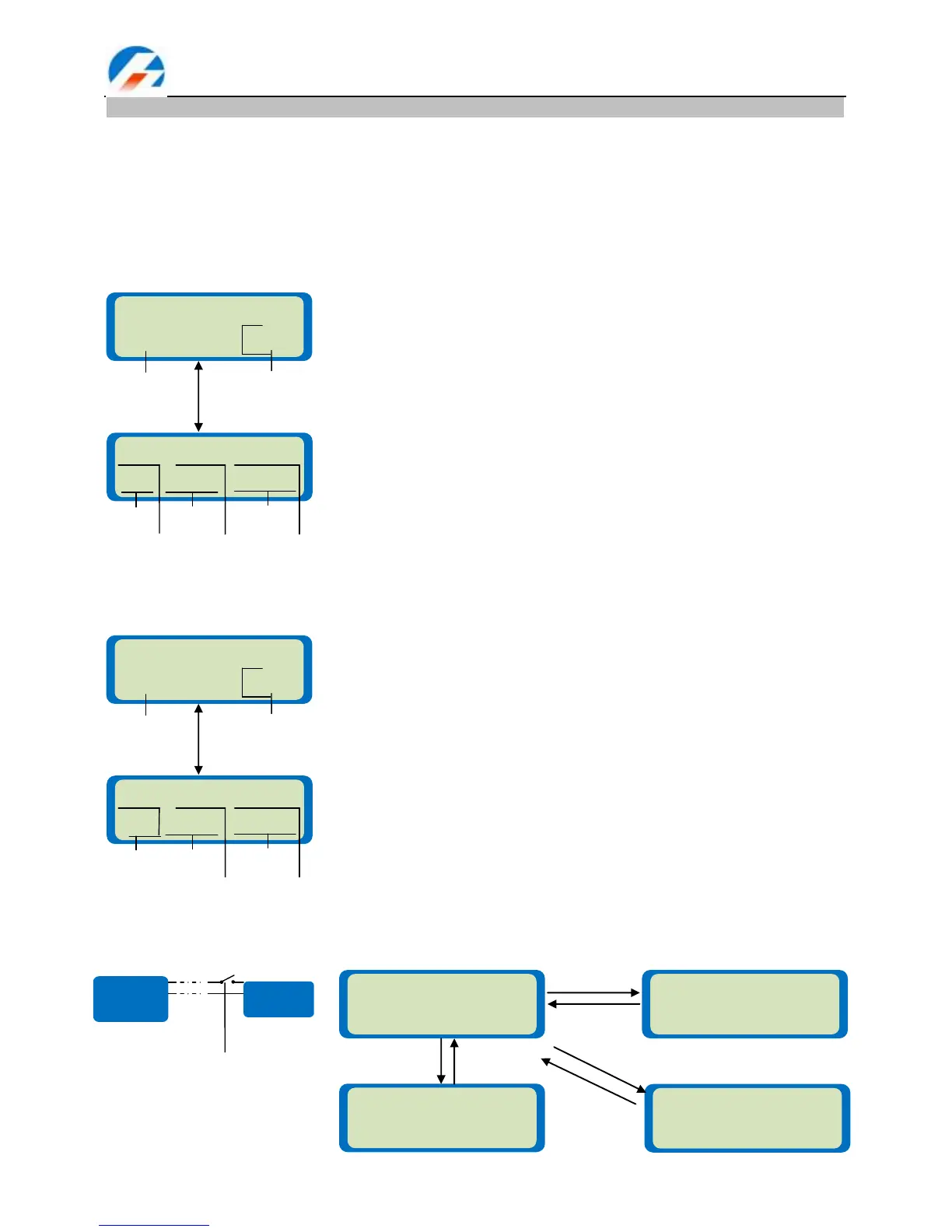
Foam-Cut drive
In this mode, the charger acts as a convenient power supply for a hot wire foam cutter.
The value on the right side of the first line sets the test duration in minutes.
The second line shows the upper limit of current on the left and drive
voltage on the right. After setting the current and voltage press Start/Enter
for more than 3 seconds to start the next process. A beep tone will sound.
Test time: 1 – 90 min, Current: 0.05 – 10A, Test voltage: 1 – 15V
Status display. The top line shows the drive current and voltage. The
second line shows the output capacity (mAh) and in the lower right corner
alternately displays the output power or total run time. You can stop the test
at any time by pressing Batt type/Stop.
MOTO 1.9A 2.05V
DRV 00310 3.8W
MOTOR DRV 10min
8.0A 2.0V
The value on the right side of the first line sets the run duration in minutes.
The second line shows the upper limit of current on the left and foam cut
voltage on the right. After setting the current and voltage press Start/Enter
for more than 3 seconds to start the process. A beep tone will sound.
Runing time: 0– 90 min(0 refers to stopping the process by yourself )
Current: 0.05 – 10A, voltage: 1 – 25V
Status display. The top line shows the foam cut current and voltage. The
second line shows the state and in the lower right corner alternately
displays the output power or total run time. You can stop the test at any
time by pressing Batt type/Stop.
FOAM 5.0A 8.00V
CUT RUN>> 01m:10
FOAM CUT 10min
5.0A 10.0V
FOAM 5.0A 8.00V
CUT 8.1V 001:10
FOAM 5.0A 8.00V
CUT RUN>> 001:10
FOAM 0.0A 0.00V
CUT STOP 000:00
FOAM 0.0A 0.50V
CUT DOWN 000:00
*Ext-switch: OFF
*Connect: OFF
*Ext-switch: ON
*Connect: ON
*Press START to toggle
*Running time over
(Buzzer beeps every 10 seconds)
(Voltage step size: 0.1V)
(Voltage falls to around 0.5V)



 To Next Page