Use logview for 106B+
First, gratitude to the development team of logview: http://www.logview.info
Communication steps:
To install the software logview, start the procedure of X:\ logview \ LogViewInstaller.exe (here X is the
drive letter designator for the CD-ROM drive.)
Connect the iCharger with PC (USB driver has been installed)
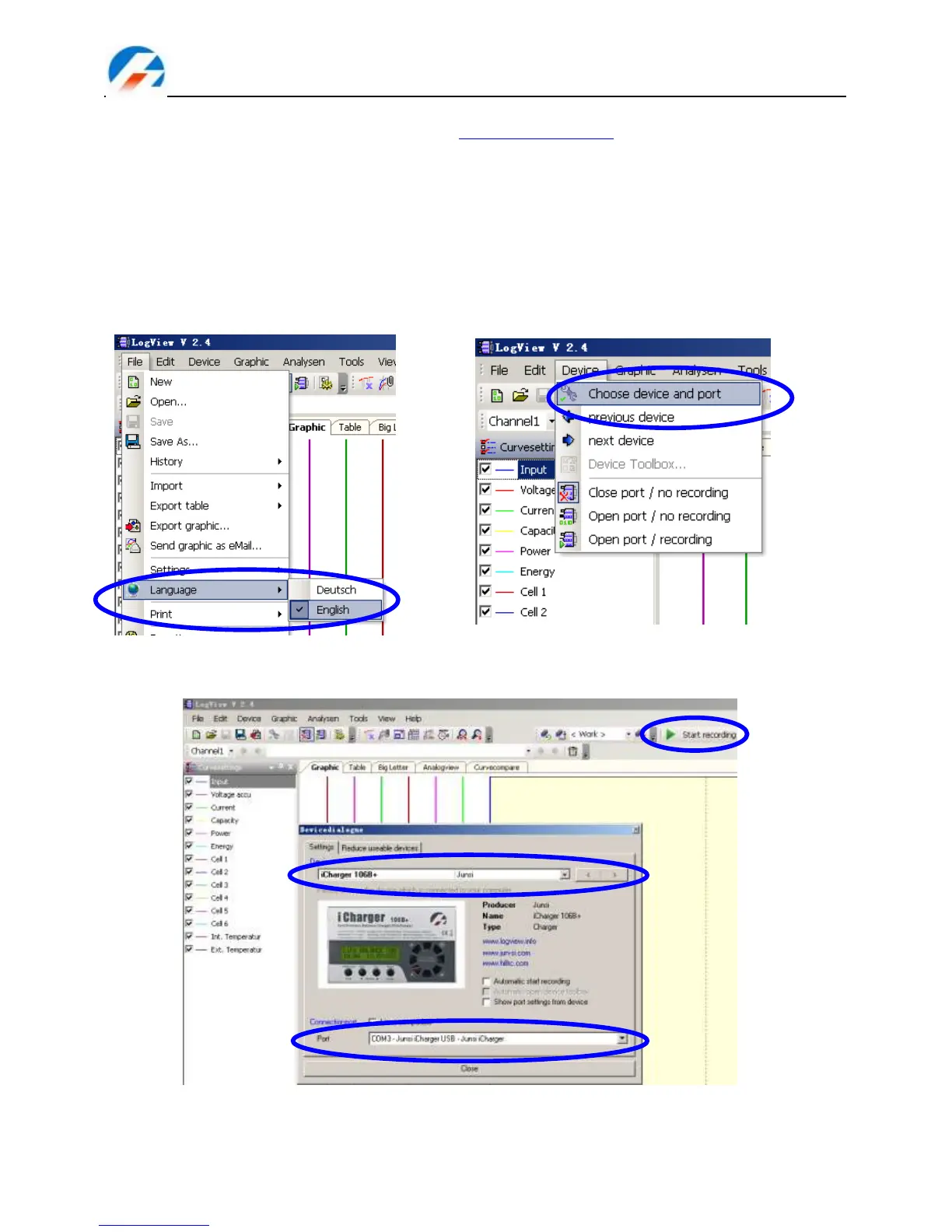
Start logview , then follow the instructions in pictures
1) Please choose language first, since the default language is German. (Showed in picture 1)
2) Click DeviceChoose device and port . (Showed in picture 2)
(1) (2)
3) Choose iCharger106+ in the following options, and then choose the correct communication Port.
(Showed in picture 3)
(3)
4) Start iCharger‘s charge or discharge mode, then click ―Start recording‖ to record data.
See other functions of this software on ―Help‖.



 To Next Page