18
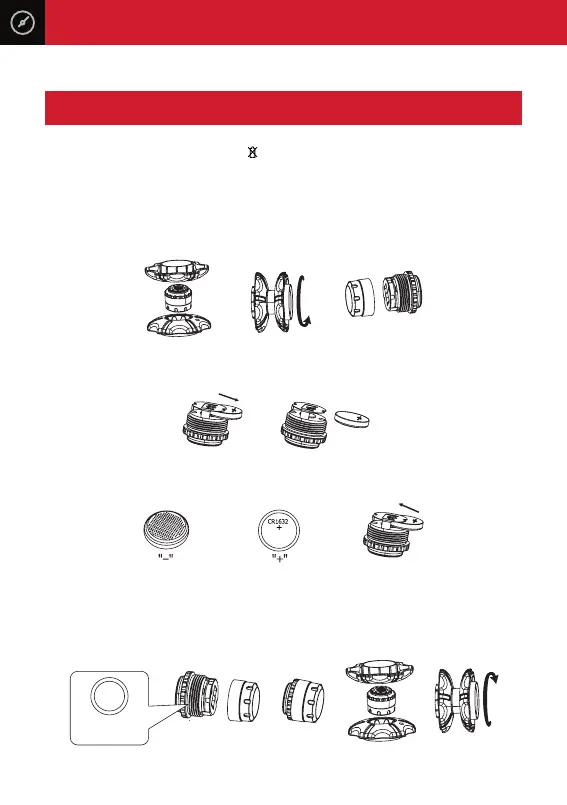
When the sensor low battery icon ‘ ’ shows on the monitor and the
corresponding tyre icon in flashing, the sensor battery needs replacement.
Replace using CR1632 Lithium batteries.
1. Hold the sensor inside the sensor opening tool and open sensor cover in a
clockwise direction.
2. Take out old battery.
3. Replace with a CR1632 Lithium, ensure positive ‘+’ is facing upwards.
4. When replacing batteries please ensure to replace with new rubber o-rings that
are supplied in the kit.
13. SENSOR BATTERY REPLACEMENT
Rubber
O-ring
CR1632
Lithium Battery
CR1632
Lithium Battery



 To Next Page