EasyManua.ls Logo

ICM Controls ICM450 - User Manual

ICM Controls ICM450
8 pages
To Next Page IconTo Next Page
Loading...
Installation, Operation & Application Guide
For more information on our complete range of American-made
products – plus wiring diagrams, troubleshooting tips and more,
visit us at www.icmcontrols.com
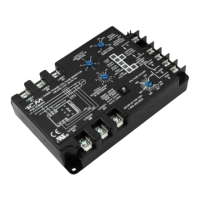
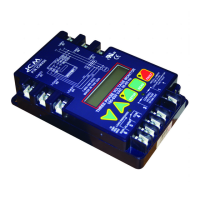
ICM 450
Programmable Three Phase Voltage
Monitor with 25-Fault Memory
Protects motors from premature failure
and burnouts
http://waterheatertimer.org/How-to-wire-voltage-monitor.html

Other manuals for ICM Controls ICM450

Questions and Answers

ICM Controls ICM450 Specifications

General IconGeneral
Humidity Range5-95% Non-Condensing
Weight0.25 lb
TypeVoltage Monitor
Temperature Range-40°C to 70°C
Operating Temperature-40°C to 70°C
DisplayLED

Summary

ICM 450 Voltage Monitor Overview

Specifications

Input Specifications

Details electrical input specifications like voltage and frequency.

Output Specifications

Details electrical output specifications like relay type and voltage range.

Operating Temperatures

Specifies operating and storage temperature ranges for the unit and LCD.

Mechanical and Dimensions

Covers mounting, terminations, weight, and physical dimensions.

Phase Protection Parameters

Sets adjustable limits for voltage unbalance and over/under voltage.

Delay Timers

Configures time delays for load de-energizing and fault interrogation.

Installation Guide

Mounting and Connections

Instructions for physically mounting the ICM450 and making electrical connections.

Wiring Diagrams

Illustrates connections for voltage input, control voltage, and relay output.

Wiring Diagrams and Setup

Contactor Wiring

Specific wiring diagrams for 2-pole and 3-pole contactor configurations.

Parameter Setting Procedure

Step-by-step guide on how to enter setup mode and adjust parameters.

Button Functions Explained

Description of the functions of the SETUP, READ, FAULT, and arrow buttons.

Parameter Configuration Details

Line Voltage Setting

Configuration for the average phase-to-phase line voltage.

Delay On Break Setting

Amount of time between load de-energizing and re-energizing.

Fault Interrogation Setting

Time before load de-energizes due to non-critical faults.

Over;Under Voltage Settings

Maximum/minimum phase-to-phase voltage percentage settings.

Phase Unbalance Setting

Allowable voltage unbalance percentage configuration.

Reset Mode Configuration

Defines automatic or manual reset after load side faults.

Control Mode Configuration

Manages load energization based on fault conditions and control voltage.

Fault Condition Diagnosis

Load Side Faults

Problems and corrective actions for load-side phase loss, reversal, and unbalance.

Line Side Faults

Problems and corrective actions for line-side over/under voltage, loss, reversal, and unbalance.

Troubleshooting Common Issues

Load Not Energizing

Diagnosing why the load fails to start, including control input issues.

Fault LED Blinking

Interpreting repeated fault LED indications and clearing saved faults.

Load Not De-energizing

Troubleshooting why the load fails to shut off when control voltage is off.

Setup LED Remains On

Resolving the issue of the Setup LED staying active during operation.

Unit Lockout

Troubleshooting unit lockout after maximum retries have been reached.

Load Cycling Issues

Fixing load turning ON and OFF repeatedly due to short delay or fault.

Warranty Information

Related product manuals