EasyManua.ls Logo

Icom F3161 Series - User Manual

Icom F3161 Series
27 pages
Print Icon
To Next Page IconTo Next Page
Loading...
f3161/f5061 series
enhanced features
idas programming guide
(Includes Trunking)
Question and Answer IconNeed help?

Do you have a question about the Icom F3161 Series and is the answer not in the manual?

Summary

Guide Coverage Overview

Digital Squelch Explanation

Explains settings that enable squelch to open in a digital radio.

Digital Radio Concepts

RAN Codes Explained

Digital equivalents to CTCSS tones, ranging from 0 to 63.

Individual IDs Definition

IDs for selective calling and identification of radios.

Talk Groups Definition

IDs for selective calling to a preprogrammed group of radios.

Setting Squelch with RAN Codes and IDs

Squelch Type Configuration

Explains squelch types (OFF, RAN, SEL) and their functionality.

Squelch Type Setting Illustration

Squelch Behavior Diagrams

Illustrates squelch behavior for OFF, RAN, and SEL settings.

Selecting Digital Features

Individual Call Digital Features

Lists digital features available for individual calls.

Talk Group Call Digital Features

Lists digital features available for talk group calls.

Digital Feature Access Sequence

Initiating Digital Features

Describes key presses to access digital features like Talkgroup and Individual.

Programming Individual Select Calls

Individual Select Call Configuration

Step-by-step guide to program radios for individual selective calls.

Performing an Individual Select Call

Instructions on how to perform an individual select call.

Programming Talk Group Select Calls

Performing a Talk Group Select Call

Instructions on how to perform a talk group select call.

Programming Status Messages

Sending a Status Message

Steps to send a status message to another radio or group.

Programming Short Data Messages (SDM)

Sending Short Data Messages

Steps to send short, pre-programmed data messages.

SDM Programming from Front Panel

Editing and Creating SDM Messages

Instructions for editing or entering new SDM messages via the keypad.

Programming Call Alert

Sending a Call Alert

Steps to send an alert signal to another radio or group.

Programming Radio Check

Sending a Radio Check

Steps to check if a target radio is powered on and within range.

Programming Stun Function

Sending a Stun Signal

Steps to remotely render a target radio inoperable.

Programming Revive Function

Sending a Revive Signal

Steps to remotely revive a radio that has been stunned.

Programming Kill Function

Sending a Kill Signal

Steps to remotely render a target radio inoperable.

Programming Remote Monitor

Monitoring Another Radio

Steps to listen to audio in the vicinity of a target radio.

Programming Digital Encryption

Making an Encrypted Call

Steps to make an encrypted call using encryption keys.

Programming LTR Operation

LTR Operation Setup

Configures LTR operation, including zone type and repeater settings.

Programming Emergency Operation

Emergency Operation Setup

Configures various parameters for emergency calls and alerts.

Programming IDAS Trunking

IDAS Trunking Setup Steps

Procedures for programming IDAS trunking in the software.

IDAS Trunking ID Configuration

Setting Up Alias Lists

Configures alias lists for individual radios in IDAS trunking.

Talkgroup ID List Entry

Enters talk group numbers for IDAS trunking.

ANI Settings for IDAS Trunking

Configures Automatic Number Identification (ANI) settings.

IDAS Trunking Memory CH Configuration

Entering Unit ID and TG Number

Enters radio Unit ID and selects Talk Group number.

Entering Talk Group Name

Enters the name for the Talk Group.

Cloning the Radio

Writes the programmed file into the radio.

General Program Settings

Memory CH Window Settings

Defines settings in the Memory CH window for enhanced features.

Digital;Option Window Settings

Defines settings in the Digital/Option window for enhanced features.

Call Logging and Acknowledgement Settings

Call Log and Action Type Configuration

Configures call logging and response actions.

Acknowledgement Delay and Retry Settings

Sets delays and retry attempts for acknowledgements.

Expert Window Settings

All Call Transmission and Reception

Enables or disables transmitting and receiving all calls.

Emergency Window Settings

Emergency Text and Alert Level Configuration

Defines emergency text and sets the alert volume level.

Emergency Timer and Function Settings

Configures timers for emergency signal transmission and functions.

Overview

The provided manual describes the Icom F3161/F5061 Series radios, focusing on their enhanced digital features and IDAS (Icom Digital Advanced System) programming, including trunking. These radios are designed for land mobile radio systems, utilizing NXDN™ 6.25kHz digital modulation and a common air interface protocol. To enable the digital features, the radio requires the UT-119/UT-126 accessory board to be installed and enabled, with current radio and UT firmware upgraded to the latest revision.

Function Description:

The Icom F3161/F5061 Series radios offer a comprehensive suite of digital communication features, enhancing selective calling, data messaging, and emergency operations. Key functionalities include:

  • Digital Squelch: Allows for selective reception based on RAN (Radio Access Number) codes, Unit (Individual) IDs, and Talk Group IDs. This enables users to filter calls and communicate only with specific radios or groups.
  • Selective Calling: Users can initiate calls to individual radios (Individual IDs) or pre-programmed groups of radios (Talk Group IDs), excluding others on the same frequency.
  • Status Messages: The radio supports sending and receiving pre-defined personal status messages to other radios or groups. It also allows for polling the status of other radios.
  • Short Data Messages (SDM): Users can send short, pre-programmed data messages (up to 12 characters) to individual radios or groups. The manual also details how to edit or enter new SDMs from the radio's keypad.
  • Call Alert: This feature allows sending an alert signal to another radio or group, prompting them to respond. The radio can log received Call Alerts.
  • Radio Check: Enables checking if a target individual radio is powered on and within range. This feature is not available for Talk Groups.
  • Stun/Revive: Provides the ability to remotely render a targeted individual radio inoperable (stun) or restore its operation (revive). Stunned radios can be inhibited from transmitting only, or both transmitting and receiving. A killed radio can only be restored by programming a new cloning file.
  • Kill: Remotely renders a targeted individual radio permanently inoperable. This is a critical feature, as a killed radio cannot be revived remotely; it requires a new cloning file to restore functionality.
  • Remote Monitor: Allows one radio to remotely open the microphone of a targeted individual radio and listen to audio in its vicinity. This feature is not available for Talk Groups.
  • Digital Encryption: Supports digital encryption using a user-created key assigned to specific channels. This is not AES/DES encryption.
  • LTR Operation: Enables LTR (Logic Trunked Radio) operation, which can also be used with the MDC 1200 signaling protocol. This involves programming repeater frequencies and Talk Group IDs for trunked communication.
  • Emergency Operation: Provides an emergency signaling protocol that can be programmed in 2-tone, 5-tone, MDC, and Digital modes. Features include emergency text display, alert level control, repeat cycles, silent or audible alarms, and delay timers for transmission.
  • IDAS Trunking: Supports IDAS trunking, which involves specific programming steps for repeater frequencies, home repeaters, and individual/talk group IDs within the IDAS folder.

Important Technical Specifications:

While specific numerical technical specifications like frequency ranges or power output are not detailed in this programming guide, the manual highlights several key technical aspects:

  • Digital Modulation: NXDN™ 6.25kHz digital modulation.
  • Air Interface Protocol: Common air interface protocol.
  • Accessory Board: Requires UT-119/UT-126 DSP option board for digital features.
  • Firmware: Requires current radio and UT firmware upgrades for optimal functionality.
  • RAN Codes: Digital equivalents to CTCSS tones, ranging from 0 to 63.
  • Talk Group IDs: Range from 1 to 250 for LTR operation. The "all call" ID is "0".
  • Digital Encryption Keys: Codes from 1 to 32767.
  • Short Data Message Length: 12 characters.

Usage Features:

The manual provides detailed key press sequences for activating and utilizing various digital features:

  • Digital Button: A programmable key designated as the "Digital Button" is central to accessing most digital features.
  • Selecting Features: Pressing and holding the Digital Button toggles between INDIVIDUAL and TALKGROUP call modes. Quick presses bring up lists of IDs or messages.
  • Navigation: Up/Down keys are used to scroll through lists of IDs, messages, or features.
  • PTT (Push-To-Talk): Used to initiate calls or send messages after selecting a target ID or feature.
  • Display Feedback: The radio display provides feedback on call status (e.g., INDIVIDUAL, TALKGROUP, CALLALRT, CA OK, CA FAIL, STN TX, STN ACK, STN FAIL, REV TX, REV ACK, REV FAIL, KIL TX, KIL ACK, KIL FAIL, REM TX, REM ACK, REM FAIL, STAT OK).
  • Reset Timer: Allows the radio to automatically return to the opening channel display after a set period in individual or talk group mode.
  • Ringer on Receive: Configurable ringer types (Pi, Po, single, repeat) for incoming calls.
  • Over Ringer: A short beep in the receiving radio at the end of a transmission.
  • TX R.T.T Beep: Two short beeps in the transmitting radio when it is ready to transmit.

Maintenance Features:

The manual outlines several programming and logging features that contribute to the maintenance and management of the radio system:
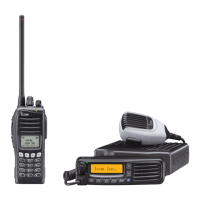
  • Programming Software (CS-F3160/F5060): The primary tool for configuring all enhanced digital features, squelch levels, IDs, and operational parameters.
  • Call Log: The RX radio can keep a record of up to 10 calls (Individual Voice or Call Alert). This log is cleared when the radio is powered off.
  • Log Action Type: Configures how the radio responds to logged calls (e.g., respond with voice, call alert, or the same type of call).
  • Ack TX Delay/RX Wait: Configurable timers for acknowledgment signals in Call Alert and Radio Check operations, ensuring reliable communication.
  • Attempt No.: Sets the number of retries for Call Alert and Radio Check signals if no acknowledgment is received.
  • Data Decode Comparison: When enabled, the radio requires decoding the proper RAN code before receiving specific digital signals (Status, SDM, Radio Check, Stun, Kill, Revive, Remote Monitor).
  • Emergency Operation Settings: Detailed configuration options for emergency calls, including text, alert level, repeat cycles, and timers, crucial for system reliability in critical situations.
  • Man Down Function: Automatically sends an emergency signal if the radio is horizontal for a set time (requires UT-124R board).
  • Lone Worker Function: Automatically sends an emergency signal if the radio has not been operated for a set amount of time.
  • Firmware Upgrades: Emphasizes the importance of keeping radio and UT firmware updated to the latest revision for optimal performance and feature compatibility.

Icom F3161 Series Specifications

General IconGeneral
BrandIcom
ModelF3161 Series
CategoryRadio
LanguageEnglish

Related product manuals