5 - 11
SET MODE ADJUSTMENT —continued
SWR METER
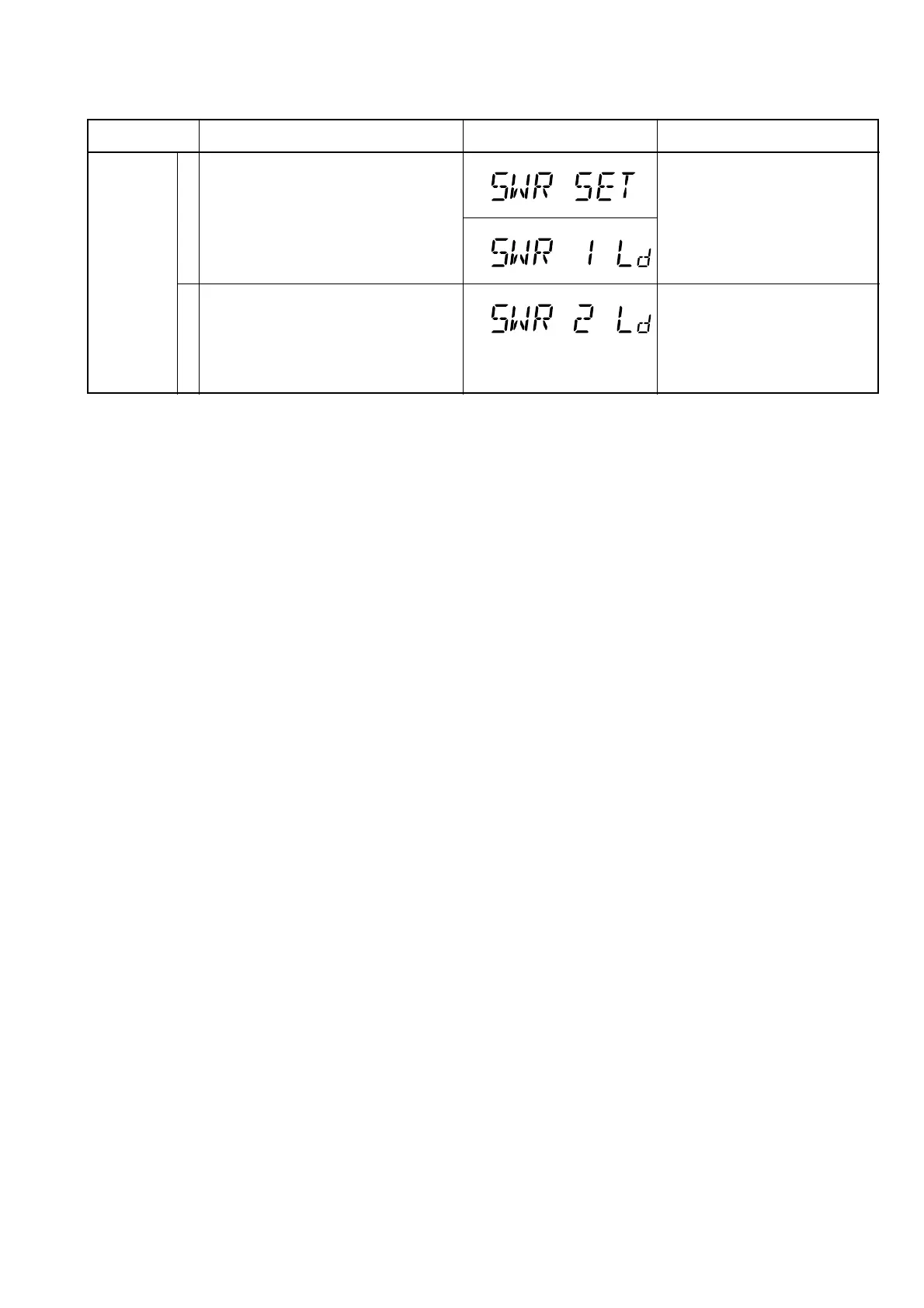
ADJUSTMENT ADJUSTMENT CONDITION DISPLAY OPERATION
• Connect a 50 Ω dummy load or power
meter to [ANT] connector.
• Connect a 100 Ω dummy load or power
meter to [ANT] connector.
1
2
Transmit using an external PTT
switch to set SWR reference level
after pushing [SET].
Transmit using an external PTT
switch to set SWR2 level after push-
ing [SET].
• The display returns to the same as
the set mode adjustment for TX.


 To Next Page