30
4
CONNECTION AND MAINTENANCE
■ Antenna
A key element in the performance of any communication sys-
tem is an antenna. Contact your dealer about antennas and
the best places to mount them.
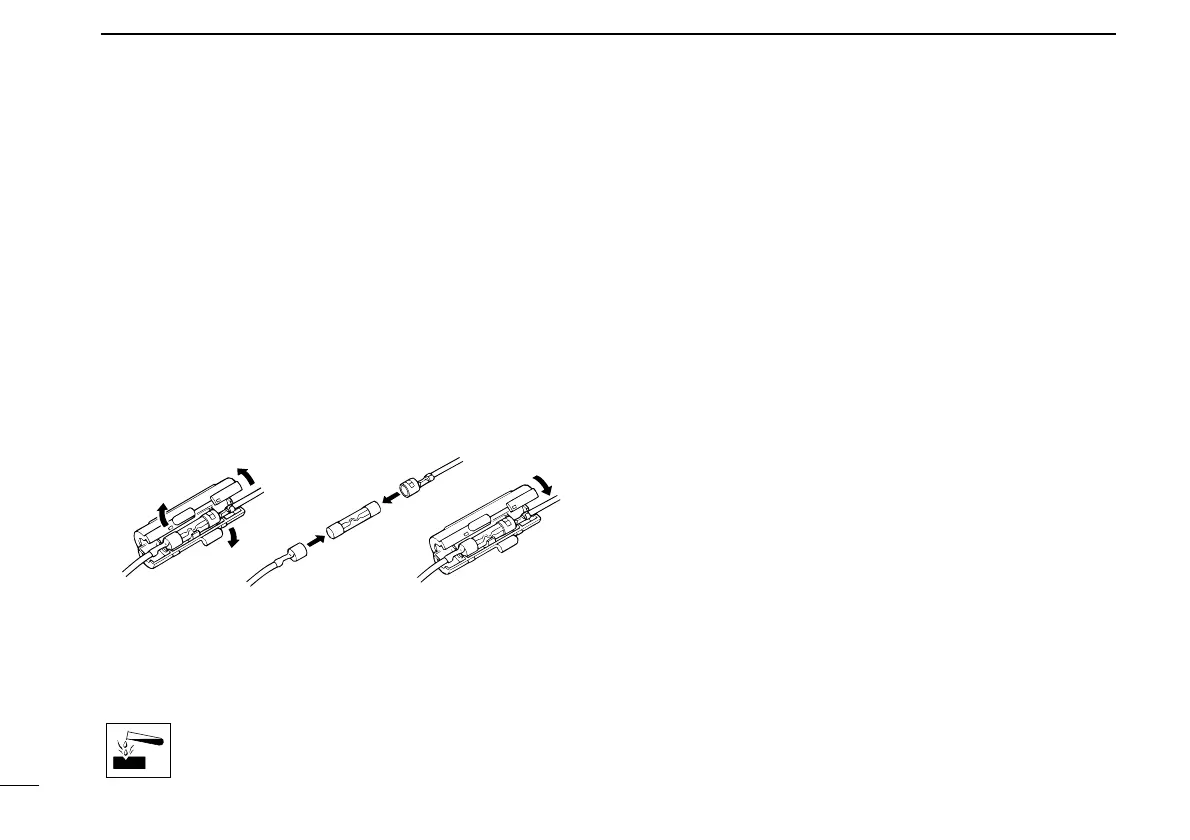
■ Fuse replacement
A fuse is installed in the supplied DC power cable. If a fuse
blows or the transceiver stops functioning, track down the
source of the problem if possible, and replace the damaged
fuse with a new rated one.
❑ Fuse rating: 20 A
USE the 20 A fuse only.
■ Cleaning
If the transceiver becomes dusty or dirty, wipe it clean with a
soft, dry cloth.
AVOID the use of solvents such as benzene or
alcohol, as they may damage the transceiver sur-
faces.
■ Options
• RMK-2
SEPARATION KIT
+
OPC-607/OPC-608/OPC-609
SEPARATION CABLE
Allows you to install the transceiver main unit separately
from the front panel for operating convenience.
• SP-5/SP-22
EXTERNAL SPEAKER
Input impedance : 4 Ω
Max. input power : 5 W
SP-5 : Large speaker for good audio quality.
SP-22 : Compact and easy-to-install. The same as supplied
with the transceiver (depending on version.)
• HM-152/HM-152T/HM-148
HAND MICROPHONE
HM-152 : Hand microphone
HM-152T : DTMF microphone
HM-148 : Heavy duty microphone
• SM-25
DESKTOP MICROPHONE
• UT-109 (#02)/UT-110 (#02)
SCRAMBLER UNITS
Non-rolling type (UT-109)/Rolling type (UT-110) voice
scrambler unit provides higher communication security.
• UT-111
LTR TRUNKING BOARD
Provides trunking operation.
• OPC-617
ACC CABLE
Allows you to connect to an external terminal.


 To Next Page
 Loading...