12
3
BASIC OPERATION
■ Receiving and transmitting
NOTE: Transmitting without an antenna may damage the
transceiver. See (p. 1) for accessory attachments.
Receiving:
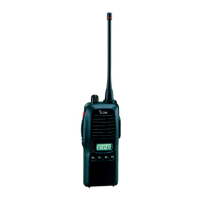
q Rotate [VOL] to turn the power ON.
w Push [CH Up] or [CH Down] to select the conventional sys-
tem channel, in sequence.
e When receiving a call, adjust the audio output level to a
comfortable listening level.
Transmitting:
Wait for the channel to become clear to avoid interference.
q Push [Call] when initiating a call from your side.
• Coded audio may be heard from the transceiver, then “”
appears.
• This operation may not be necessary depending on your signal-
ing system. Ask your dealer for details.
w While pushing and holding [PTT], speak into the micro-
phone at a normal voice level.
e Release [PTT] to return to receive.
IMPORTANT: To maximize the readability of your signal;
1. Pause briefly after pushing [PTT].
2. Hold the microphone 5 to 10 cm from your mouth, then
speak into the microphone at a normal voice level.
D Transmitting notes
• Transmit inhibit function
The transceiver has several inhibit functions which restrict
transmission under the following conditions:
- The channel is in mute condition (‘Inaudible’ condition;
“ ” does not appear.)
- The channel is busy.
- Un-matched (or matched) CTCSS is received.
(Depending on the pre-setting.)
- The selected channel is a ‘receive only’ channel.
• Time-out timer
After continuous transmission for the pre-programmed time
period, the time-out timer is activated, causing the transceiv-
er to stop transmitting.
• Penalty timer
Once the time-out timer is activated, transmission is further
inhibited for a period determined by the penalty timer.



 To Next Page
 Loading...