22
6
OPTIONAL SWIVEL BELT CLIP
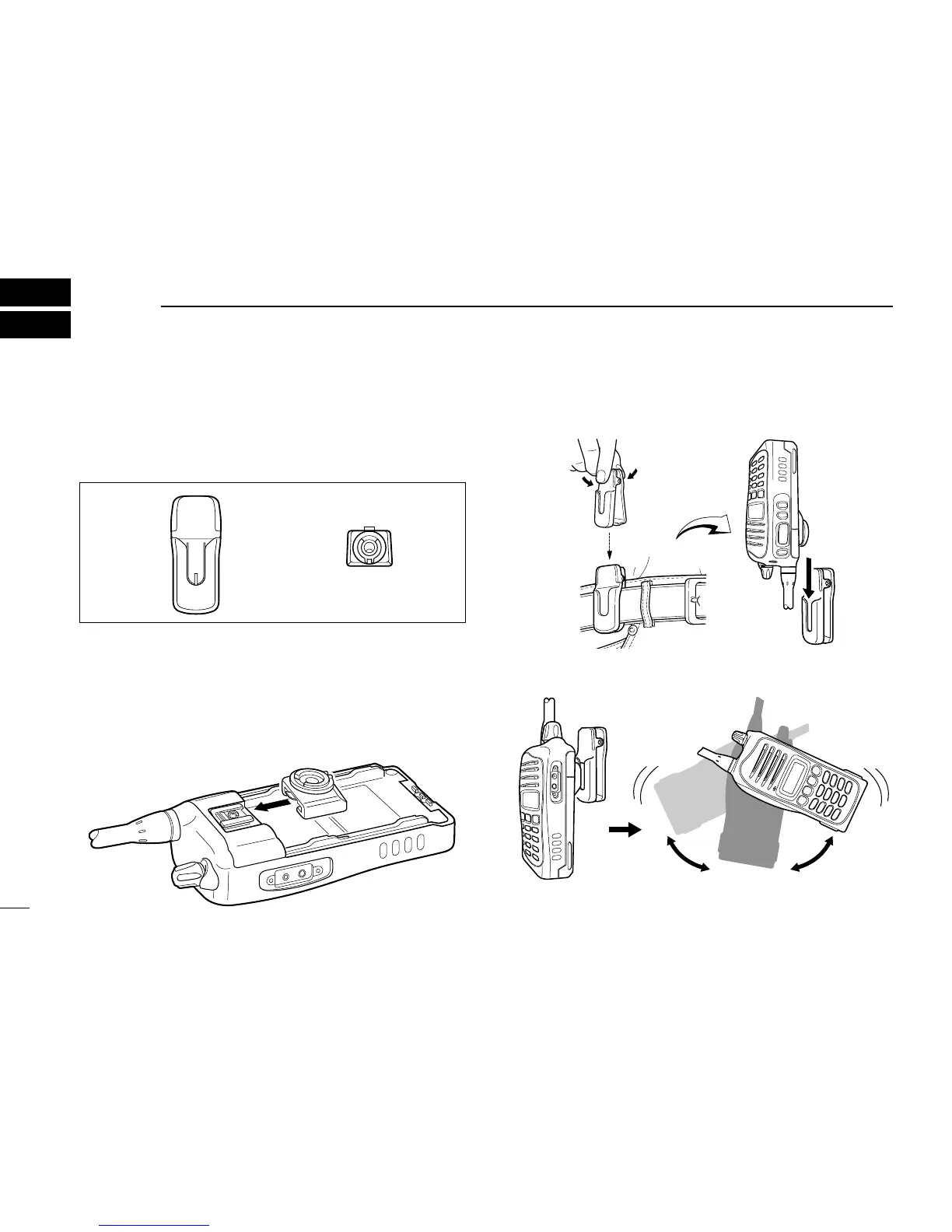
■ MB-93 contents
Qty.
q Belt clip ……………………………………………………… 1
w Base clip …………………………………………………… 1
■ Attaching
q Release the battery pack if it is attached. (p. 2)
w Slide the base clip in the direction of the arrow until the
base clip is locked and makes a ‘click’ sound.
e Clip the belt clip to a part of your belt. And insert the trans-
ceiver into the belt clip until the base clip inserted fully into
the groove.
r Once the transceiver is locked in place, it swivels as illus-
trated below.
Once the transceiver is locked in place,
it will swivel 360 degrees.



 To Next Page
 Loading...