14
3
BASIC OPERATION
3
■ MDC 1200 system operation
The MDC 1200 signaling system enhances your
transceiver’s capabilities. It allows PTT ID*, Emergency
signaling, and receiving Radio Check. Also, the dispatcher
can stun and revive transceivers on the system.
* When [PTT] is pushed and/or released, the transceiver transmits
your station ID.
D Transmitting an Emergency Call
The MDC 1200 system’s Emergency feature can be
accessed using the [Emergency] key (p. 7). The
transceiver will send an Emergency MDC 1200 system
command once, or repeatedly for a programmed number of
times until it receives the acknowledgement signal.
The emergency call can be transmitted without a beep
sound depending on how the emergency function is
programmed. Ask your dealer for details.
D Receiving an Emergency Call
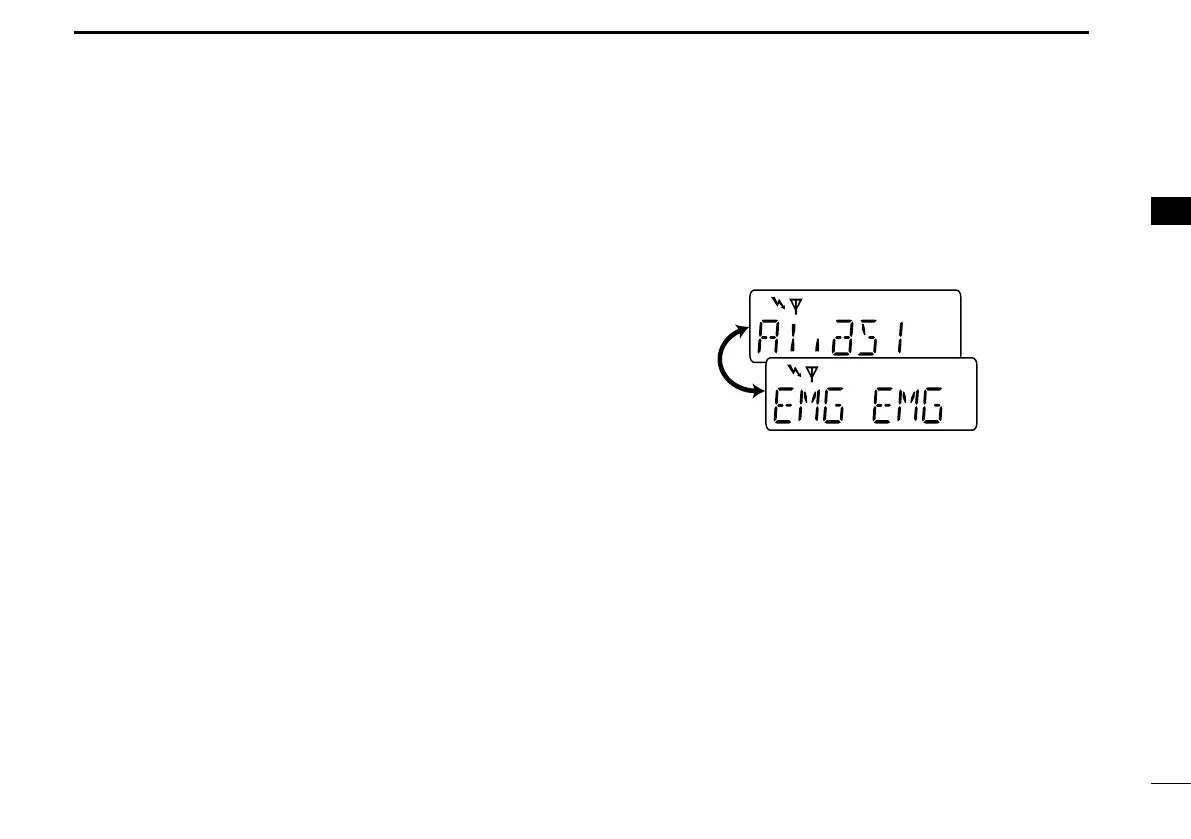
q When an emergency call is received:
• Beeps sound.
• The calling station alias and “EMG EMG” are displayed
alternately.
w Turn power OFF, change the channel, push [PTT] for
replying the call, etc. to stop the beep and display
indication.
D Receiving a Stun and Revive
The dispatcher can send MDC 1200 system signals that
will stun or revive your transceiver. If a Stun command
is received that matches your station ID, the transceiver
will display “SORRY” (default) and you can not receive or
transmit. When a Revive command is received that matches
your station ID, normal operation is restored.


 To Next Page
 Loading...