38
1
7
4
10
15
18
2
8
13
5
11
16
3
9
14
6
12
17
DIGITAL SELECTIVE CALLING (DSC)
7
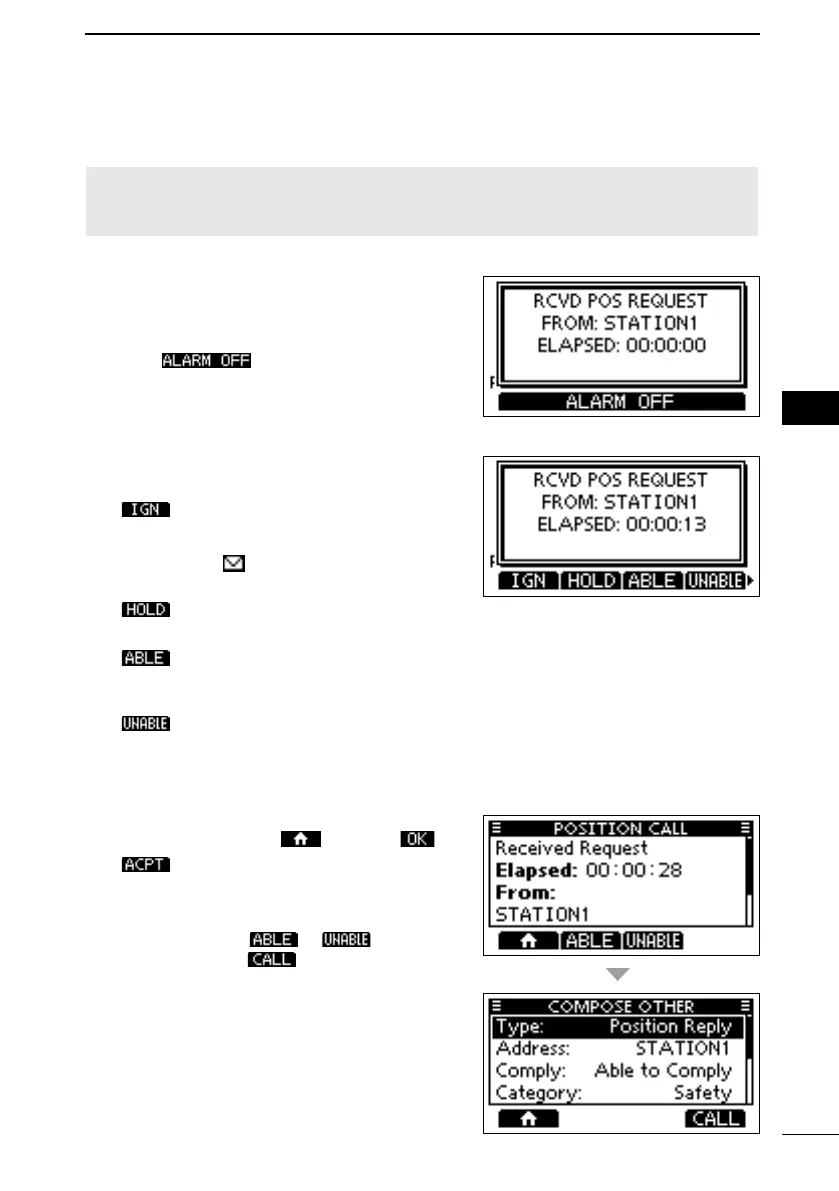
D Receiving a Position Request call
(May not be used, depending on the presetting)
NOTE:
Reply is automatically sent to the calling station.
When a Position Request call is received:
• An alarm sounds.
• “RCVD POS REQUEST” is displayed.
1. Push
to turn OFF the alarm.
2.
operation.
Ignores the call and returns to
the operating screen.
• The call is saved in the DSC Log.
• “ ” blinks continuously until
you display the call message.
Holds the RX call task, and
returns to the Main screen.
( Able to
comply)
(Unable to
Comply)
“Unable to Comply.”
• The call is saved in the DSC Log.
•
information, and then returns
to the operating screen by
pushing
, and then .
Accepts the call.
• Displays the received call’s
information.
• The call is saved in the DSC Log.
Push or , then
push
to send the Position
Reply call.
(p. 30)
FELLECS-TECH | inbox@fellecs-tech.com | www.fellecs-tech.com



 To Next Page