EasyManua.ls Logo

Icom IC-M505 - User Manual

Icom IC-M505
81 pages
Print Icon
To Next Page IconTo Next Page
Loading...
INSTRUCTION MANUAL
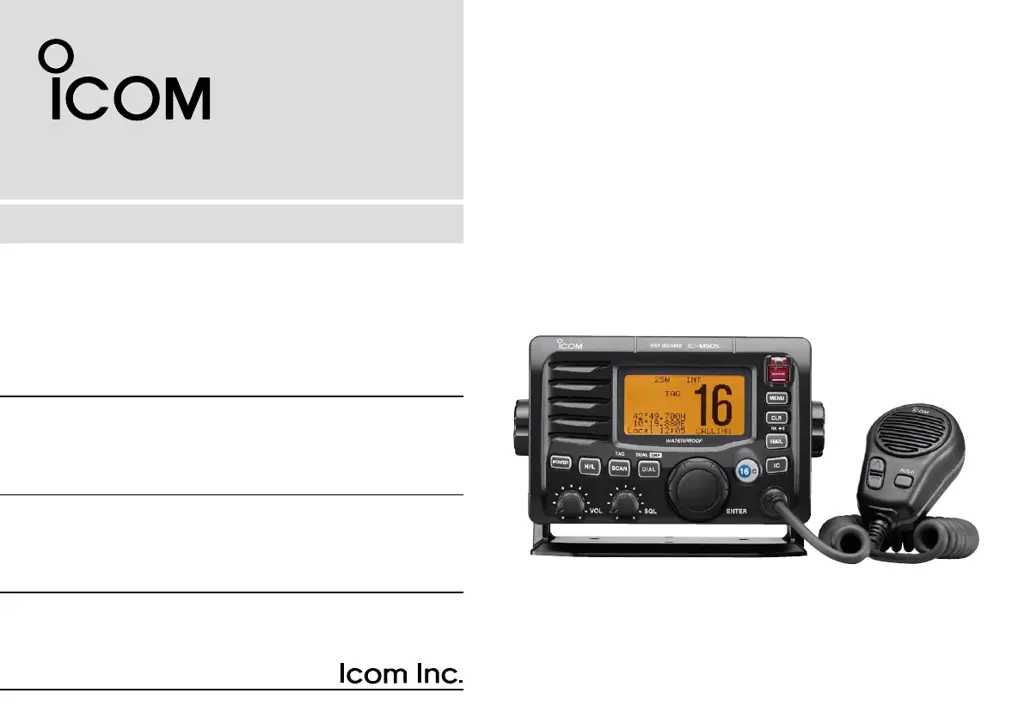
iM505
VHF MARINE TRANSCEIVER

Table of Contents

Questions and Answers

  • S
    Shannon SmithAug 17, 2025
    What to do if transmitting is impossible on Icom IC-M505 Transceiver?
    • C
      Chelsea LeeAug 17, 2025
      If you're unable to transmit or select high power on your Icom Transceiver, it could be due to a couple of reasons. Some channels might be programmed for low power or receive-only operation due to regulations, so try changing channels. Alternatively, the output power may be set to low; push [H/L] to select high power.
  • M
    Michelle HallAug 19, 2025
    Why distress call cannot be transmitted on Icom IC-M505 Transceiver?
    • A
      Alan TorresAug 20, 2025
      If a distress call cannot be transmitted from your Icom Transceiver, the cause might be that the MMSI (DSC self ID) code is not programmed. Program the MMSI (DSC self ID) code.
  • A
    Adam McneilAug 22, 2025
    Why is there no sound coming from my Icom IC-M505 Transceiver speaker?
    • M
      Michael GoldenAug 22, 2025
      If you're not getting any sound from the Icom Transceiver speaker, there might be a few reasons: 1. The squelch level could be set too high. Try adjusting the [SQL] to the threshold point. 2. The volume level might be too low. Increase the volume by adjusting [VOL] to a suitable level. 3. The speaker may have been exposed to water. If so, drain the water from the speaker.
  • K
    Kenneth EscobarAug 26, 2025
    What to do if my Icom Transceiver cannot transmit or use high power?
    • E
      Erica ThompsonAug 26, 2025
      If you can't transmit or select high power on your Icom Transceiver, it could be due to a couple of reasons: * Some channels might be programmed for low power or receive only, according to regulations. Try changing channels. * The output power might be set to low. Push [H/L] to select high power.
  • B
    bwhitakerAug 28, 2025
    What to do if the distress call cannot be transmitted on Icom IC-M505 Transceiver?
    • T
      tinarichardsonAug 28, 2025
      If the distress call cannot be transmitted from your Icom Transceiver, ensure that the MMSI (DSC self ID) code is programmed. Program the MMSI (DSC self ID) code.
  • R
    Rebekah OliverAug 30, 2025
    Why no sound comes from the Icom IC-M505 Transceiver speaker?
    • C
      Cynthia WilliamsAug 30, 2025
      If no sound is coming from the speaker of your Icom Transceiver, there might be a few reasons. First, the squelch level could be set too high; try adjusting the [SQL] to the threshold point. Also, check that the volume isn't too low by adjusting [VOL] to a suitable level. Finally, if the speaker has been exposed to water, drain the water from it.
  • C
    Crystal TaylorSep 2, 2025
    How to fix Icom IC-M505 that does not turn ON?
    • M
      michael08Sep 2, 2025
      If your Icom Transceiver doesn't turn on, the cause might be a bad connection to the power supply. Check the connection to the transceiver.
  • A
    amy27Sep 5, 2025
    Why Icom IC-M505 Transceiver has no beeps sound?
    • R
      Robert CohenSep 5, 2025
      If you are not hearing any beeps from your Icom Transceiver, there are a couple of potential causes. First, check if the beep tones are turned OFF in Set mode and turn them ON. Secondly, the squelch might be open; in this case, set [SQL] to the threshold point.
  • K
    karengonzalezSep 8, 2025
    What to do if scan does not start on Icom IC-M505?
    • J
      john33Sep 8, 2025
      If the scan function does not start on your Icom Transceiver, it might be because a TAG channel is not programmed. Set the desired channels as TAG channels.
  • J
    jerrysanchezSep 12, 2025
    Why is my Icom IC-M505 Transceiver not making any beeps?
    • C
      Christian MarquezSep 12, 2025
      If your Icom Transceiver isn't beeping, it could be because the beep tones are turned OFF. Turn the beep tone ON in Set mode. Alternatively, the squelch might be open. In that case, set [SQL] to the threshold point.

Summary

Introduction and Important Guidelines

Product Features Overview

Lists key features like DSC, waterproof construction, and optional accessories for the IC-M505.

Critical Usage Instructions

Emphasizes reading all instructions thoroughly and saving the manual for future operational reference.

Definition of Warning Symbols

Explains the meaning of WARNING!, CAUTION, and NOTE symbols used throughout the manual.

Emergency Procedures and Installation

Distress Call Procedures

Details steps for distress calls via Channel 16 and Digital Selective Calling on Channel 70.

Installation Guidelines

Provides guidance on RF exposure, antenna placement, and safe operating distances for installation.

Compliance and Safety Precautions

CE Marking and Declaration of Conformity

Explains CE marking, warning symbols, and the manufacturer's Declaration of Conformity.

General Safety Precautions

Covers electrical, environmental, and operational safety warnings for proper transceiver use.

Magnetic Compass Interference

Advises maintaining a minimum distance from magnetic compasses to prevent interference.

Operating Rules and Panel Overview

Operating Priorities and Regulations

Outlines rules for call priorities, monitoring Channel 16, and proper use of distress signals.

Licensing and Operator Requirements

Details the necessity of Ship Station and Operator's Licenses for legal transceiver operation.

Front Panel Control Identification

Identifies and describes the function of all buttons and keys on the transceiver's front panel.

Front Panel Control Details

Continues the description of front panel controls like channel selector, squelch, and volume.

Function Display Overview

Explains the meaning of various indicators and readouts on the transceiver's LCD screen.

Microphone Controls and Indicators

Details the functions of the PTT switch, channel keys, and power key on the attached microphone.

Basic Operation and Features

Channel Selection Procedures

Explains how to select Channel 16 and the leisure-use call channel for communication.

Channel Group Management

Describes how to switch between International, USA, ATIS, and DSC channel groups.

Receiving and Transmitting Basics

Covers the fundamental procedures for sending and receiving radio signals, including power levels.

Call Channel Programming

Instructions on programming favorite channels as call channels for quick recall within channel groups.

Channel Customization and Utilities

How to add channel comments, use microphone lock, and adjust display backlight settings.

Optional Voice Scrambler Function

Details on activating the scrambler and programming codes for private voice communications.

Scan Operation

Understanding Scan Types

Explains Priority Scan and Normal Scan modes for efficient signal monitoring over frequency ranges.

Configuring and Starting Scans

How to set TAG channels and initiate scanning operations for channel monitoring.

Dualwatch and Tri-watch Modes

Dualwatch;Tri-watch Functionality

Explains Dualwatch and Tri-watch for monitoring Channel 16 and call channels simultaneously.

Digital Selective Calling (DSC) Operations

MMSI Code Setup and Verification

Essential steps to program the transceiver's unique 9-digit MMSI code and how to check it.

DSC Address ID Management

Covers programming, naming, and deleting individual DSC address IDs for communication.

Group ID Management

Instructions for programming and deleting group IDs and associated names for group calls.

Position and Time Data Input

How to manually input ship's position (latitude/longitude) and current UTC time for DSC calls.

Distress Call Procedures

Step-by-step guide to initiating a distress call, including simple call and regular distress types.

Transmitting Individual DSC Calls

Procedure to send a DSC signal to a specific ship, including selection of recipients and channels.

Acknowledging DSC Calls

How to send 'Able to comply' or 'Unable to comply' responses to individual and group calls.

Transmitting Group and All Ships Calls

Steps to initiate DSC calls to specific groups or all ships within communication range.

Position Request and Report Calls

How to request another vessel's position or transmit your own vessel's position information via DSC.

Receiving DSC Calls Overview

General overview of how the transceiver handles and alerts the user to incoming DSC calls.

Handling Specific DSC Call Types

Details on receiving individual, group, all ships, geographical area, and position-related calls.

Received Message Management

How the transceiver stores and allows access to distress and other types of received DSC messages.

DSC Set Mode Configuration

Menu options for configuring DSC settings like MMSI, address IDs, offset time, and auto-acknowledgement.

Other Functions and Set Mode

Intercom Operation

How to use the optional intercom feature for communication between the cabin and deck.

RX Speaker Function

Using the RX speaker to hear audio on a hailer speaker, useful for deck communication.

Hailer Operation

How to use the hailer function to amplify voice over a loudspeaker for external announcements.

Automatic Foghorn Function

Explains the automatic foghorn feature, its patterns, and usage for vessel status signals.

Set Mode Navigation and Items

How to enter and navigate Set Mode, covering scan types, timers, and other configurable options.

Set Mode Item Configuration

Details on configuring Dual/Tri-watch, LCD contrast, beep tones, and foghorn frequency settings.

Advanced Set Mode Features

Configuration options for radio power, scrambler type, and scrambler codes for enhanced features.

Connections and Maintenance

External Connection Ports

Details on connecting GPS, speakers, hailers, antennas, microphones, and power supply cables.

Accessories, Antenna, and Fuse

Lists supplied accessories, antenna importance, fuse replacement, and microphone hanger usage.

Transceiver Mounting Procedures

Instructions for mounting the transceiver using the supplied bracket for overhead or dashboard placement.

Optional Mounting Kit Installation

Specific steps for installing the optional MB-75 flush mount kit for panel integration.

Optional Unit and Microphone Installation

Guides for installing optional scrambler units (UT-112/UT-98) and the HM-162E microphone.

Troubleshooting

Common Issues and Solutions

A table listing common problems, their potential causes, and recommended solutions for user assistance.

Specifications and Options

Technical Specifications

Detailed technical specs for general, transmitter, and receiver functions of the transceiver.

Physical Dimensions and Options

Provides physical dimensions and a list of available optional accessories for the IC-M505.

Channel List Reference

International Channel Frequencies

A table listing international VHF marine channels with their transmit and receive frequencies.

USA Channel Frequencies

A table listing USA VHF marine channels with their transmit and receive frequencies.

Installation Template

MB-75 Flush Mount Template

A diagram for cutting holes required for the MB-75 flush mount installation on a panel.

Icom IC-M505 Specifications

General IconGeneral
BrandIcom
ModelIC-M505
CategoryTransceiver
LanguageEnglish

Related product manuals