EasyManua.ls Logo

Icom IC-M506EURO - User Manual

Icom IC-M506EURO
116 pages
Print Icon
To Next Page IconTo Next Page
Loading...
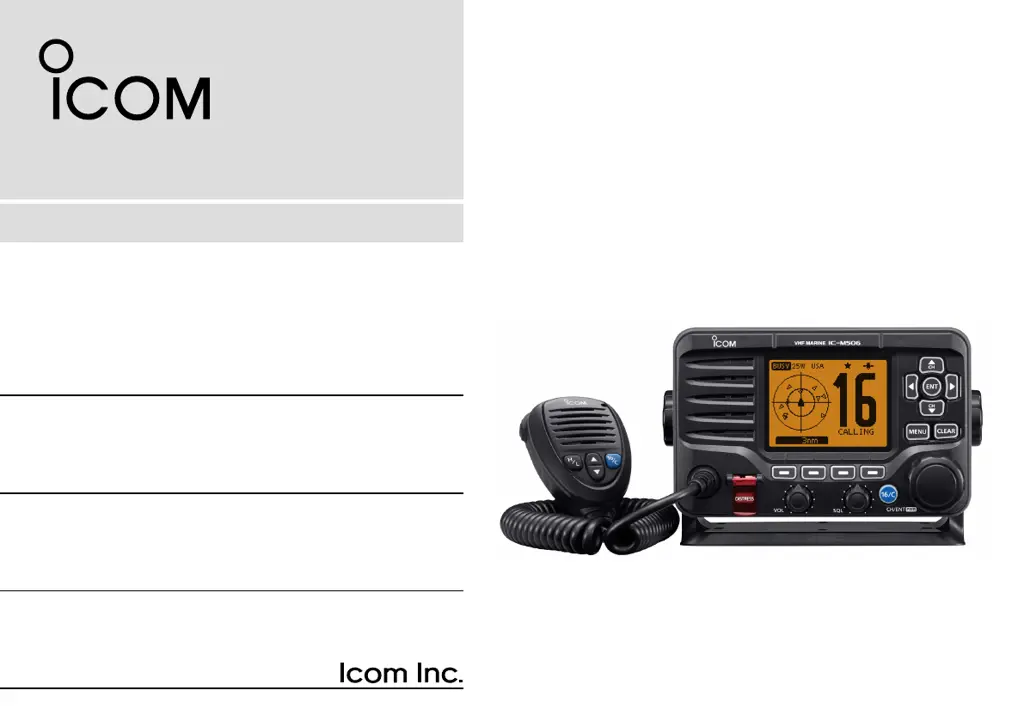
INSTRUCTION MANUAL
iM506EURO
VHF MARINE TRANSCEIVER

Table of Contents

Other manuals for Icom IC-M506EURO

Questions and Answers

  • A
    Andrew GuzmanAug 1, 2025
    Why is there little or no sound coming from my Icom Transceiver speaker?
    • D
      Dr. Elizabeth LawrenceAug 1, 2025
      If you're getting little or no sound from your Icom Transceiver's speaker, the squelch level might be set too high. Try setting the squelch to the threshold point. Also, ensure the volume level isn't too low by adjusting it to a suitable level. If the speaker has been exposed to water, use the AquaQuake function to remove it.
  • M
    michael05Aug 8, 2025
    What to do if transmitting is impossible on Icom IC-M506EURO?
    • S
      Suzanne SavageAug 8, 2025
      If you cannot transmit or select high power on your Icom Transceiver, it might be because some channels are programmed for low power or receive only due to regulations. Try changing channels. Alternatively, the output power might be set to low; push the [HI/LO] button to select high power.
  • L
    Lisa CharlesAug 14, 2025
    Why does scan not start on my Icom Transceiver?
    • J
      Jennifer ThompsonAug 14, 2025
      If the scan does not start on your Icom Transceiver, it could be because fewer than two favorite channels are programmed. Set the desired channels as Favorite channels to resolve this.
  • J
    Justin SmithAug 19, 2025
    How to turn on beep sounds on Icom Transceiver?
    • J
      jessica02Aug 20, 2025
      If you are not hearing any beep sounds on your Icom Transceiver, the beep tones may be turned OFF. Go to the CONFIGURATION menu and turn the beep tones ON.
  • E
    Erica AndersonAug 26, 2025
    What to do if distress calls cannot be transmitted on Icom Transceiver?
    • B
      Brenda DanielsAug 26, 2025
      If distress calls cannot be transmitted from your Icom Transceiver, the MMSI (DSC self ID) code may not be programmed. Program the MMSI (DSC self ID) code into the device.

Summary

Emergency Procedures and Installation

Distress Call Procedures

How to make distress calls using Channel 16 or Digital Selective Calling.

Installation Guidelines

Recommendations for RF exposure limits, antenna height, and gain.

Safety Precautions

Electrical and Handling Warnings

Warnings regarding power supply, AC outlets, DC cable, and water exposure.

Environmental and Usage Cautions

Cautions on temperature, placement, cleaning, and disassembly.

Operating Rules and Licenses

Call Priorities and Privacy

Rules for call priorities, monitoring Channel 16, and information privacy.

Preparation and Setup

MMSI and ATIS Code Programming

Steps for programming the MMSI and ATIS codes for initial setup.

Basic Operation

DSC Operations

DSC Address ID Management

Programming and managing Individual and Group DSC IDs.

Transmitting DSC Calls

Procedures for sending various DSC calls like Individual, Group, and All Ships.

Receiving DSC Calls

Handling incoming DSC messages such as Distress, Individual, or Group calls.

Troubleshooting

Common Problems and Solutions

A guide to diagnose and resolve common operational issues.

Icom IC-M506EURO Specifications

General IconGeneral
BrandIcom
ModelIC-M506EURO
CategoryTransceiver
LanguageEnglish

Related product manuals