54
7
OTHER FUNCTIONS
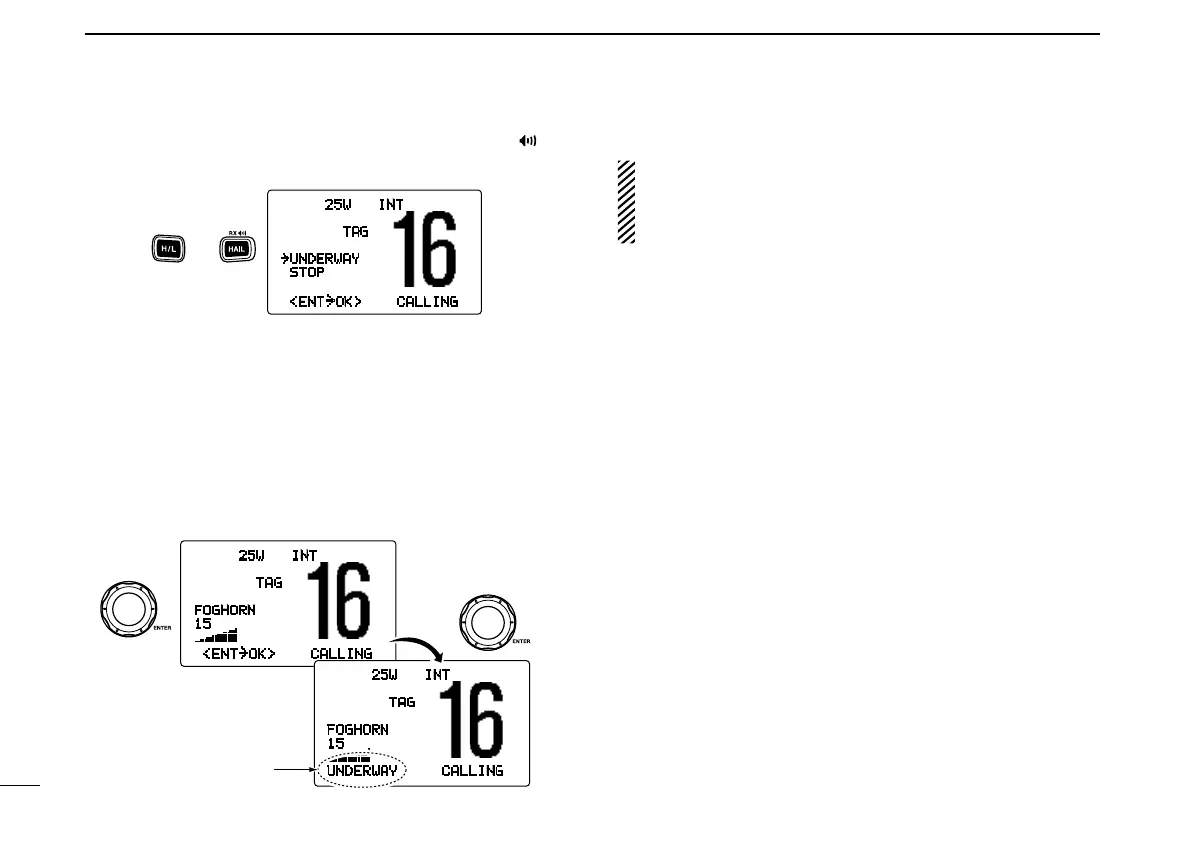
q While pushing and holding [H/L], push [HAIL•RX ] to
enter auto foghorn mode.
w Rotate [CHANNEL] to select the desired foghorn pattern,
push [CHANNEL•ENTER].
•‘UNDERWAY,’ ‘STOP,’ ‘SAIL,’ ‘TOW’ are available. (p. 53)
•Evenif[CHANNEL•ENTER] hasn’t been pushed, the display
automatically changes to the next step after 5 sec. of inactivity.
e Rotate [CHANNEL] to adjust the foghorn level, push
[CHANNEL•ENTER].
•Thefoghornlevelisadjustablein30steps.
•Evenif[ENT] hasn’t been pushed, the display automatically
changes to the next step after 5 sec. of inactivity.
25W INT
TAG
FOGHORN
15
<ENT
˘
OK> CALLING
Rotate
Push
25W INT
TAG
FOGHORN
15
UNDERWAY CALLING
The selected foghorn
pattern is displayed.
r To return to normal operation, repeat step q.
When a DSC call is received, the automatic foghorn func-
tion is interrupted with an automatic return to the trans-
ceiver mode. The transceiver’s display indicates ‘Receiv-
ing DSC calls.’ (p. 41)
25W INT
TAG
˘UNDERWAY
STOP
<ENT˘OK> CALLING
Push and



 To Next Page