26
6
DSC OPERATION
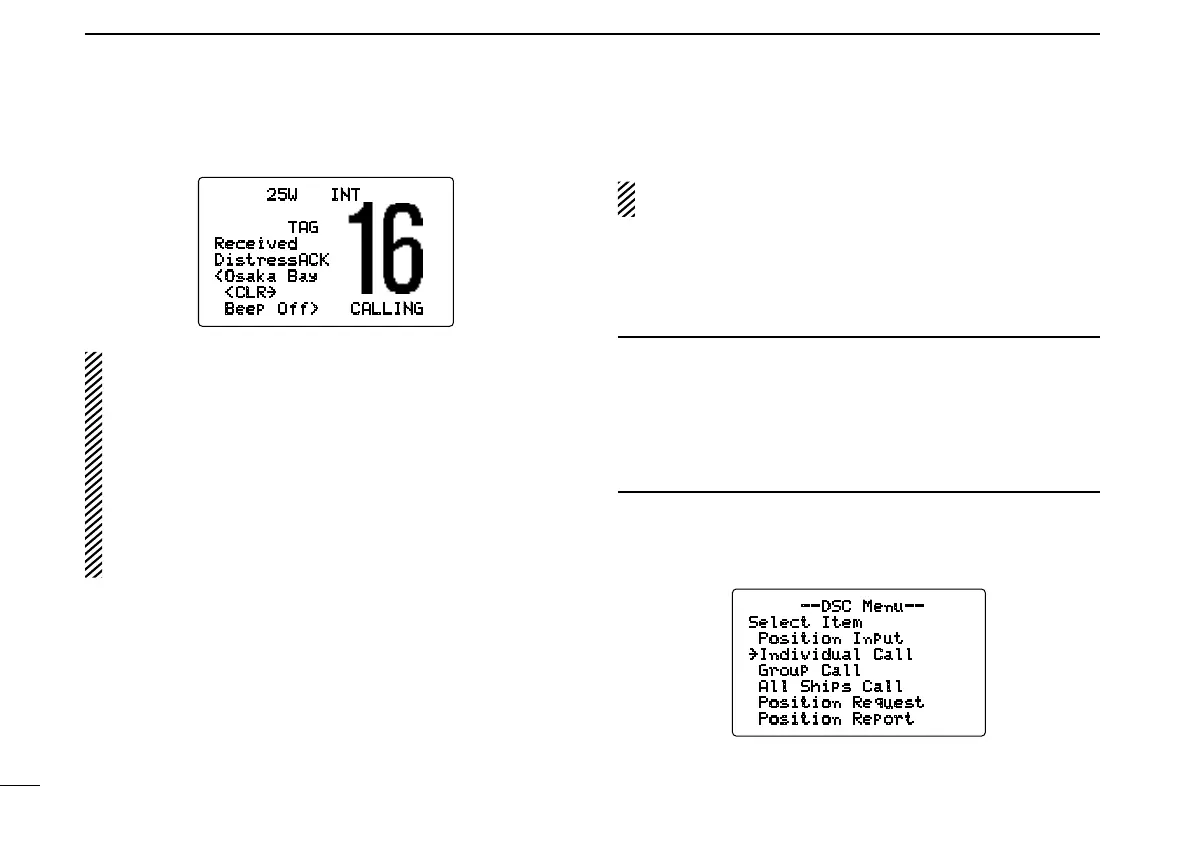
i After receiving the acknowledgment, reply using the mi-
crophone.
25W INT
TAG
Received
DistressACK
<Osaka Bay
<CLR
˘
Beep Off> CALLING
➥ A distress alert contains (default);
•Natureofdistress:Selectednatureofthedistress
•Positiondata :GPSormanual inputpositiondatais
held for 23.5 hrs or until the power is
turned OFF.
➥ The distress call is repeated every 3.5–4.5 min., until
receiving an ‘acknowledgement.’
➥ Push [CLR] to cancel the ‘Call repeat’ mode.
➥ “ ??” may blink instead of position and time indications
when the GPS data is invalid, or has not been manu-
ally updated after 4 hours.
■ Transmitting DSC calls
To ensure correct operation of the DSC function, please
make sure you set the squelch correctly. (p. 8)
D Transmitting an individual call
The individual call function allows you to transmit a DSC sig-
nal to a specific ship only.
✔Convenient
When the lcom MA-500TR c l a s s b a i s t r a n s p o n d e r is con-
nected to your transceiver, an individual DSC call can be
transmitted to a selected AIS target using the transponder,
without needing to enter the target’s MMSI code.
See the leaflet that comes with this manual for more details.
q Push [MENU] to enter the DSC menu.
w Rotate [CHANNEL] to select “Individual Call,”
push [CHANNEL•ENTER].
--DSC Menu--
Select Item
Position Input
˘Individual Call
Group Call
All Ships Call
Position Request
Position Report



 To Next Page