EasyManua.ls Logo

Icom IC-W2E - Page 7

Icom IC-W2E
52 pages
Print Icon
To Next Page IconTo Next Page
To Previous Page IconTo Previous Page
Loading...
When
receiving
a
signal
The
transceiver
can
receive
a
VHF
and
a
UHF
signal
simul-
taneously.
When
receiving,
the
transceiver
functions
as
follows:
1,
Emits
the
received
signal(s)
from
the
speaker.
2.
Indicates
the
relative
signal
strength
on
the
received
band
S-indicator
on
the
function
display.
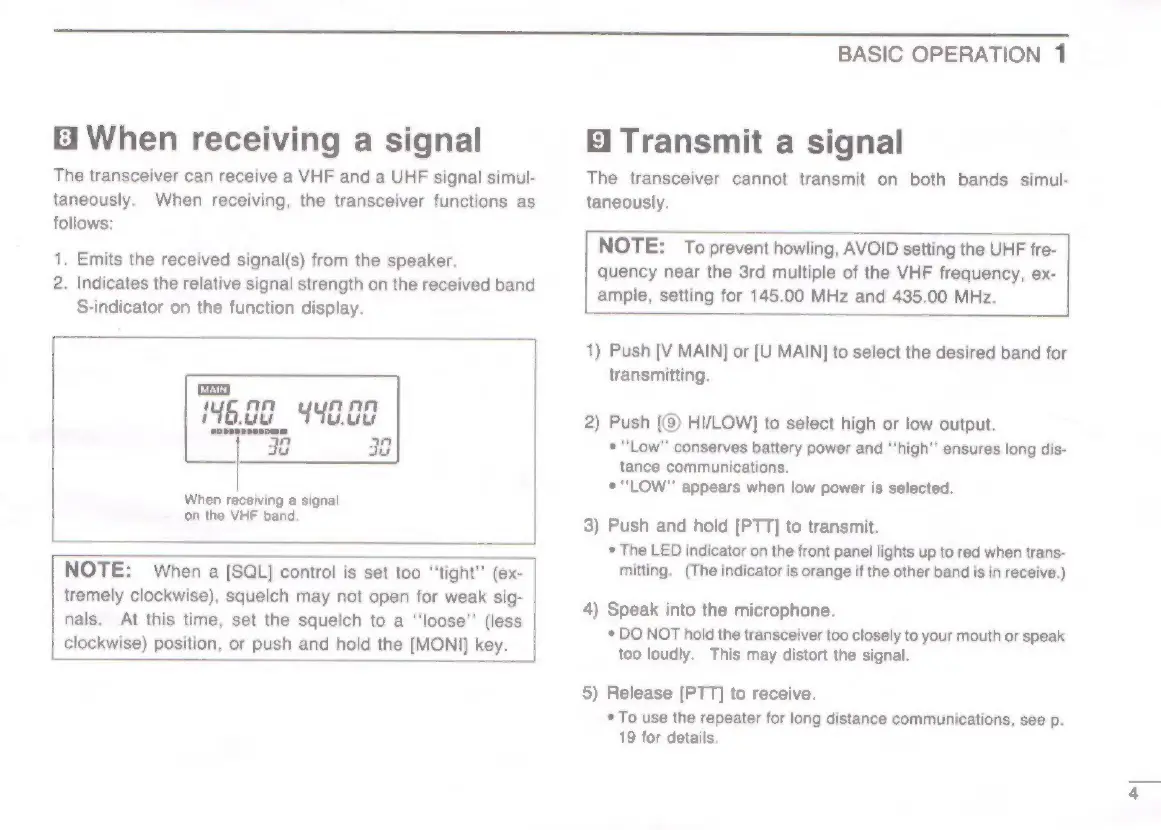
When
receiving
a
signal
on
the
VHF
band.
NOTE:
When
a
[SQL]
control
is
set too
“tight”
(ex-
tremely
clockwise),
squelch
may
not
open
for
weak
sig-
nals.
At
this
time,
set
the
squelch
to
a
‘‘loose”’
(less
clockwise)
position,
or
push
and
hold
the
[MONI]
key.
bl
BASIC
OPERATION
1
E1
Transmit
a
signal
The
transceiver
cannot
transmit
on
both
bands
simul-
taneously.
NOTE:
To
prevent
howling,
AVOID
setting
the
UHF
fre-
quency
near
the
3rd
multiple
of
the
VHF
frequency,
ex-
ample,
setting
for
145.00
MHz
and
435.00
MHz.
1)
Push
[V
MAIN]
or
[U
MAIN]
to
select
the
desired
band
for
transmitting.
2)
Push
[(8)
HI/LOW]
to
select
high
or
low
output.
*
“Low”
conserves
battery
power
and
“‘high"’
ensures
long
dis-
tance
communications.
*
“LOW”
appears
when
low
power
is
selected.
3)
Push
and
hold
[PTT]
to
transmit.
*
The
LED
indicator
on
the
front
panel
lights
up
to
red
when
trans-
mitting.
(The
indicator
is
orange
if
the
other
band
is
in
receive.)
4)
Speak
into
the
microphone.
*
DO
NOT
hold
the
transceiver
too
closely
to
your
mouth
or
speak
too
loudly.
This
may
distort
the
signal.
5)
Release
[PTT]
to
receive.
*
To
use
the
repeater
for
long
distance
communications,
see
p.
19
for
details.
>

Other manuals for Icom IC-W2E

Related product manuals