EasyManua.ls Logo

Icom IC-M1 - User Manual

Icom IC-M1
24 pages
Print Icon
To Next Page IconTo Next Page
Loading...
INSTRUCTION MANUAL
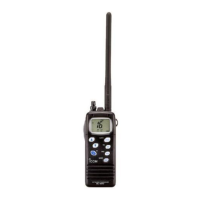
VHF MARINE TRANSCEIVER
iC- m1
This device complies with Part 15 of
the FCC Rules. Operation is subject to
the condition that this device does not
cause harmful interference.

Questions and Answers

  • C
    Cindy LongAug 13, 2025
    How to unlock channel change on Icom IC-M1 Transceiver?
    • C
      Clarence ArmstrongAug 13, 2025
      If the displayed channel on your Icom Transceiver cannot be changed, the lock function may be activated. Push [H/L•LOCK] for 1 second to cancel the function.
  • D
    dbradfordAug 16, 2025
    What to do if my Icom IC-M1 Transceiver has no power?
    • A
      Andrew CainAug 16, 2025
      If your Icom Transceiver isn't powering on, the battery may be exhausted. Try recharging the battery pack. Also, check the connection to the transceiver to ensure it's properly connected.
  • J
    Jodi WilliamsAug 20, 2025
    Why is my Icom IC-M1 Transceiver not transmitting or selecting high power?
    • J
      Jill JamesAug 20, 2025
      If your Icom Transceiver is unable to transmit or select high power, it could be due to several reasons. Some channels are designed for low power or receive-only operation, so try changing channels. Also, if the battery is exhausted, recharge it. Finally, check if the output power is set to low or extra low; if so, push [H/L] to select high power.
  • R
    Robin VaughanAug 25, 2025
    Why is there no sound coming from my Icom IC-M1 speaker?
    • K
      Kyle FernandezAug 25, 2025
      If you're not getting any sound from your Icom Transceiver's speaker, the squelch level might be set too deep. Adjust the squelch to the threshold point. Also, ensure the volume level isn't too low by adjusting [OFF/VOL] to a suitable level. If the speaker has been exposed to water, drain the water from the speaker.
  • C
    Carol RodriguezAug 27, 2025
    What to do if scan does not start on Icom IC-M1?
    • E
      Eric PerkinsAug 27, 2025
      If the scan function on your Icom Transceiver does not start, ensure that the desired channels are set as “TAG” channels.
  • R
    Ronald KingAug 31, 2025
    How do I stop my Icom IC-M1 from scanning automatically?
    • M
      Michael RaymondAug 31, 2025
      If your Icom Transceiver starts scanning automatically, the auto scan function is likely activated. Cancel the auto scan function in SET mode.
  • T
    Tammy WilsonSep 4, 2025
    How do I turn on beep sounds on my Icom IC-M1 Transceiver?
    • J
      John LivingstonSep 4, 2025
      If there are no beep sounds on your Icom Transceiver, the beep tone is likely turned OFF. Turn the beep tone ON in SET mode.
  • D
    Diane ChavezSep 8, 2025
    Why receive signal cannot be understood on Icom IC-M1?
    • N
      Noah CurrySep 8, 2025
      If the received signal on your Icom Transceiver cannot be understood, the optional voice scrambler may be turned OFF. Turn the optional voice scrambler ON. Also, the scramble code may not be set correctly; if so, reset the scramble code.

Summary

Panel Description

Front Panel Controls

Describes the physical controls and indicators on the front of the transceiver.

Top and Side Panel Layout

Details the switches, connectors, and buttons located on the top and sides of the device.

Function Display Indicators Explained

Explains the meaning of various icons and readouts shown on the transceiver's screen.

Basic Operation Guide

Receiving and Transmitting

Explains the steps for operating the transceiver to receive signals and transmit messages.

Dualwatch and Tri-Watch Functions

Dualwatch and Tri-Watch Operation

Provides step-by-step instructions for operating the dualwatch and tri-watch modes.

Scan Operation Guide

Setting and Starting Scans

Guides on configuring tag channels and initiating the scanning process.

Set Mode Configuration

Battery Charging Guide

Battery Cautions and Safety

Important safety precautions for handling and charging battery packs.

Troubleshooting Common Issues

Troubleshooting Common Issues

Provides solutions for common problems encountered with the transceiver.

Icom IC-M1 Specifications

General IconGeneral
BrandIcom
ModelIC-M1
CategoryTransceiver
LanguageEnglish

Related product manuals