EasyManua.ls Logo

Icom IC-M25 - User Manual

Icom IC-M25
48 pages
Print Icon
To Next Page IconTo Next Page
Loading...
INSTRUCTION MANUAL
iM25EURO
iM25
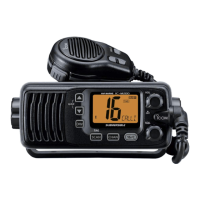
VHF MARINE TRANSCEIVER
This device complies with Part 15 of the FCC
Rules. Operation is subject to the condition that
this device does not cause harmful interference.
IC-M25
IC-M25EURO

Table of Contents

Other manuals for Icom IC-M25

Questions and Answers

  • M
    Melissa RamosAug 14, 2025
    How to unlock the channel on my Icom IC-M25 Transceiver?
    • K
      Kirk KelleyAug 14, 2025
      If the displayed channel on your Icom Transceiver cannot be changed, the Lock function is likely activated. To turn it off, hold down [ ] (Hi/Lo) for 1 second.
  • A
    Ashley Marshall DDSAug 18, 2025
    How to unlock the channel on my Icom Marine Radio?
    • J
      Jeffrey RobinsonAug 18, 2025
      If you cannot change the displayed channel on your Icom Marine Radio, it's likely that the lock function is activated. To turn it off, hold down the [ ] (Hi/Lo) button for 1 second.
  • M
    Mary SmithAug 21, 2025
    Why is there no sound from my Icom IC-M25 speaker, or why is the sound muffled?
    • C
      Christopher FritzAug 21, 2025
      If your Icom Transceiver isn't producing any sound or the sound is muffled, there are several potential causes. First, the squelch level might be set too high; try adjusting it. Also, ensure the volume isn't too low by adjusting the volume level. Check if the Volume Mute function is on and turn it off. Finally, if the speaker has been exposed to water, remove any water from the speaker grill.
  • C
    Curtis TurnerAug 25, 2025
    What to do if the battery icon blinks, and "Er" and "CHG" are displayed on my Icom IC-M25 Transceiver?
    • G
      Glenda CooperAug 25, 2025
      If your Icom Transceiver displays the battery icon blinking along with "Er" and "CHG", it indicates that the battery is either being charged outside the optimal temperature range of 0°C (+32°F) to +45°C (+113°F), or the battery has become too hot, possibly after prolonged transmitting. To solve this, keep the transceiver in a cool place until the internal battery cools down.
  • S
    sheilareynoldsAug 28, 2025
    Why is transmitting impossible, or high power cannot be selected on my Icom IC-M25 Transceiver?
    • D
      david91Aug 28, 2025
      If you cannot transmit or select high power on your Icom Transceiver, it might be because some channels are limited to low power or are receive-only. Try selecting a different channel. Alternatively, the output power might be set to low; push [Hi/Lo] to select high power. It is also possible that the battery is exhausted, in this case charge the battery.
  • D
    Dustin GainesAug 31, 2025
    Why does scan not start on my Icom IC-M25?
    • O
      Olivia RileyAug 31, 2025
      If the scan function does not start on your Icom Transceiver, ensure that at least two channels are set as Favorite channels, because only Favorite channels are scanned. Set the desired channels as Favorite channels to resolve this.
  • M
    Mark Jennings DDSSep 3, 2025
    How to turn on beep sounds on Icom IC-M25 Transceiver?
    • G
      Gabriella DanielsSep 3, 2025
      If there are no beep sounds on your Icom Transceiver, the Beep Tone function is likely turned off. To turn it on, go to the Set mode and enable the Beep Tone function.
  • A
    Amanda WilsonSep 7, 2025
    What to do if there is no sound from my Icom Marine Radio speaker?
    • L
      Larry SanchezSep 7, 2025
      If you're not getting any sound from your Icom Marine Radio speaker, there could be a few reasons. First, the squelch level might be too high, so try setting it to the threshold level. Alternatively, the volume level could be too low; adjust it to a suitable level. Finally, if the speaker has been exposed to water, remove any water from the speaker grill.
  • A
    Alicia JensenSep 10, 2025
    Why can't I transmit or select high power on my Icom Marine Radio?
    • Y
      yvegaSep 12, 2025
      If you're unable to transmit or select high power on your Icom Marine Radio, it could be due to a few reasons. Some channels might be limited to low power or receive-only, so try changing the channel. Also, check if the output power is set to low; push the [Hi/Lo] button to select high power. Finally, ensure that the battery isn't exhausted by recharging it.

Summary

Icom VHF Marine Transceiver Features

Floats on Water

The transceiver floats in fresh or salt water, even with accessories attached. May sink with third-party accessories.

Emergency and Recommendations

In Case of Emergency

Procedure for making a distress call on Channel 16 for assistance, including necessary information.

Radio Operator RF Exposure Warning

RF Exposure Compliance Guidelines

Guidelines to ensure RF exposure remains within FCC/IC limits for general population use, focusing on antenna placement and usage.

General Precautions

Electrical and Water Safety Warnings

Crucial warnings about connecting to AC, water exposure, and proper antenna attachment for safe operation.

Operating Rules and Licenses

Panel Description and Display

Front, Top, and Side Panel Layout

Identification and description of all buttons, connectors, and controls on the transceiver's exterior.

Function Display Indicators

Explanation of the various icons, readouts, and indicators shown on the transceiver's LCD screen.

Basic Operation Guide

Channel Selection and Tuning

How to select channel groups, specific channels, Channel 16, Call channel, and weather channels.

Receiving, Transmitting, and Volume Control

Procedures for receiving, transmitting, adjusting volume, squelch, and using the monitor function.

Scan Operation

Dualwatch and Tri-watch

Set Mode Configuration

Set Mode Entry and Navigation

Steps to enter Set mode, navigate through items, and select options using the transceiver controls.

About the Battery

Battery Safety and Handling Precautions

Critical safety warnings regarding battery misuse, damage, extreme temperatures, and exposure to liquids.

Troubleshooting Common Issues

Specifications and Options

Icom IC-M25 Specifications

General IconGeneral
Battery typeBP-282
Battery life (max)11 h
Battery low indicationYes
Number of batteries supported1
PurposeMarine Radio Service
Operating frequency156.025 - 157.425 MHz
Display typeLCD
USB connector typeMicro-USB B
Antenna connector typeFA-SC59V
Product colorBlack, White
Waterproof up to1 m
International Protection (IP) codeIPX7
Operating temperature (T-T)-20 - 60 °C
Number of batteries included1 pc(s)
Weight and Dimensions IconWeight and Dimensions
Depth30.5 mm
Width56.6 mm
Height134.2 mm
Weight220 g

Related product manuals