EasyManua.ls Logo

Icom IC-M23 - User Manual

Icom IC-M23
36 pages
Print Icon
To Next Page IconTo Next Page
Loading...
INSTRUCTION MANUAL
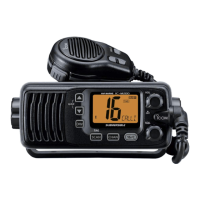
iM23
VHF MARINE TRANSCEIVER

Other manuals for Icom IC-M23

Questions and Answers

  • L
    Lauren Sanchez MDJul 26, 2025
    How to unlock the channel on an Icom IC-M23 Transceiver?
    • E
      Elizabeth EscobarJul 26, 2025
      If the displayed channel on your Icom Transceiver cannot be changed, the Lock function may be activated. To turn it OFF, hold down [ ] (Hi/Lo) for 1 second.
  • D
    Dominique MackAug 1, 2025
    Why is there no sound from the Icom IC-M23 speaker?
    • J
      Joshua Miller IIAug 1, 2025
      If your Icom Transceiver has no sound coming from the speaker, ensure that the squelch level isn't too high by setting it to the threshold level. Also, check that the volume isn't too low and adjust it accordingly. If the speaker has been exposed to water, remove the water from the speaker grill.
  • P
    Paul GriffinAug 6, 2025
    How to fix an Icom IC-M23 Transceiver that does not turn ON?
    • K
      Kathy MasseyAug 6, 2025
      If your Icom Transceiver won't turn on, it could be due to an exhausted battery. Recharge the battery pack to solve this. Another possible cause is that the battery pack is not correctly inserted; make sure it is properly inserted.
  • J
    Jordan PearsonAug 10, 2025
    What to do if Icom Transceiver transmitting is impossible, or high power can not be selected?
    • A
      Andrea SchneiderAug 10, 2025
      If your Icom Transceiver is unable to transmit or you can't select high power, it might be because some channels are limited to low power or are receive-only. Try changing the channel. Also, check if the output power is set to low and push [Hi/Lo] to select high power. A discharged battery may also be the reason, so try to recharge the battery pack.
  • B
    Brady MezaAug 15, 2025
    Why does the scan not start on my Icom IC-M23 Transceiver?
    • E
      emily56Aug 15, 2025
      If the Icom Transceiver scan does not start, it may be because “TAG” channels are not programmed. Set desired channels as “TAG” channels.
  • G
    gsmithAug 20, 2025
    How to enable beep sounds on an Icom IC-M23?
    • M
      Michael SalinasAug 20, 2025
      If there are no beep sounds on your Icom Transceiver, the Beep Tone function may be turned OFF. Turn ON the Beep Tone in the set mode.

Summary

In Case of Emergency

Distress Call Procedure

Step-by-step guide for making a distress call using Channel 16.

Recommendation

Post-Exposure Cleaning

Instructions for cleaning the transceiver with fresh water after saltwater exposure.

Features

Floats on Water

Describes the transceiver's ability to float in fresh or salt water.

Floats and Flashes

Explains the LED flashing feature for water retrieval.

Precautions

General Safety Warnings

Crucial warnings regarding electrical connection, antenna proximity, and environmental limits.

Operating Rules

Priorities and Privacy

Rules concerning call priorities, monitoring Channel 16, and information privacy.

Radio Licenses

Information on required ship station and operator licenses for radio use.

Supplied Accessories and Attachments

Accessory Components

Lists and illustrates essential supplied accessories like handstrap, battery, charger, and belt clip.

Attaching Accessories

Instructions for connecting the flexible antenna and belt clip to the transceiver.

Panel Description

Front, Top, and Side Panels

Detailed identification of physical controls and connectors on the transceiver.

Function Display Icons

Explanation of various icons displayed on the transceiver screen.

Basic Operation

Channel Selection

How to select channels, including Channel 16 and Call channels.

Volume and Squelch Adjustment

Procedures for adjusting audio volume and squelch levels.

Receiving and Transmitting

Steps for transmitting and receiving signals, including power selection.

Call Channel Programming

How to program custom channels for quick recall as Call channels.

Scan Operation

Scan Types

Overview of Priority Scan and Normal Scan modes for signal searching.

Setting TAG Channels

How to tag desired channels for efficient scanning.

Dualwatch;Tri-watch

Operation Modes

Explains Dualwatch and Tri-watch functions for monitoring Channel 16.

Set Mode

Set Mode Programming

How to enter and navigate the Set mode for configuration.

Configurable Settings

Details on setting Beep Tone, Scan types, timers, and other functions.

Battery Charging

Battery Cautions and Handling

Critical safety warnings and guidelines for handling Lithium-ion batteries.

Charging Procedures

Instructions for charging the battery pack using supplied or optional chargers.

Troubleshooting

VHF Marine Channel List

Specifications and Options

Product Specifications

Technical details of the transceiver's performance and features.

Available Options

List of optional accessories such as battery packs, chargers, and cables.

Icom IC-M23 Specifications

General IconGeneral
BrandIcom
ModelIC-M23
CategoryTransceiver
LanguageEnglish

Related product manuals