What to do if Icom Transceiver power does not come on?
- AandersondarrellJul 27, 2025
If the power does not come on when you turn on the Icom Transceiver, the power cable might be improperly connected. Reconnect the DC power cable correctly.
What to do if Icom Transceiver power does not come on?
If the power does not come on when you turn on the Icom Transceiver, the power cable might be improperly connected. Reconnect the DC power cable correctly.
Why Icom IC-M200 Transceiver has no sound from the speaker?
If no sound is heard from the speaker of your Icom Transceiver, there could be several reasons: * The volume level might be too low. Rotate [VOL] to a suitable listening level. * The speaker may have been exposed to water. Drain water from the speaker. * The squelch level might be too high. Set squelch to the threshold point.
What to do if Icom IC-M200 cannot transmit or output power is low?
If your Icom Transceiver cannot transmit, or the output power is low: * You may have selected channels that are only for receive or low power. Select other channels. * Low power might be selected. Push [HI/LO] on the microphone to select high power.
How to turn on beeps on Icom IC-M200 Transceiver?
If there are no beeps on your Icom Transceiver, it is possible that the key beeps are turned OFF. Turn ON the key beep in the Set mode.
Warnings on electrical connections, voltage, polarity, lightning, temperature, and placement.
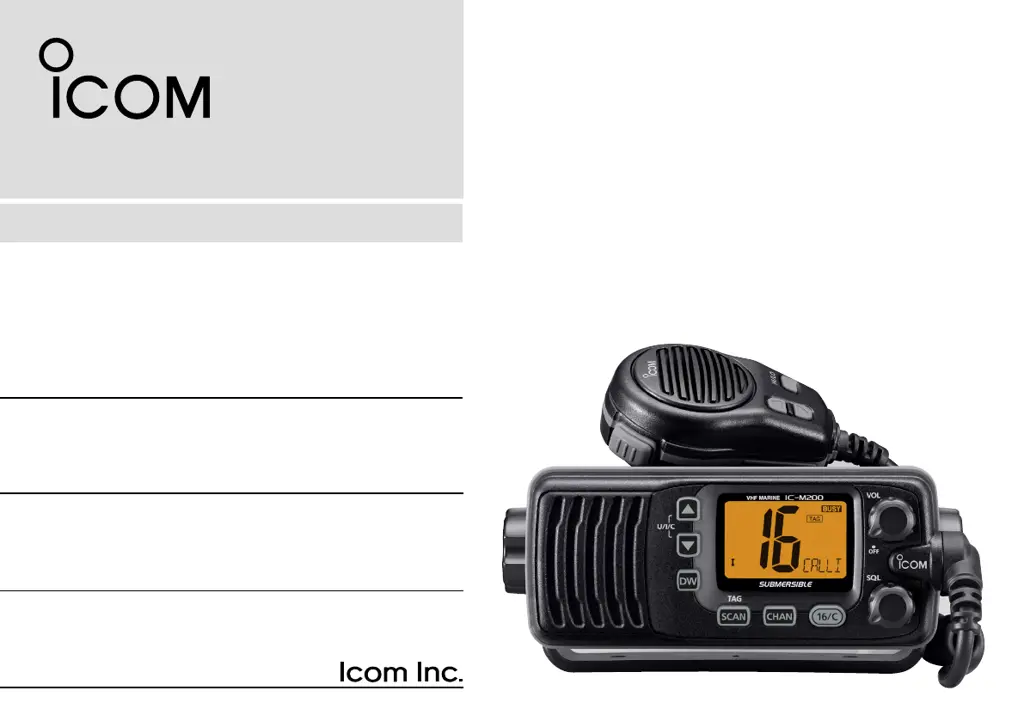
Details of the front panel layout, including display, volume, squelch, and function keys.
How to select Channel 16 and the Call channel for operation.
Step-by-step guide for turning on, setting levels, selecting channels, and transmitting/receiving.
Explanation of Normal Scan and Priority Scan modes.
Details on connecting external speakers, DC power, and antenna.
Table listing common issues, their possible causes, and recommended solutions.
Warnings on electrical connections, voltage, polarity, lightning, temperature, and placement.
Details of the front panel layout, including display, volume, squelch, and function keys.
How to select Channel 16 and the Call channel for operation.
Step-by-step guide for turning on, setting levels, selecting channels, and transmitting/receiving.
Explanation of Normal Scan and Priority Scan modes.
Details on connecting external speakers, DC power, and antenna.
Table listing common issues, their possible causes, and recommended solutions.
| Purpose | - |
|---|---|
| Maximum range | - m |
| Operating frequency | 156.025 - 162.025 MHz |
| Display type | LCD |
| Product color | Black |
| International Protection (IP) code | IPX7 |
| Operating temperature (T-T) | -20 - 60 °C |
| Depth | 67 mm |
|---|---|
| Width | 153 mm |
| Height | 133 mm |
| Weight | 790 g |