EasyManua.ls Logo

Icom IC-M34 - User Manual

Icom IC-M34
36 pages
Print Icon
To Next Page IconTo Next Page
Loading...
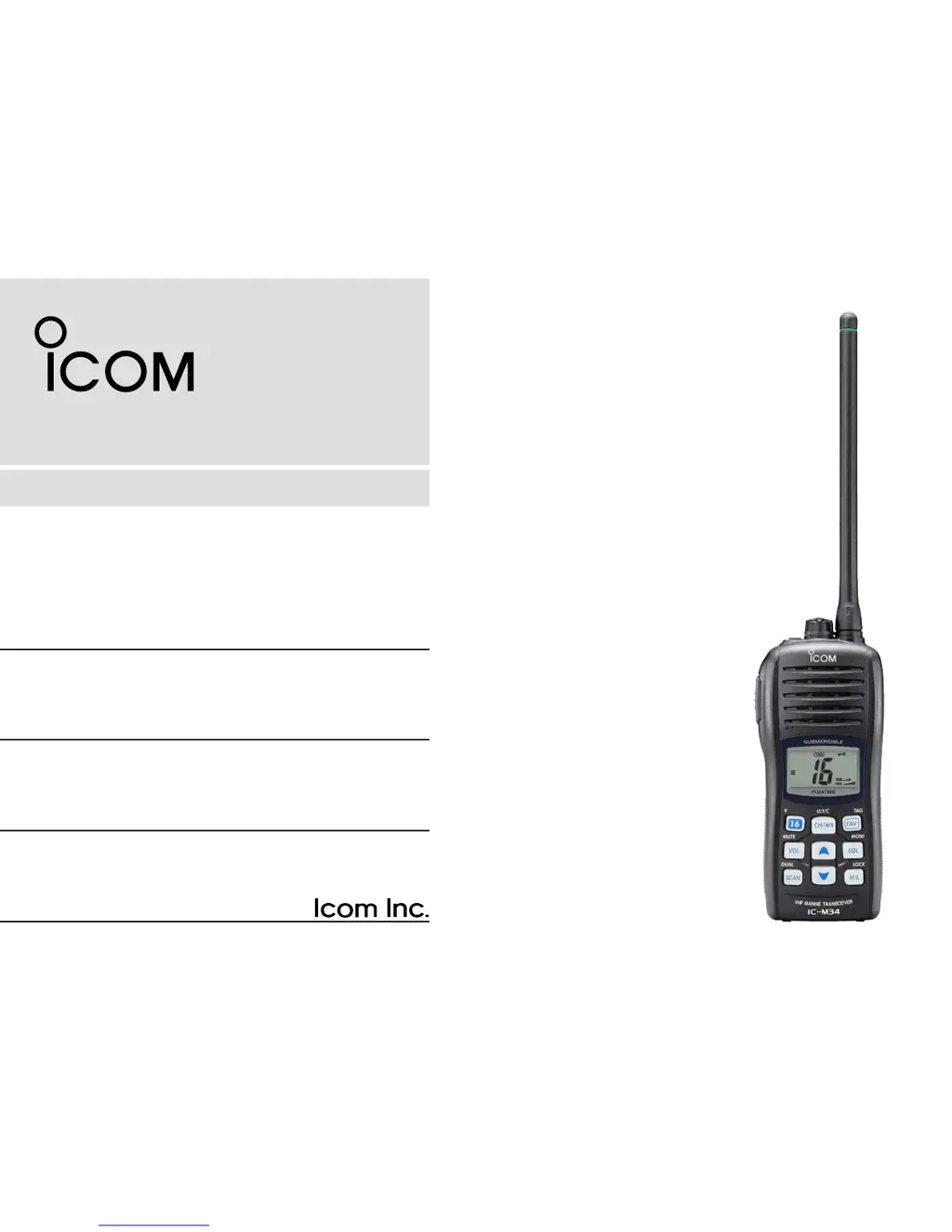
INSTRUCTION MANUAL
iM34
VHF MARINE TRANSCEIVER
This device complies with Part 15 of the FCC
Rules. Operation is subject to the condition that
this device does not cause harmful interference.

Other manuals for Icom IC-M34

Questions and Answers

  • A
    amanda46Aug 18, 2025
    How to unlock Icom IC-M34 Transceiver channel?
    • B
      Brenda HughesAug 18, 2025
      If the displayed channel on your Icom Transceiver cannot be changed, it's likely that the lock function is activated. To cancel this function, push and hold [LOCK] (H/L) for 1 second.
  • Z
    zjonesAug 20, 2025
    What to do if Icom IC-M34 Transceiver displayed channel cannot be changed?
    • M
      Michael KellyAug 20, 2025
      If the displayed channel on your Icom Transceiver cannot be changed, the lock function may be activated. To cancel it, push and hold [LOCK] (H/L) for 1 second.
  • M
    Melissa MasseyAug 23, 2025
    Why is my Icom IC-M34 Transceiver transmitting impossible, or high power cannot be selected?
    • B
      Brett GilesAug 23, 2025
      The inability to transmit or select high power on your Icom Transceiver may be due to several reasons. Some channels might be designated for low power or receive-only, in which case you should try changing channels. The battery might be exhausted, requiring you to recharge it. Also, verify the battery voltage if it is overcharged. Finally, check if the output power is set to low, and if so, push [H/L] to select high power.
  • Z
    zoewarnerAug 26, 2025
    What to do if there is no sound from the Icom IC-M34 Transceiver speaker?
    • D
      donna70Aug 26, 2025
      If you're not getting any sound from your Icom Transceiver's speaker, there are a few potential causes. First, the squelch level may be set too high; try setting the squelch to the threshold point. Second, the volume level might be too low; adjust it by pushing [Y]/[Z] after pushing [VOL] to set a suitable level. Lastly, if the speaker has been exposed to water, drain the water from the speaker.
  • A
    adamchristianAug 27, 2025
    How to fix Icom IC-M34 if it does not turn ON?
    • T
      terri56Aug 27, 2025
      If your Icom Transceiver isn't turning on, it could be due to a couple of reasons. The battery might be exhausted, so try recharging it. Alternatively, the battery pack might not be attached correctly, so ensure it is properly attached.
  • P
    Patrick MannAug 30, 2025
    Why Icom IC-M34 Transceiver scan does not start?
    • K
      Kendra LambAug 30, 2025
      If the scan function on your Icom Transceiver isn't starting, it's possible that “TAG” channels are not programmed. To resolve this, set the desired channels as “TAG” channels.
  • L
    Lisa SalazarSep 1, 2025
    What causes battery voltage error in Icom IC-M34?
    • S
      sarahjenkinsSep 1, 2025
      A battery voltage error in your Icom Transceiver indicates that the connected battery pack’s voltage is more than 11 V. Verify the battery voltage is correct.
  • R
    rogerskathleenSep 3, 2025
    How to turn on beep on Icom IC-M34?
    • A
      Aaron FuentesSep 3, 2025
      If you are not hearing any beeps from your Icom Transceiver, it's likely that the beep tone function is turned OFF. To enable it, set the beep tone to ON (Fix Beep/User Beep) in set mode.
  • A
    Anthony MartinezSep 6, 2025
    What to do if Icom IC-M34 Transceiver has no sound from speaker?
    • H
      hernandezpeterSep 6, 2025
      If you're not getting any sound from the speaker of your Icom Transceiver, there are a few potential causes. First, the squelch level might be set too high; try adjusting it to the threshold point. Second, the volume level could be too low; push [Y]/[Z] after pushing [VOL] to increase it to a suitable level. Finally, if the speaker has been exposed to water, drain the water from it.
  • A
    Adam HoffmanSep 8, 2025
    Why Icom IC-M34 does not turn ON?
    • J
      Jennifer HernandezSep 8, 2025
      If your Icom Transceiver isn't turning on, it could be due to a couple of reasons. The battery might be exhausted, in which case you should recharge it. Alternatively, the battery pack might not be attached correctly, so ensure it is properly attached.

Summary

Safety Training Information

Electromagnetic Interference and Compatibility

This radio generates RF energy that can cause interference with other devices.

Emergency Procedures and Recommendations

Distress Call Procedure on Channel 16

Procedure for sending a distress call on Channel 16.

Critical Precautions

Safety and Handling Precautions

Covers essential warnings for safe operation, battery, and environmental handling.

Operating Rules and Licensing

Basic Operation: Channel Selection

Distress and Call Channel Usage

How to select the distress (Ch 16) and call channels.

Basic Operation: Receiving and Transmitting

Signal Reception and Voice Transmission

Steps for receiving signals and transmitting voice communications.

Basic Operation: Channel Programming and Volume

Call Channel Programming Procedure

Procedure to program custom call channels for quick recall.

Basic Operation: Squelch, Lock, and Backlighting

Adjusting Squelch Level

How to adjust squelch for optimal signal reception.

Scan Operation: Scan Types

Priority and Normal Scan Modes

Explanation of Priority Scan and Normal Scan modes.

Scan Operation: Setting and Starting Scans

Setting TAG Channels for Scanning

How to assign channels for scanning.

Initiating Scan Operations

Procedure to initiate priority or normal scanning.

Dualwatch and Tri-watch Functions

Operating Dualwatch;Tri-watch

Steps to activate and use Dualwatch and Tri-watch.

Set Mode Configuration

Entering and Navigating Set Mode

Overview of entering and navigating the set mode.

Configurable Set Mode Items

Lists and briefly describes the 12 configurable functions in set mode.

Battery Charging Safety

Battery Handling Hazards and Cautions

Critical safety warnings regarding battery misuse and hazards.

Battery Charging Safety and Cautions

General Battery Handling Warnings

Warnings about abnormal battery conditions and improper use.

Charging Precautions

Cautions for safe battery charging, temperature, and time limits.

Optional Speaker-Microphone

Troubleshooting Common Issues

Power and Audio Problems

Solutions for transceiver not turning on or no sound from speaker.

Icom IC-M34 Specifications

General IconGeneral
BrandIcom
ModelIC-M34
CategoryTransceiver
LanguageEnglish

Related product manuals